51
BARRETT PRC-4090 TACTICAL HF SDR TRANSCEIVER - SELCALL
GPS Position
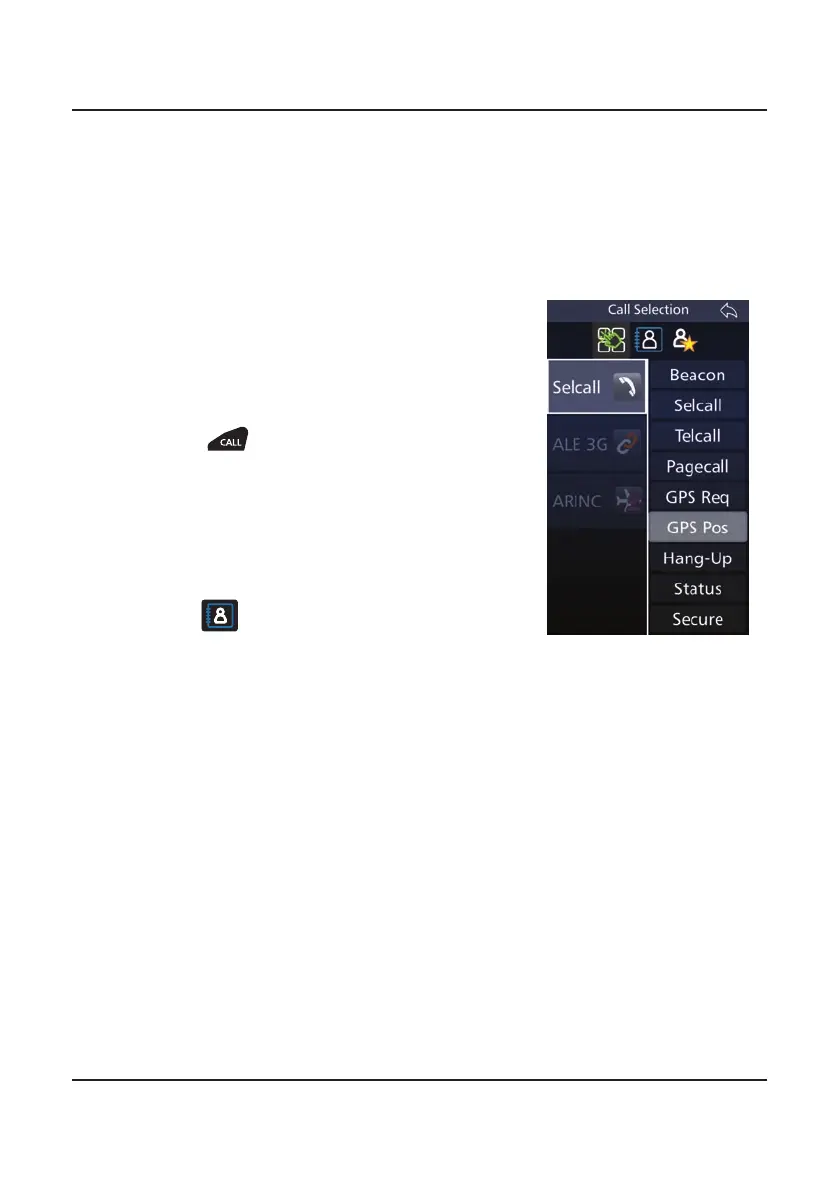
Use this option to send your GPS position to another station.
A GPS receiver must be connected and receiving position information when using
the GPS call option.
1. Select the channel on which to send the GPS
Pos (Beacon Call can be used to determine
the best channel)
2. Listen for trafc on that channel. If trafc is
not heard, continue.
3. Press
4. Either:
• Select GPS Pos, enter the selcall ID of
transceiver you wish to contact and
press Enter, or
• Choose a contact from the Contacts icon
and then select GPS Pos.
5. Wait for the call to be sent and listen for the
revertive signal that indicates the call was
successful.
• If a revertive tone is not heard try another
channel and repeat the process.
Note: If the display indicates that the GPS is una-
vailable, you cannot select the Selective Call function
GPS Pos.
Sending a GPS Pos



 To Next Page