84
BARRETT PRC-4090 TACTICAL HF SDR TRANSCEIVER - ADVANCED OPERATION
IO Settings
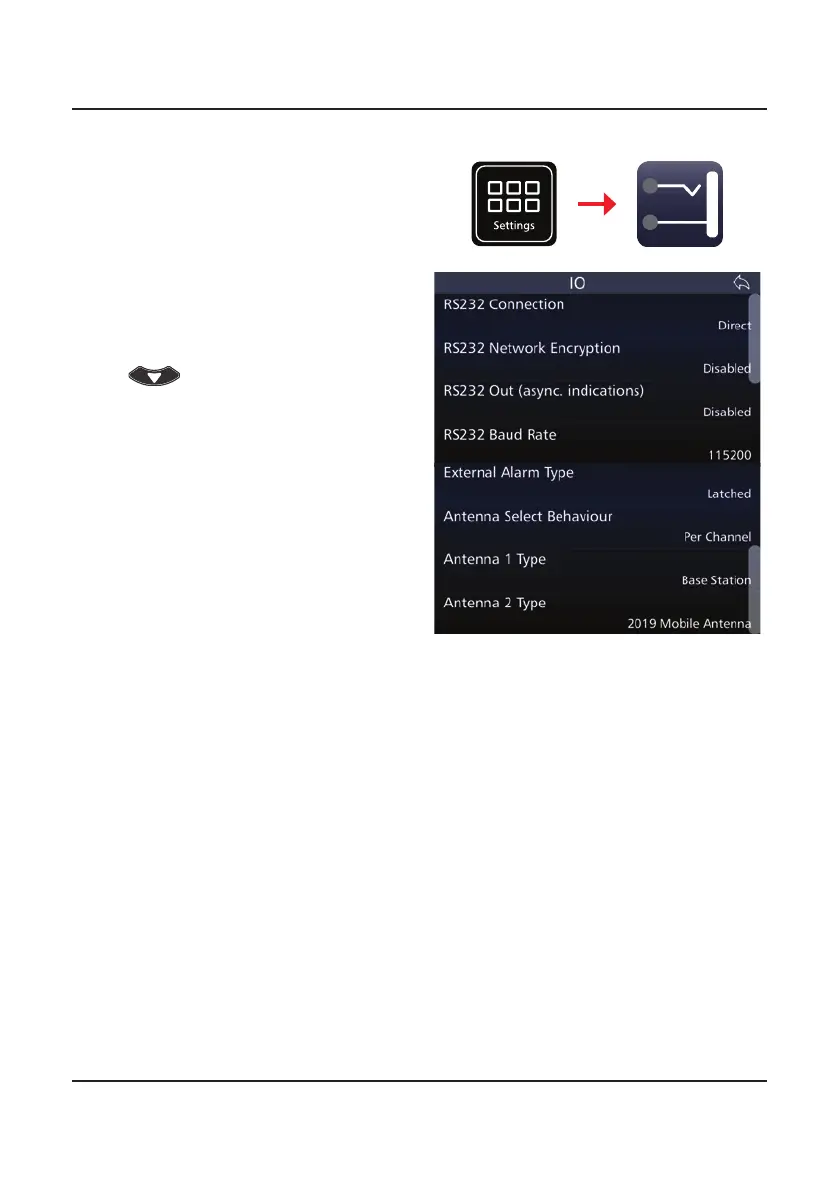
Tap IO from the Settings screen to
display the IO screen.
A list of items that may be cong-
ured is displayed.
The current status of each of the
items is displayed to the right.
To reveal more items, either swipe
down on the touch screen or press
.
Settings
I/O
RS232 Out (async. Indications)
RS232 Connection
RS232 Network Encryption
This setting enables or disables RS232 status information output from the
transceiver via the top hotshoe auxiliary connector.
Note: This command does not enable/disable RS232 control of the transceiver when
the RS232 option is tted. It is used to control the output of status information via
RS232 used by some external programs such as vehicle tracking.
This selects whether the RS232 connection is made via a direct connection to
the top hotshoe auxiliary connector on the PRC-4090 or via a network (WiFi
or Ethernet - please see 4000 Series IP Connectivity/Networking Guide [P/N
BCM40507]).
Enabling RS232 Network Encryption secures information transfers over RS232
networked connections. Disabling this feature removes any encryption from the
RS232 network.



 To Next Page