39
BARRETT PRC-4090 TACTICAL HF SDR TRANSCEIVER - SELCALL
Receiving a Beacon Call
When a transceiver receives a beacon request call, it responds by transmitting
the Beacon Call revertive tones. No indications occur on the transceiver. Beacon
Calls are not saved in the Selcall History.
Selcall
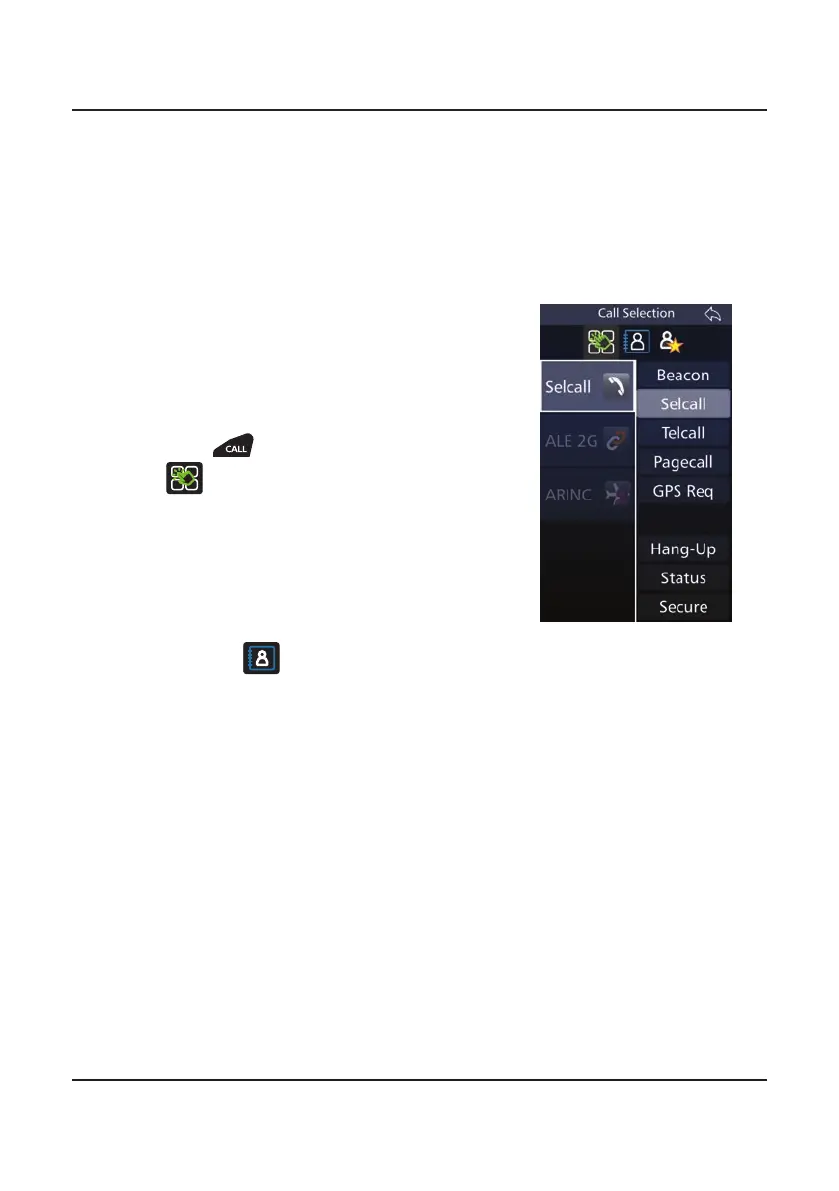
Sending a Selcall
1. Select the channel to send the Selcall on
(Beacon Call can be used to determine
the best channel)
2. Listen for trafc on that channel. If traf-
c is not heard, continue.
3. Press and, if necessary, press the
icon to show the Call Selection
screen.
4. Either:
• Select Selcall, enter a Selcall Id man-
ually and press Enter, or
• Choose a contact from the Contacts
icon
and then select Selcall.
5. Wait for the Selcall to be sent and listen for the revertive signal that indi-
cates the call was successful.
• If a revertive tone is not heard or was difcult to hear, try another
channel and repeat the process until a good channel is found.
• If a revertive tone is heard but you receive no verbal response from
the station, it may be because the Operator is unavailable at the time.



 To Next Page