25
BARRETT PRC-4090 TACTICAL HF SDR TRANSCEIVER - BASIC OPERATION
Selecting a Channel
There are two ways to select a channel on the Barrett PRC-4090 HF SDR Trans-
ceiver.
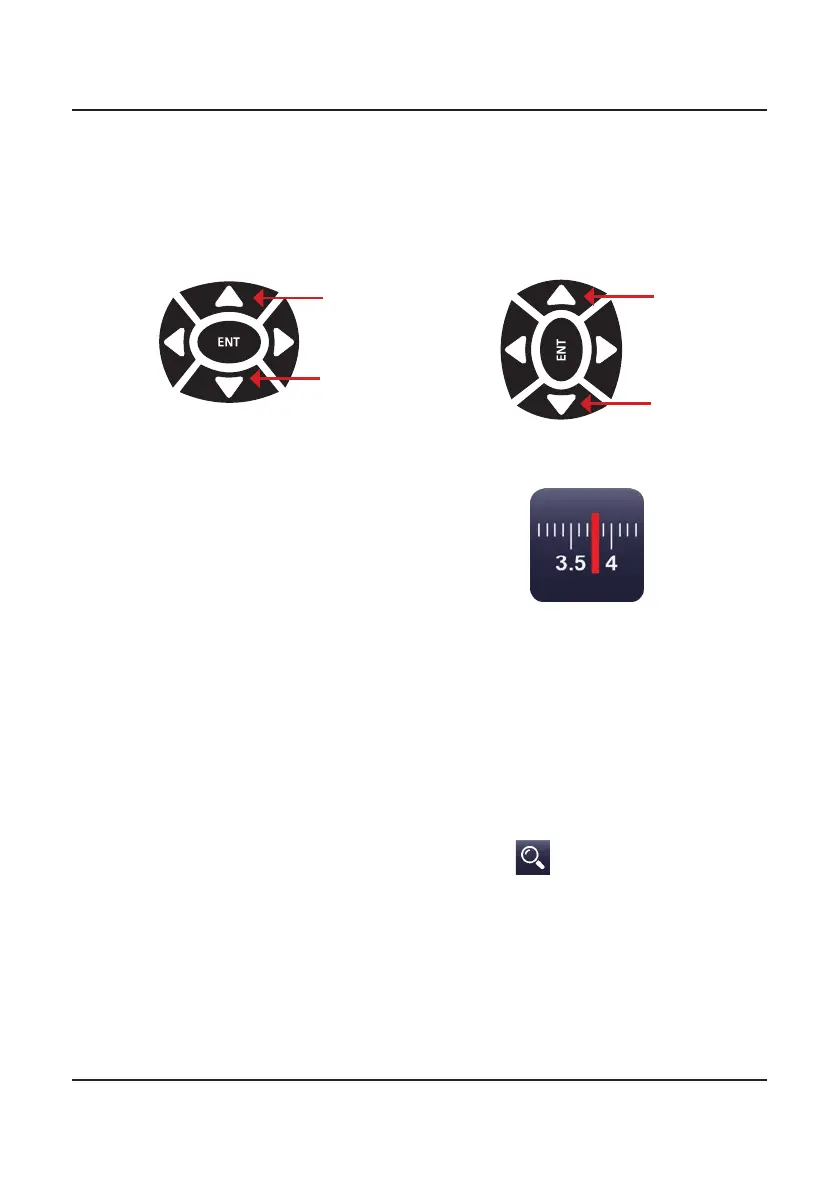
1. From the home screen, press the up (A) or down (B) keys on the keypad.
This will allow a user to cycle though the programmed channels.
2. From the transceiver home
screen, press the channels but-
ton. This brings up the Channel
Selection menu and shows all
of the channels programmed
into the transceiver in one
place. Tap a channel to select it.
Holding down this channel button
opens the Channel information
screen which displays all of the
settings for the channel currently
selected.
If there are no channels programmed into the transceiver, turn to
page 66 for instructions on channel programming.
Alternately, to search for a specic channel, tap
and type in the number of
the channel as programmed in the transceiver eg. typing 4 will select channel 4.
Channels
A
B
Portrait mode Landscape
mode
A
B



 To Next Page