EasyManua.ls Logo

Barrett PRC-4090 - Page 32

Barrett PRC-4090
233 pages
Print Icon
To Next Page IconTo Next Page
To Previous Page IconTo Previous Page
Loading...
20
BARRETT PRC-4090 TACTICAL HF SDR TRANSCEIVER - BASIC OPERATION
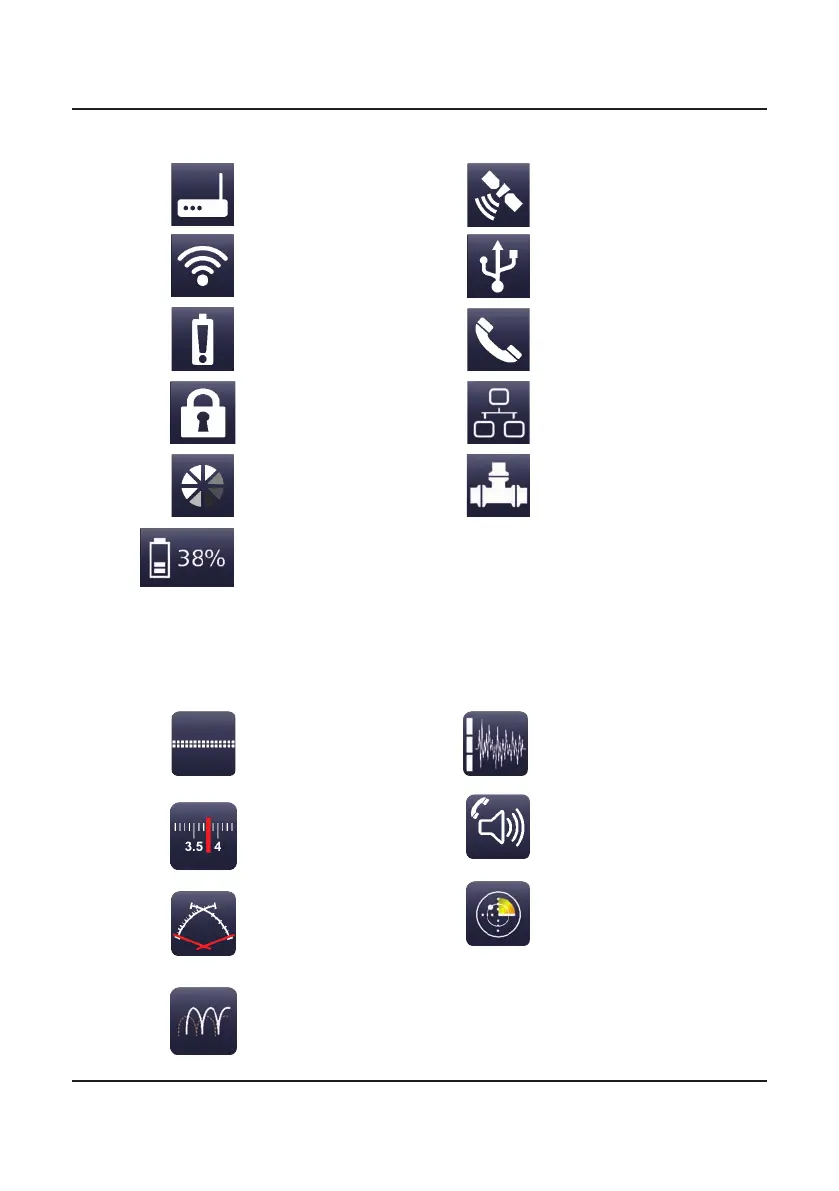
Operation Icons
Status Indicators
Toggles Digital Voice
or Secure Digital Voice
encoding on or off (if
tted).
Opens the channel
select menu.
Manually tunes the
antenna.
Enables/disables
Frequency Hopping (if
tted).
Cycles through low, med,
high or no noise reduction.
Toggles mute on/off. See
page 88 for further mute
details.
Enables/disables scanning.
A number on the WiFi Client icon or the Networked RS232 icon indicates the
number of connections currently made to that device.
Access Point
WiFi Client
Low Voltage
Screen Lock
Busy
Battery charge
GPS
USB Storage
Missed Call
Ethernet
Networked RS232

Table of Contents

Related product manuals