22
BARRETT PRC-4090 TACTICAL HF SDR TRANSCEIVER - BASIC OPERATION
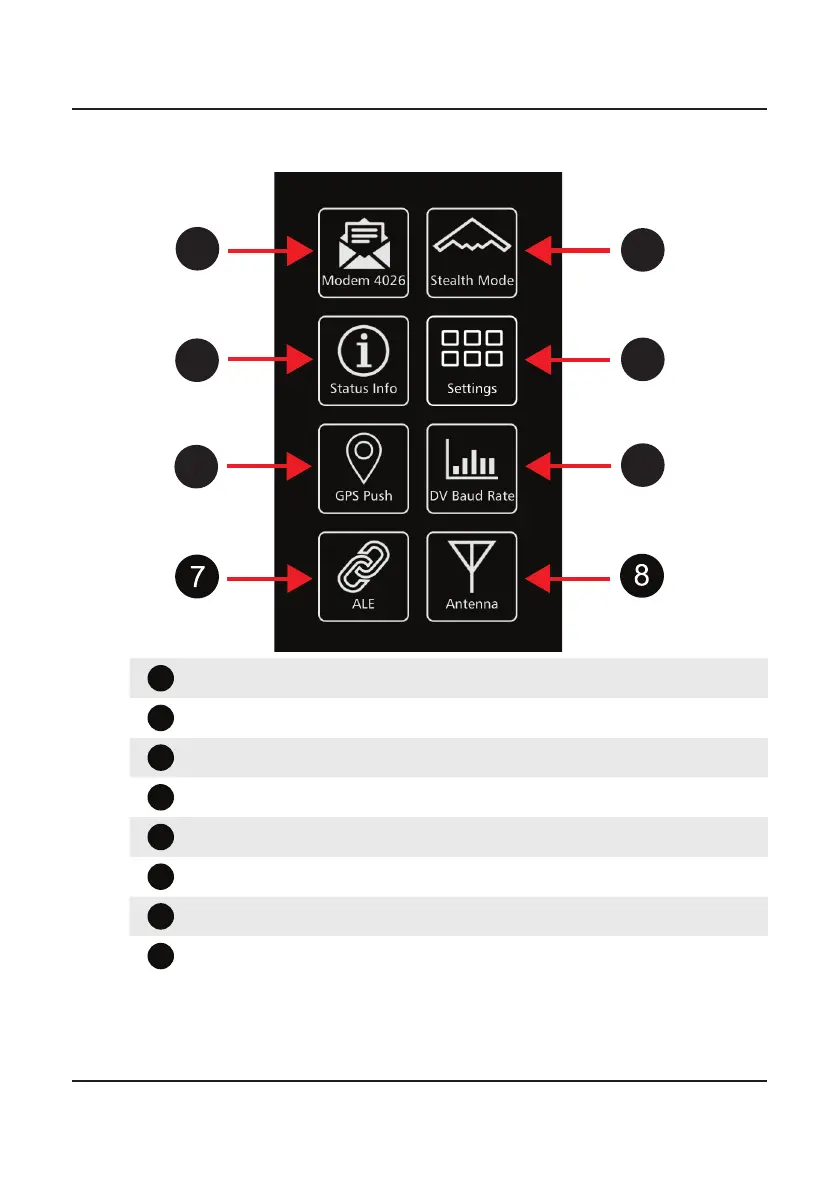
Swipe Menu
1
2
3
4
5
6
Modem Select - Tap to enable internal modem for data use
Stealth Mode - When active, all lights and sounds are disabled.
3
Status Information - Displays IDs and mechanical information
4
Settings Menu - Access to Settings menus
GPS Push (if tted) or Display Settings
6
DV Baud Rate - Quick access to Digital Voice Baud Rate settings.
7
ALE Menu - Quick access to ALE menu.
Antenna Select - Quick access to antenna select menu.
The items displayed in the Swipe menu are determined by the options
installed in the transceiver. Each of the Modem, Stealth Mode and GPS Push
icons will turn green when active.



 To Next Page