4-15
Operating Instructions Operator Manual 920512-768
4.9 Responding to an
Alarm
Alarm messages warn operator washer is experiencing an abnormal
condition. Fault conditions can be caused by failure of utility supplies
or by washer components.
Refer to S
ECTION 7, TROUBLESHOOTING, for a detailed listing of
fault alarms.
NOTE: Some fault conditions can be solved by operator.
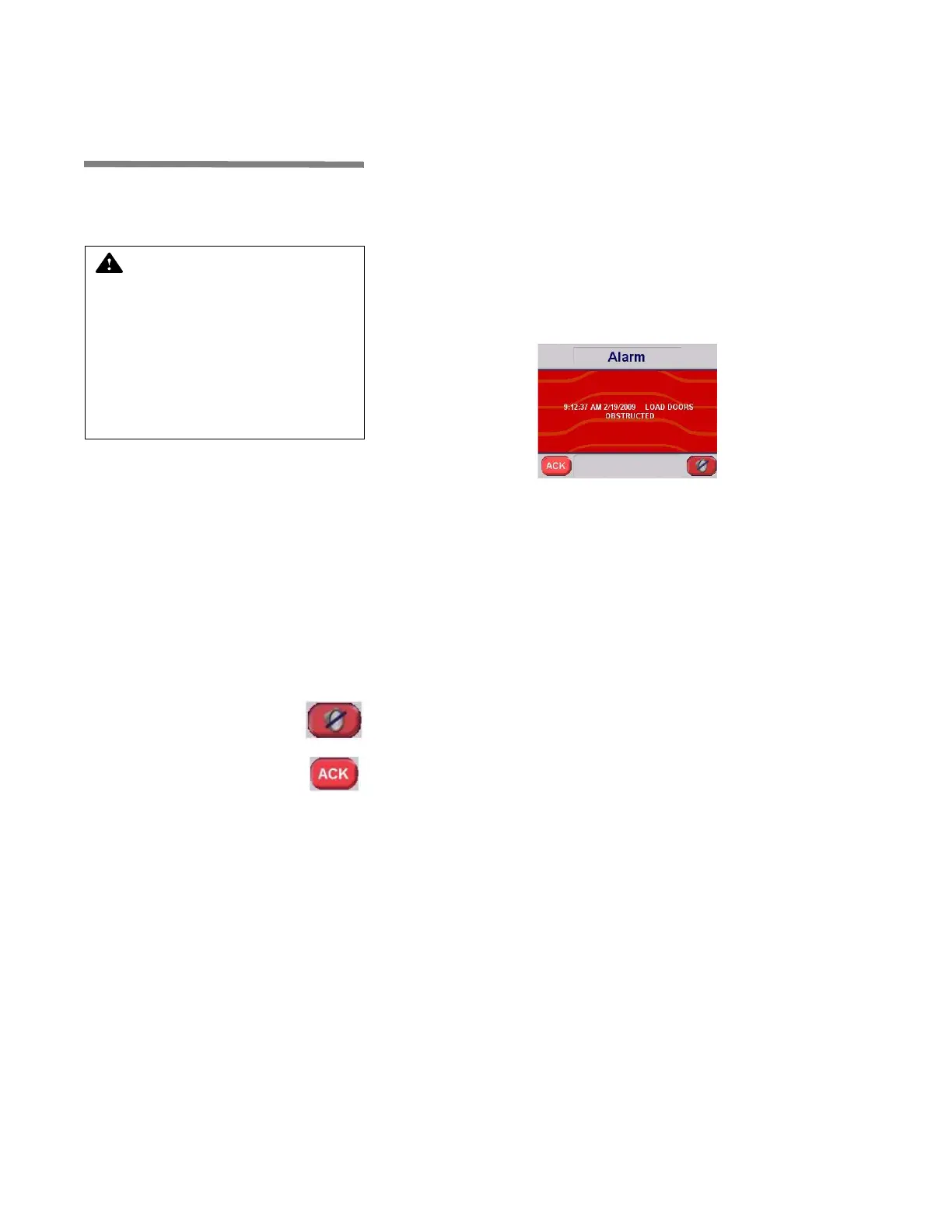
When a malfunction or fault occurs before cycle is successfully com-
pleted, an alarm sounds and display shows:
Printer message is:
ALARM
YYYY/MM/DD HH:MM
ALARM NAME
1. Press SILENCE BUZZER on touch screen to silence buzzer.
or:
2. Press ACK touch pad on touch screen to acknowledge alarm
and silence buzzer. This records time at which operator
acknowledged alarm.
Printer message is:
ALARM ACKNOWLEDGED HH:MM
3. If FAULT alarm requires no further action, or if operator has been
able to solve fault condition using S
ECTION 7, TROUBLESHOOTING,
press RESUME CYCLE on touch screen to resume cycle opera-
tion. Cycle resumes at beginning of phase where cycle was
interrupted. Display shows:
CYCLE RESUMED HH:MM:SS
4. If FAULT alarm requires to abort cycle, press ABORT CYCLE
on touch screen to abort cycle. Display shows:
CYCLE ABORTED HH:MM:SS
WARNING – BURN HAZARD:
Inner surfaces of washer are
very hot after cycle comple-
tion. Operator should wear
appropriate personal protec-
tive equipment (PPE), includ-
ing gloves and faceshield and
avoid all contact with inner
walls when entering chamber
to unload washer.



 To Next Page