Select Appropriate Touch
Pad According to Desired
Modification
or
Press RIGHT Arrow to
Advance to Next Screen
(Available only if Printer
is Enabled)
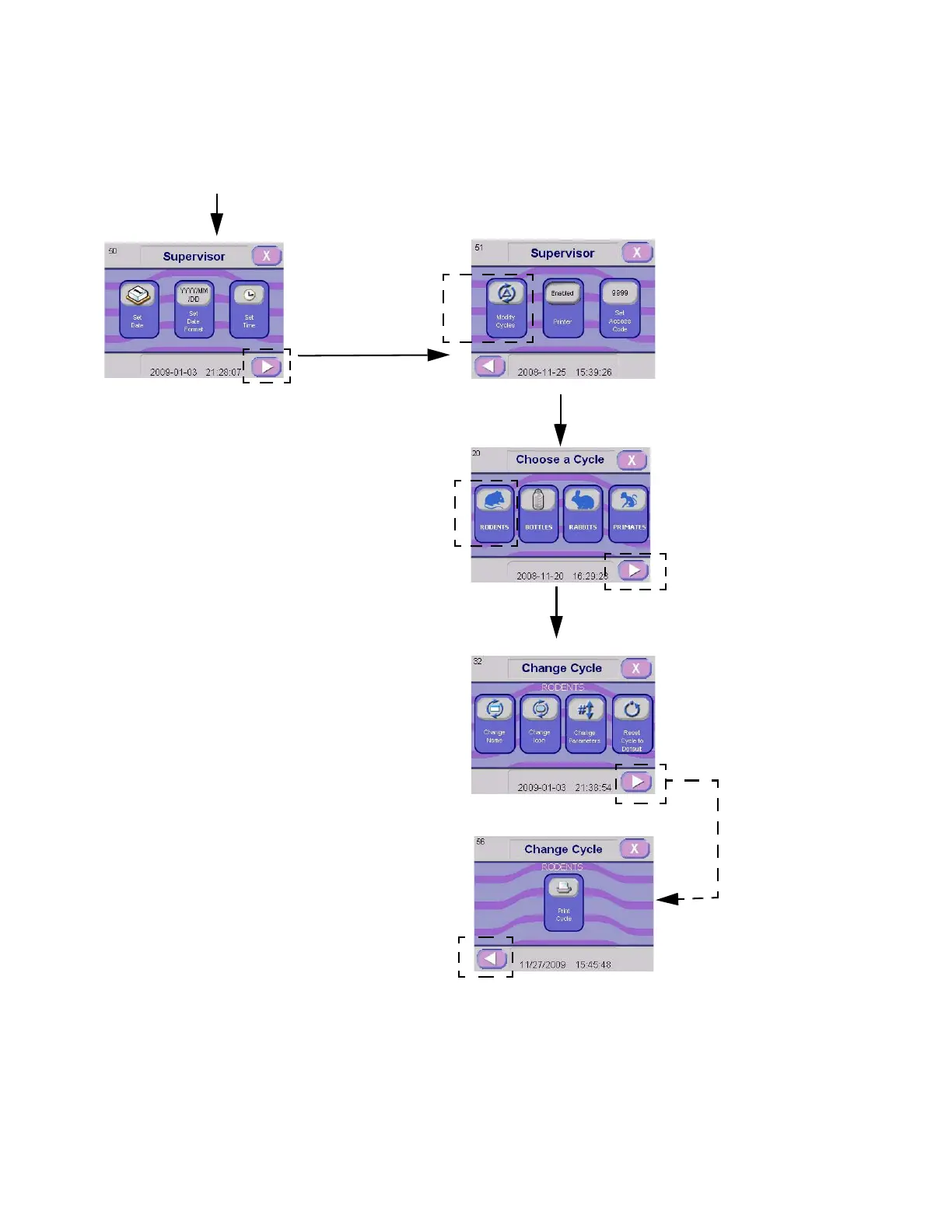
Figure 5-2. Modifying a Cycle Flowchart
Enter SUPERVISOR MODE as Explained in
S
ECTION 5.2.1, ACCESSING SUPERVISOR MODE
Press
MODIFY CYCLE
Touch Pad
Select Appropriate
Cycle to Modify
or
Press RIGHT Arrow to
Advance to Next Cycle Menus
Press RIGHT Arrow to
Advance to Next Screen
LEFT Arrow Touch Pad to Return
to Previous Screen



 To Next Page