5-6
920512-768 Operator Manual Cycle and Control Value Programming
5.2.4 Cycle Modification To modify a preprogrammed or customized cycle, proceed as fol-
lows:
1. Access Supervisor Mode as explained in S
ECTION 5.2.1,
A
CCESSING SUPERVISOR MODE. Display shows Supervisor Mode
screen.
2. Press MODIFY CYCLES on touch screen. Display shows
Choose a Cycle screen.
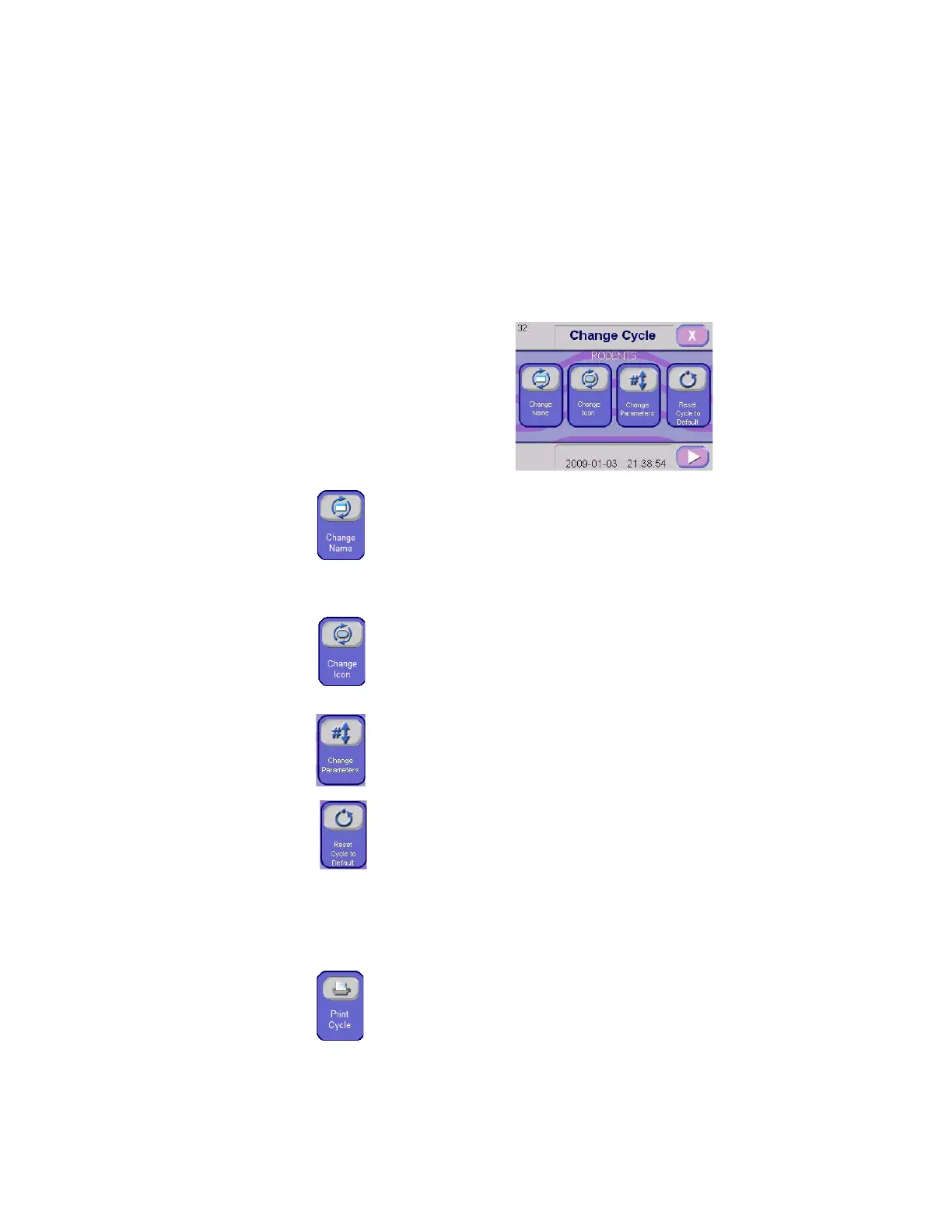
3. Select and press appropriate cycle to modify. (Rodents cycle is
used as example). Display shows Change Cycle screen:
Change Cycle Name – Press this touch pad to change cycle
name.
Use Numeric keyboard appearing to enter desired cycle name.
Maximum 8 characters.
Once finished, press ENTER arrow in numeric keyboard.
Display returns to Change Cycle screen.
Change Icon – Press this touch pad to change cycle icon.
Choose an icon among the proposed icons (press RIGHT arrow
to advance screen to next icon screen to see more icons).
Press on desired cycle icon; then, press OK touch pad to
confirm selection. Display returns to Change Cycle screen.
Change Cycle Parameters – Press this touch pad to modify
cycle parameters. See S
ECTION 5.2.5, MODIFYING CYCLE
PARAMETERS.
Reset Cycle to Default – Press this touch pad to restore default
values:
Cycle name is reset;
Icon is changed back to factory selection;
All treatments parameters (recirculation time, temperature set
point, chemical concentration, drain percentage saved, floor
tilt and manifold coupling are reset to "NO", tank selection
names are reset to factory default values).
Print Cycle – Press this touch pad to print cycle values for the
selected cycle. Printing screen appears. Press PRINTING touch
pad to obtain a printout. Once impression is made, screen
returns to Print Cycle screen.
NOTE: This touch pad is only available if printer is enabled. See
S
ECTION 5.2.2, SUPERVISOR MODE MENUS, for enabling/disabling
printer.



 To Next Page