HOW TO USE
13
12
Recirculation
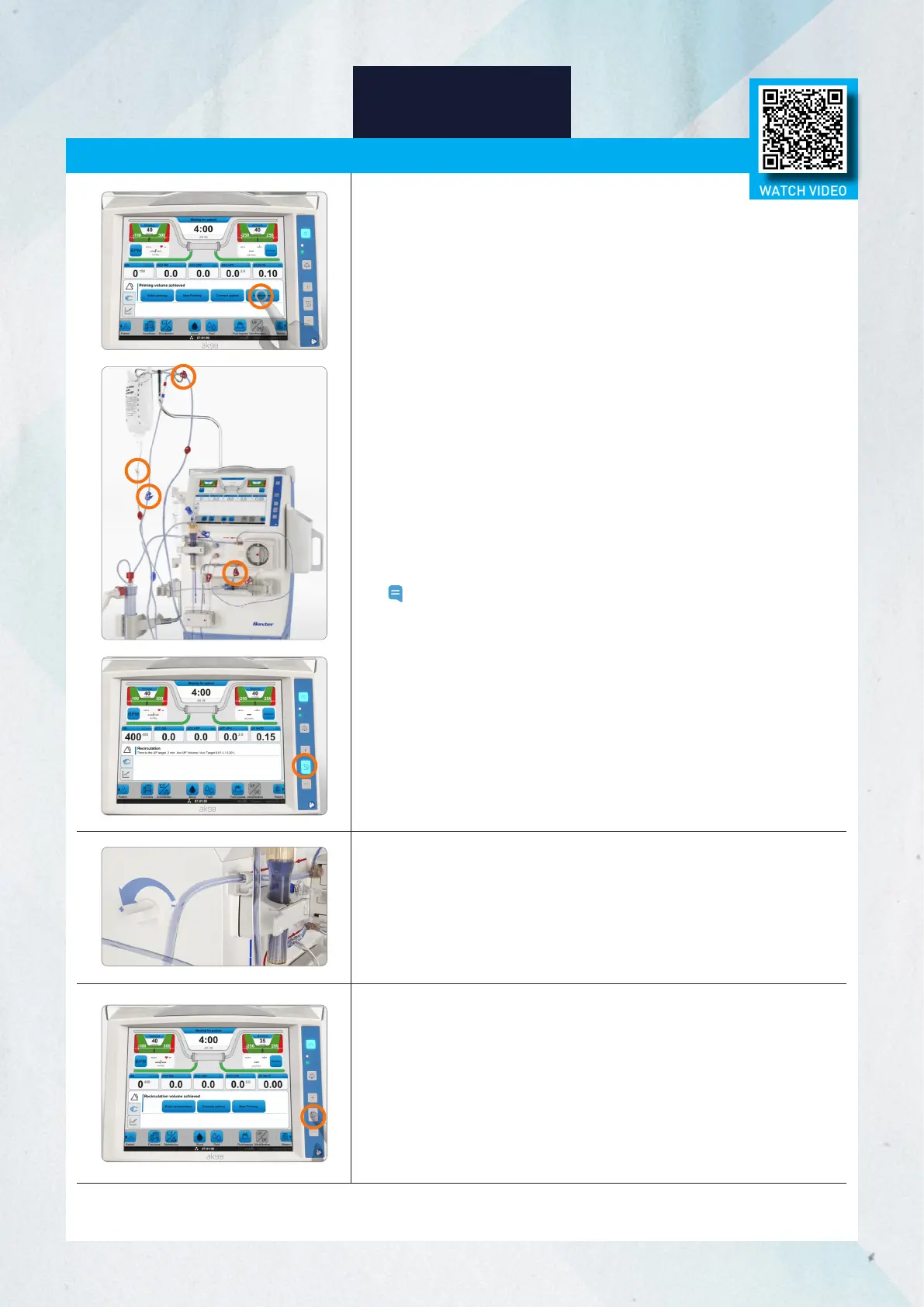
When priming is complete, the option for Recirculation will appear.
1. Press Recirculation.
2. Connect the patient ends of the bloodlines using a sterile recirculation
connector. Ensure both patient bloodline clamps are open.
3. Ensure the clamps on the infusion line are open.
4. If your facility's policies and procedures allow, flip the dialyzer so the blue
venous end is up to enhance air removal.
5. Start the blood pump.
Note: Recirculation time depends on the preset value.
6. Adjust the level of saline in the venous drip chamber using the
adjustment knob, as necessary. The level should be well above the air
detector sensor head.
7. When recirculation is complete, depending on the preset value, the
machine will enter concentrate standby mode.
WATCH VIDEO














 To Next Page