HOW TO USE
15
14
The blood pressure cuff is connected to the side of the machine.
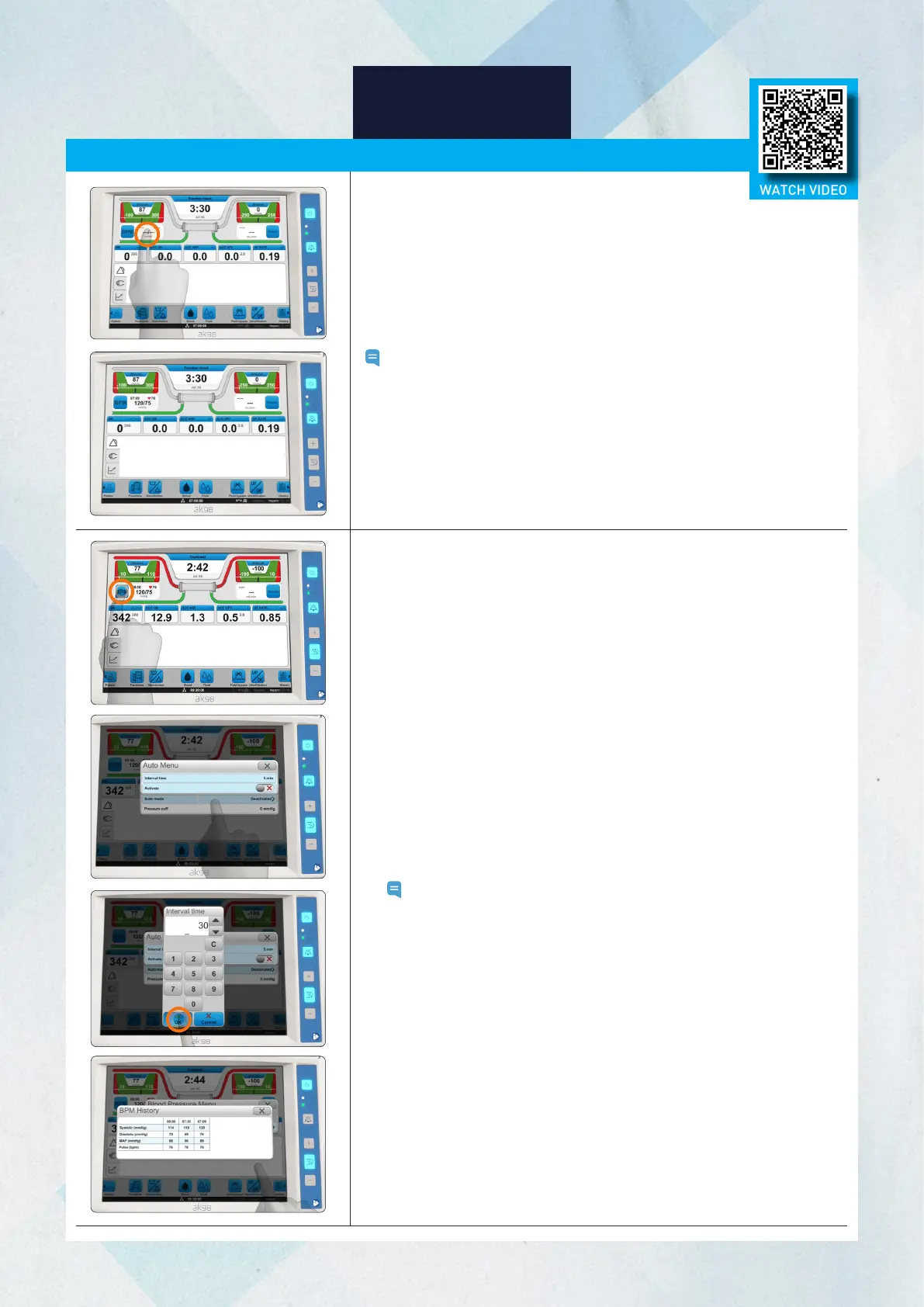
Single Blood Pressure Measurement
Press the BPM readout field. The machine will start taking the
measurement. The heart icon and BPM will start flashing while
measurement is taken.
Note: If you press the BPM field twice, the measurement will stop.
Results
The measured value will appear in the BPM measurement output field.
How to Stop Measuring:
Press the BPM measurement output field to stop taking the measurement
that is currently in progress.
Automatic Blood Pressure Measurement
1. Press the BPM button.
2. Select the Setup tab.
3. Press Auto mode.
4. Press the time interval.
5. Check the frequency of the blood pressure measurements, adjust if
necessary. The frequency can be set between 5-60 minutes.
6. Press OK.
7. Activate automatic blood pressure measurements. The machine will
start taking the measurement when activated.
Note:
The clock symbol appears by the BPM icon on the status bar
when automatic blood pressure measurement is activated.
The BPM icon and clock symbol flash when a blood pressure
measurement is taken.
Measurement History
Blood pressure measurements will be recorded and saved in the log
during treatment. Measurement data will be displayed in the History tab.
1. Press the BPM button.
2. Select the History tab.
3. Press History.
Blood Pressure Monitor [BPM]
WATCH VIDEO














 To Next Page