HOW TO USE
17
16
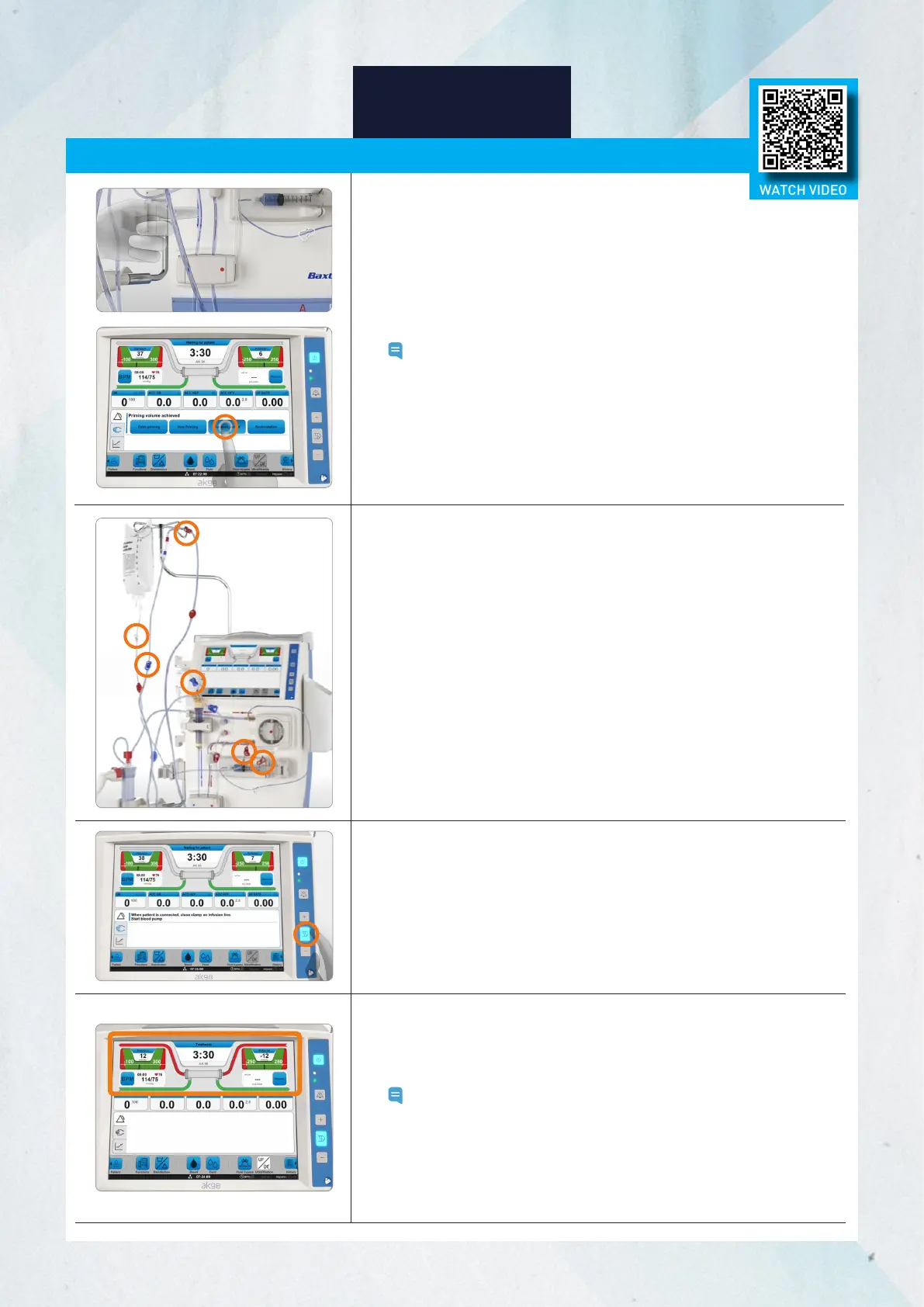
Connecting the Patient
1. Prior to stopping the blood pump following completion of
recirculation, ensure:
- Dialyzer is in treatment position (red arterial end up)
- Machine is not in Concentrate Standby Mode (CSBM)
- Dialysate path is green
Note:
Blood pump must be stopped after recirculation for the
Connect patient option to appear.
2. Ensure the venous line is correctly placed in the priming detector.
3. Press the Connect patient button on the screen to enter patient
connection mode.
12. Once the blood passes through the dialyzer and blood is detected
by the priming detector, the blood pump will stop automatically.
13. The color of the blood path will turn red on the screen.
Note: Check that the blood path of the flow diagram lights up. If it
does not light up, check that the venous blood line is correctly
placed in the priming detector. If the blood path does not light
up, the machine considers the patient not connected and as
a consequence the UF system is not controlling the patient
ultrafiltration.
4. Clamp the infusion lines.
5. Clamp arterial and venous blood lines. Disconnect the arterial blood
line from the recirculation connector.
6. Connect the arterial blood line to the arterial access (needle or
catheter). Ensure the connection is tight and that there is no leakage.
7. Ensure there is no air in the venous blood line.
8. Connect the venous blood line to the venous access (needle or
catheter). Ensure the connection is tight and that there is no leakage.
9. Unclamp the arterial and venous blood and access lines.
10. Ensure all relevant clamps are closed to prevent blood loss and the
clamps on the blood lines and the patient access are open.
11. Press the flashing blood pump button to start the blood pump.
The blood pump will start at the preset flow.
WATCH VIDEO














 To Next Page