HOW TO USE
19
18
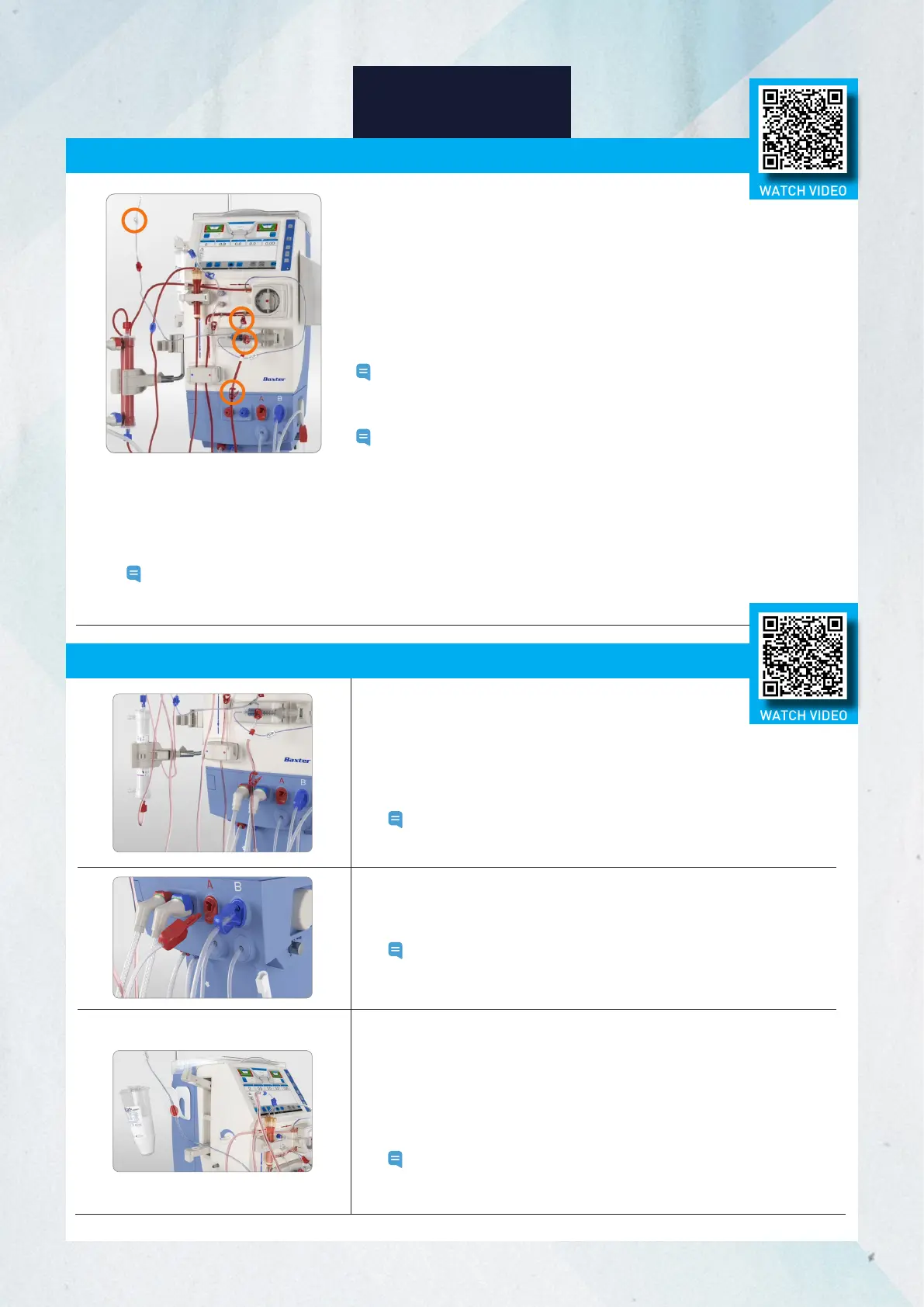
5. Close the clamp of the arterial blood line and the arterial access.
6. Disconnect the arterial blood line from the access.
7. Connect the arterial blood line to the rinseback line. Open the red clamps
on the rinseback line, white clamp on the infusion line, and red clamp on the
arterial blood line.
8. Ensure the red clamp on the infusion line closest to the blood pump is closed.
9. Press the blood pump button to start the blood pump.
Note: Continue to monitor the venous needle and venous pressure during
rinseback.
10. When the rinseback is completed, the blood pump stops.
Note: The blood pump will stop upon reaching the preset rinseback
volume, or when the priming detector stops detecting blood. The
option to give additional rinseback volume will be available.
11. If not using the extra rinse back feature, press Disconnect patient.
12. Close the clamp on the venous blood line and the venous access. Disconnect the venous blood line from the access.
13. Ensure the patient is physically disconnected from the machine and press Confirm.
Note: The air detector will be deactivated, and the patient must NOT be reconnected.
14. Remove the venous blood line from the priming detector.
Stopping the Treatment, Rinseback, and Disconnecting the Patient (cont.)
Emptying the Dialyzer and BiCart Cartridge
1. Rotate the dialyzer so that the blue connectors are up.
2. Remove the blue dialysate line from the dialyzer and connect to
the blue dialysate port. The dialysate will drain from the dialyzer.
3. Once the dialyzer is empty, remove the red dialysate line from
the dialyzer and connect to the red dialysate port.
Note: The machine will not provide an alert when the dialyzer is
empty, and it is not required to empty the dialyzer.
5. Drain the BiCart cartridge by following the on-screen instructions.
6. When BiCart cartridge is drained, a message to 'remove BiCart
cartridge and close latches' will appear. Pull the top of the BiCart
cartridge holder latch outwards and lift it upwards to remove the
BiCart cartridge.
7. Close the BiCart cartridge holder latches.
Note:
The "Drain BiCart" option will not appear on the screen if
the steps above are not followed in order. Always reference
the on-screen instructions to ensure the option will appear.
4. For the last treatment of the day: Follow the instructions on the screen
and disconnect the concentrate connector from the concentrate supply
and connect it to the concentrate port.
Note:
If descaling (between treatments) is indicated, concentrate
supply must remain in acid concentrate to perform the
descaling process.
WATCH VIDEO
WATCH VIDEO














 To Next Page