HOW TO USE
19
18
Starting the Treatment
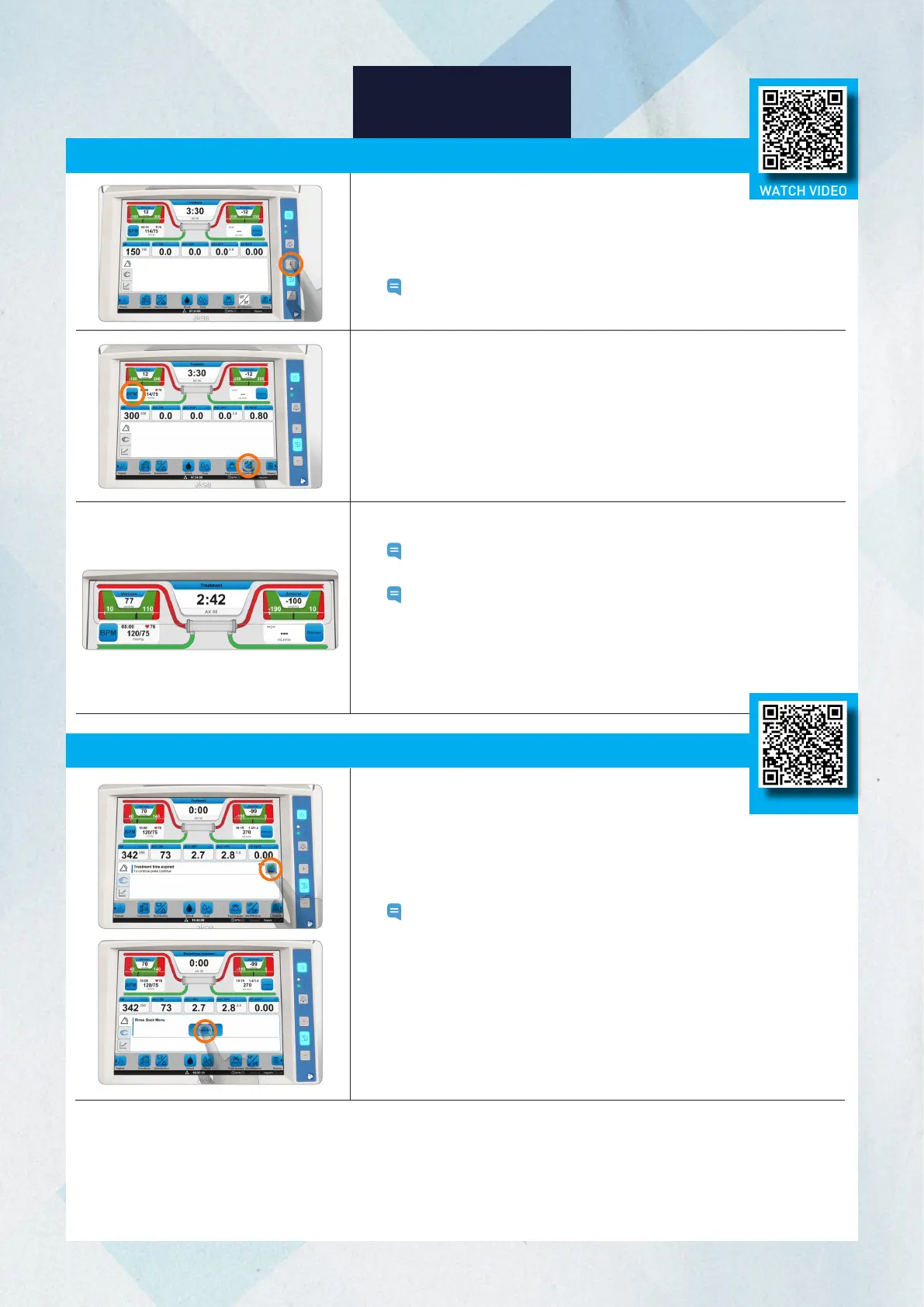
1. Press the flashing blood pump button to restart the blood pump.
2. Adjust the blood flow rate using the +/- buttons above and below the
blood pump button.
Note: To adjust blood flow rate quickly, hold down the +/- buttons.
3. Press the flashing Ultrafiltration button to start ultrafiltration.
4. Initiate blood pressure and activate the auto mode and interval time
(refer to page 14).
5. Check the arterial and venous pressures.
Note: The alarm limits can be set manually by pressing the
pressure controls followed by "Close alarm limits".
Note: If the alarm limits are not set manually, the arterial and
venous pressure alarm limits are automatically centralized
around the actual values after the preset time.
6. Ensure the venous drip chamber is filled to the correct level and that
the clamp of the (medication administration) short-line
above the drip chamber is clamped and cap is secure.
1. When the treatment is completed and the time reaches 0:00,
an attention (596 Treatment time expired) will appear.
Note: To end the treatment early, press the time indicator and
decrease the treatment time to 0:00.
2. Press the attention to confirm end of treatment.
3. Press the Rinse back button that appears in the Information field.
4. Press Confirm, then press OK. The blood pump stops.
WATCH VIDEO
Stopping the Treatment, Rinseback, and Disconnecting the Patient
WATCH VIDEO














 To Next Page