ADVANCED FUNCTIONS
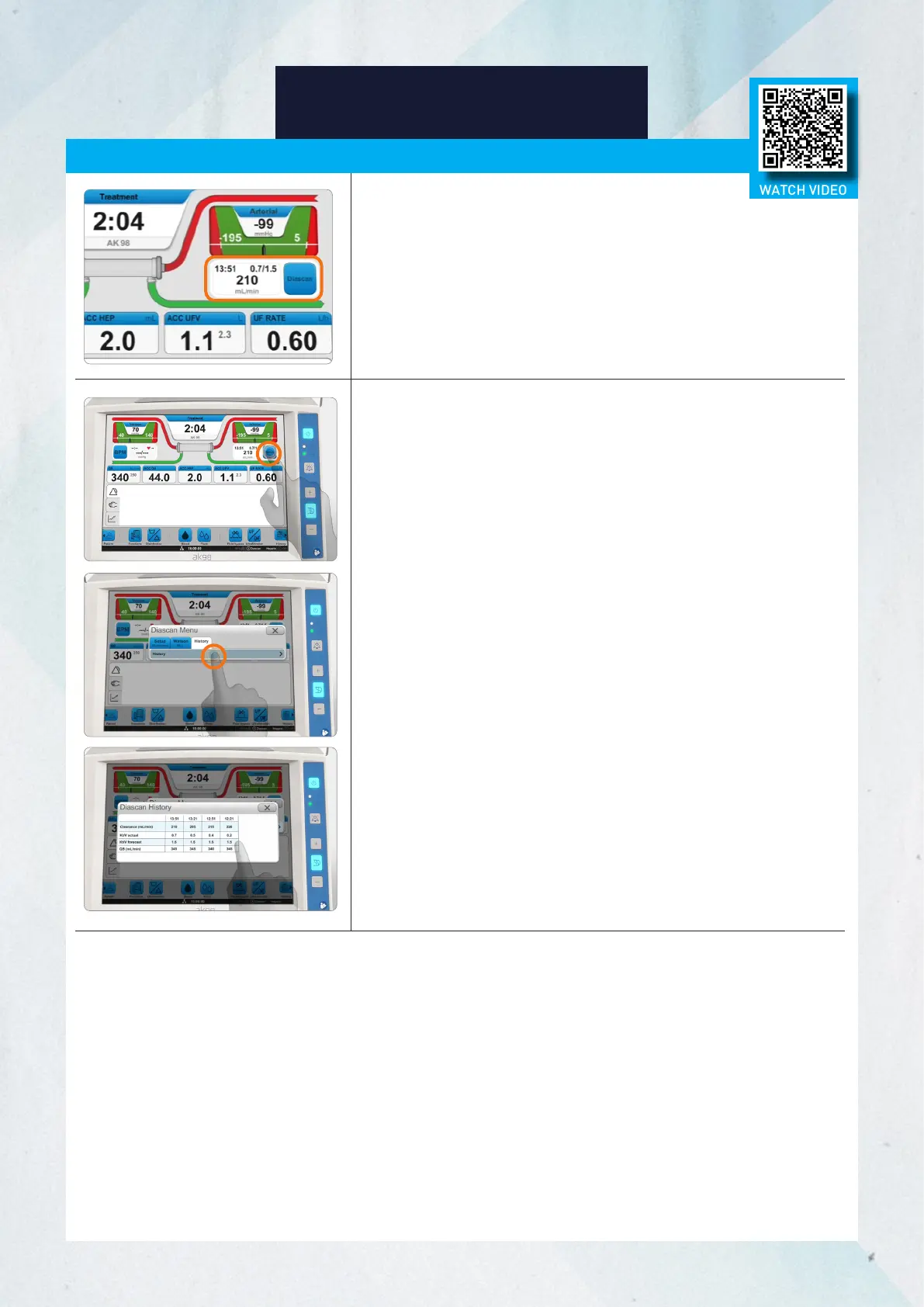
Check Measurement History
1. Press the Diascan button.
2. Select the History tab and press History.
Results
The measurement results will appear in the clearance
measurement output field.
1
Time of Last Measurement
2
Current/Estimated Kt/V at end of treatment
3
Last Measured Clearance Value
Diascan Monitoring System (cont.)
33
WATCH VIDEO














 To Next Page