User Manual 22
Set up
The BCN3D Sigma Series can be used online or offline. However connecting the printer to the network is needed in
order to register it and to use the BCN3D Cloud functionality.
Ethernet connection is more stable than Wifi, so having both options, we recommend connecting the printer
using an Ethernet connection.
Online
Ethernet
• Take the ethernet cable out from accessories box.
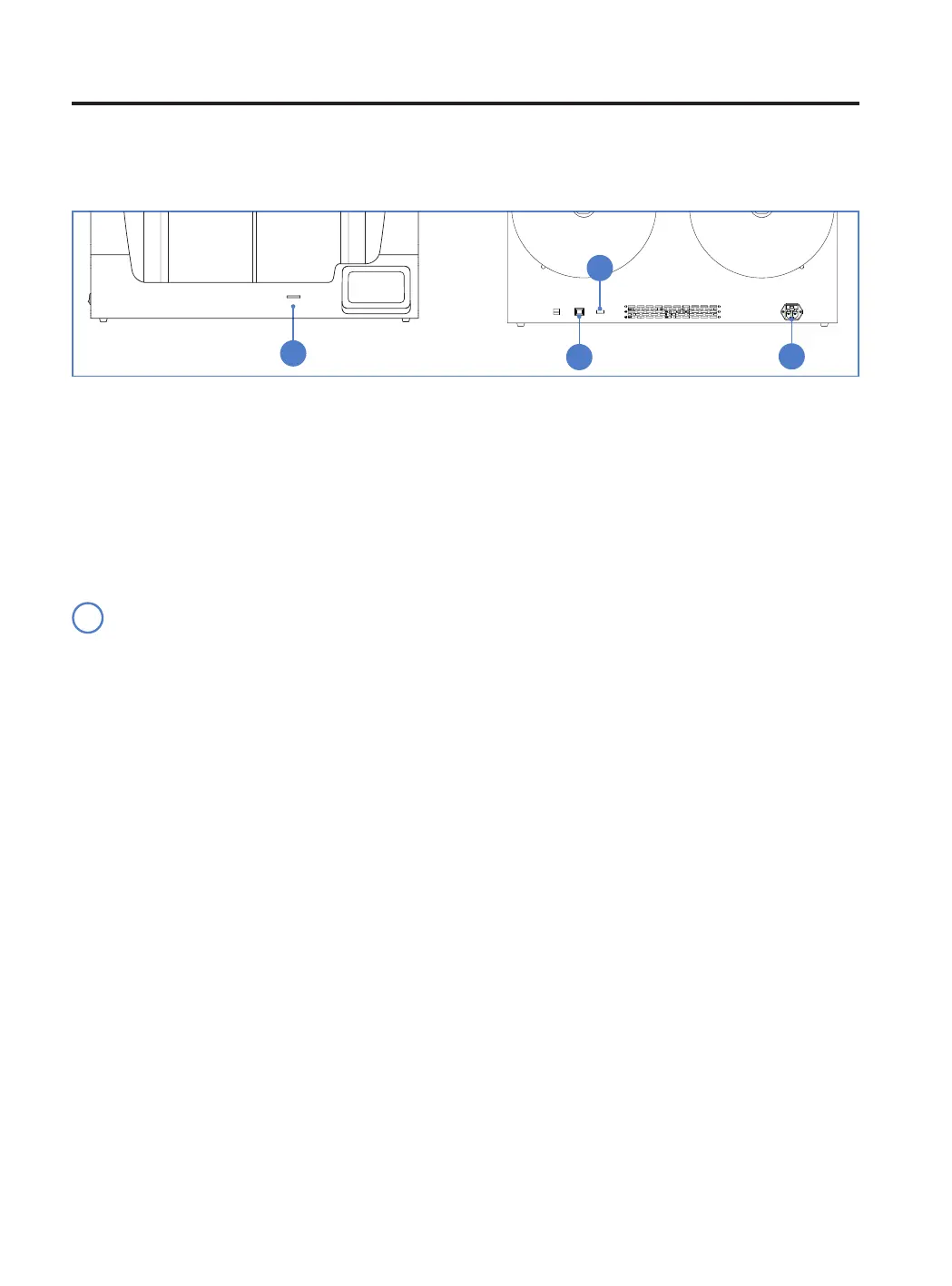
• Connect the ethernet cable to the ethernet port at the back of the printer.
• Connect the other end of the cable to a network source.
WiFi
• Find the USB WiFi Dongle in the accessories box.
• Plug the USB WiFi Dongle into the USB port at the back of the printer.
Offline
SD Card
• Find the SD Card in the accessories box.
• Insert the SD Card into the SD Card slot at the front of the printer.
Turn on the printer
• Take the power supply cable out from the accessories box that was on top of the printer.
• Connect the power supply cable to the power socket at the back of the printer.
• Plug the other end of the cable into a wall outlet.
• Turn the printer on. The power switch is found on the left side of the printer.
i
1. SD Card
2. Ethernet cable
3. WiFi module
4. Power cable
2
1
3
4
Using the printer



 To Next Page