User Manual 38
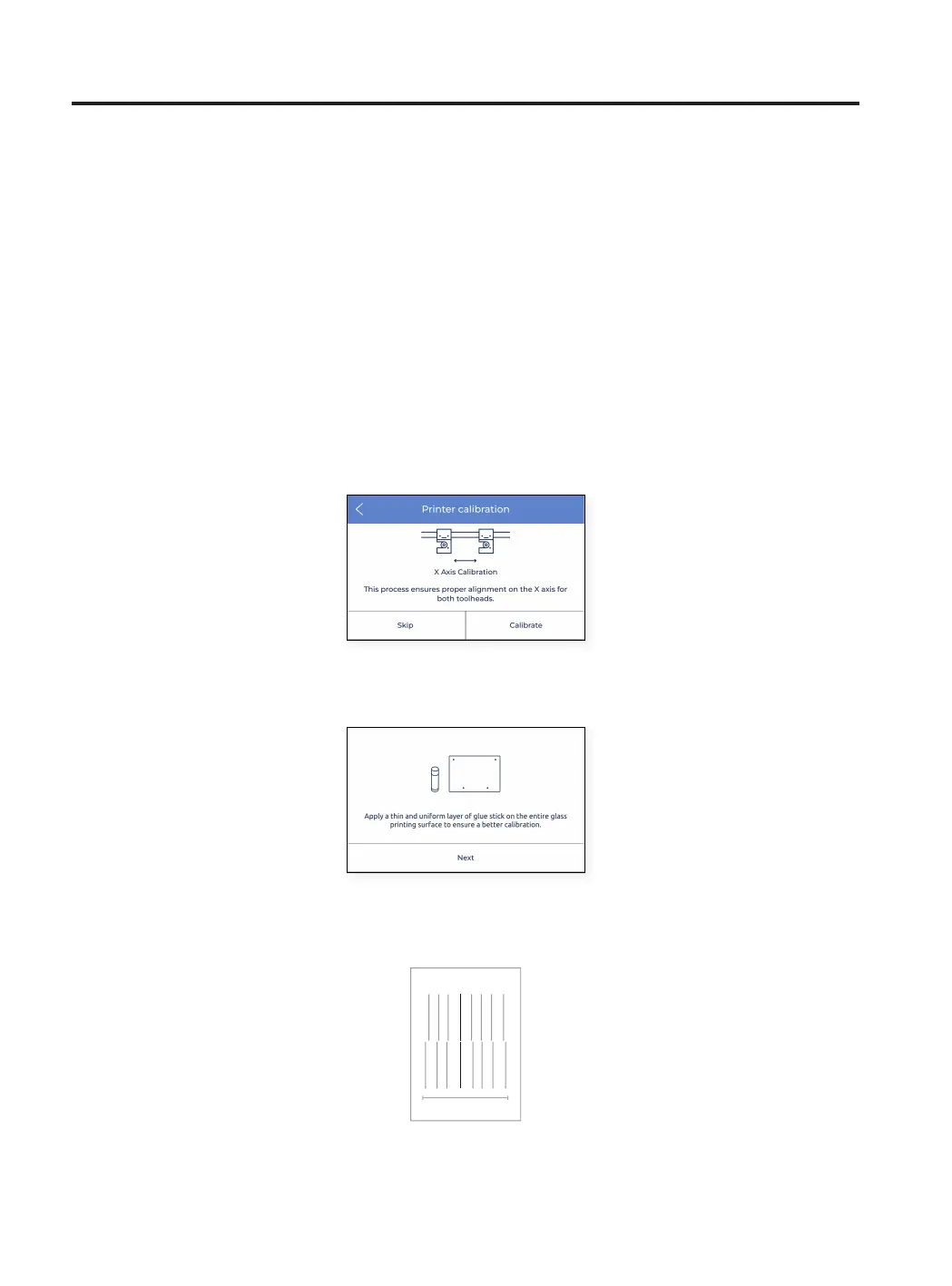
Tap Calibrate and follow the steps on the screen:
• Ensure that a thin and uniform layer was applied on the entire printing surface glass.
• The printer now prints 10 lines from left to right along the Y direction with both extruders, as in the image
below:
Setup Assistant
XY Offset calibration
After calibrating the Z offset, it is time to calibrate the offset between both print heads. This procedure is very im-
portant while printing the same model with both extruders, either for dual color printing or for printing with support
material.
The procedure is splitted in two parts, to calibrate the X offset and the Y offset, although the process is very similar
in both axes.
X Axis calibration
X offset is the horizontal distance between the nozzles along the X direction. It is necessary to configure it before
1 10



 To Next Page