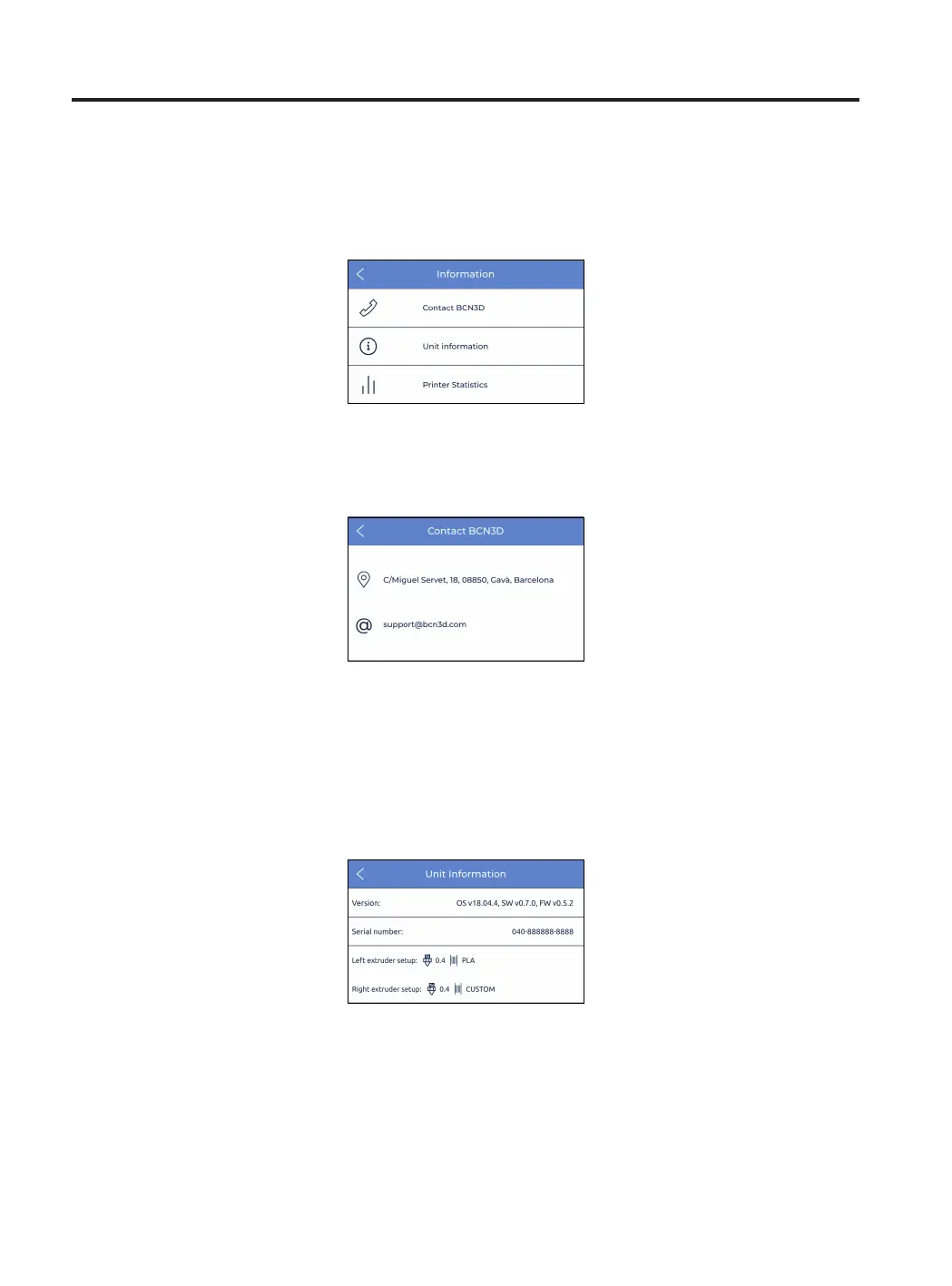
Information
User Manual 72
1. Contact BCN3D: get address, phone number and email address to contact the manufacturer.
Select the Information icon on the top right part of the screen in order to verify information about the current unit
or to know how to get support in case it is needed..
2. Unit information: it shows information about the version of the different packages of software that are
installed in the printer, and the serial number of the current unit. This data is mandatory to have it ready in
case contact to support is needed.
Current configuration of the print heads, formed by material and hotend’s nozzle size, is also available on this
screen.
3. Printer statistics: it shows some statistics related to the current unit. The date shown here contains total
printing hours, number of prints completed, moved distance of the tools and volumen printed. For more
statistics, refer to the BCN3D Cloud dashboard.



 To Next Page