User Manual 29
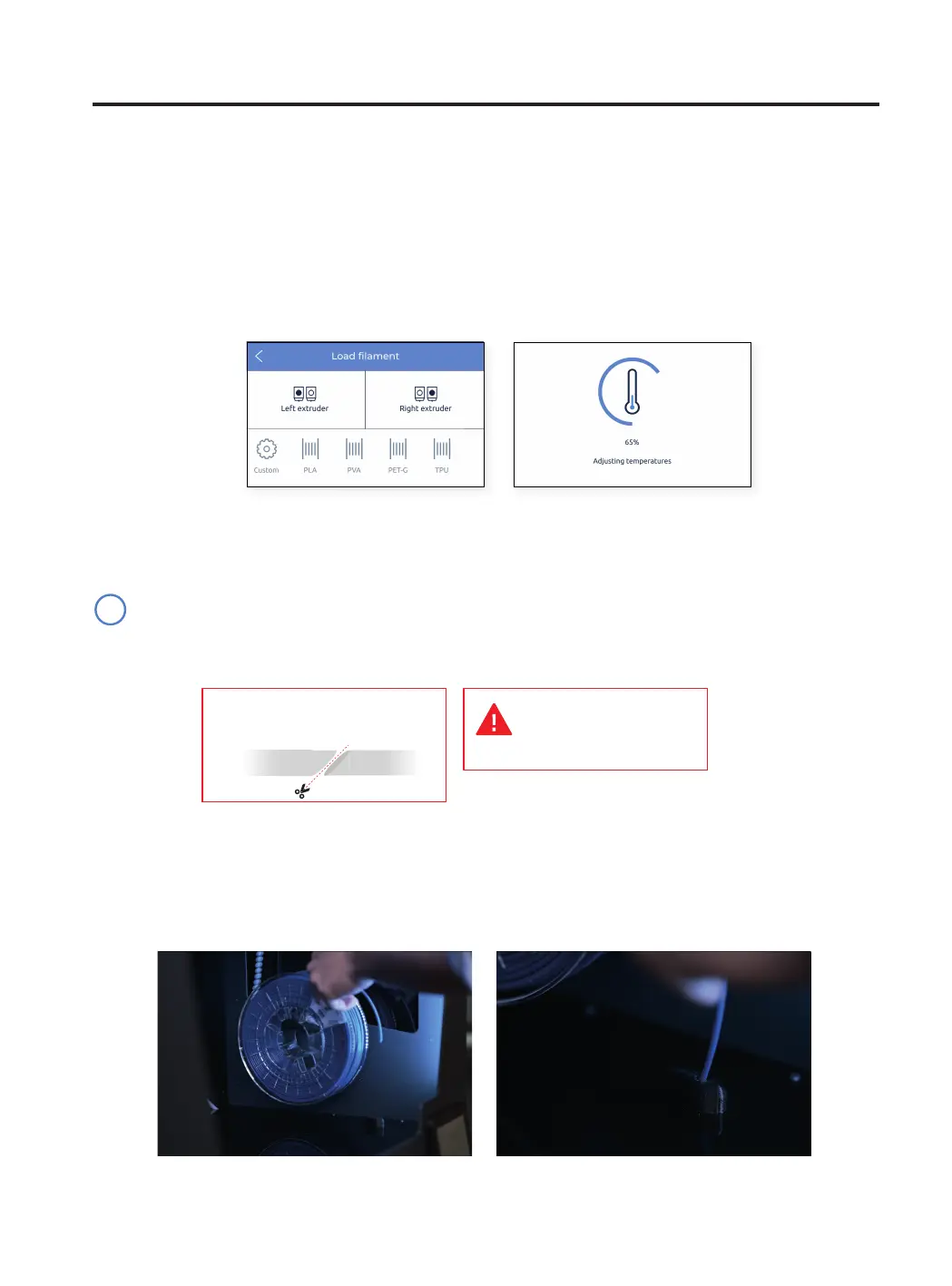
• Choose the Left extruder and PLA material. After that, the printer will start heating up and adjusting the tempe-
ratures of the selected hotend.
• Remove the PLA spool from the spool holder.
• Unclip the start end of the filament from the spool.
Do not let the loose end free, to prevent knots in the filament.
Extruders will be heated
up. This process could
take 1 or 2 minutes.
Cut the filament at 45º to ease
the insertion.
• Take the loose end and cut the filament at 45º and straighten the filament a bit to ease the insertion.
• Take the tip of the filament out of the placing hole and cut the first centimeters of the filament to ensure it is
straight.
• Place the spool onto the spool holder and insert the loose end of the filament into the feeding hole to prevent
undesired unroll. Be sure that the filament unrolls in the correct direction (see image below).
Setup Assistant
Feeding filament to the system
Once the spools are in place, press Next and follow the instructions on the screen:
i



 To Next Page