AR6201-(X0X)
Page 2-18 DV 14300.03/.04 Issue 5 5/2013
2.8 Installation Setup
2.8.1 Entering Installation Setup
The Installation Setup enables the avionics technician to set up the
equipment configuration (In-flight changes are not recommended).
The Installation Setup is accessible by holding down the “MDE” key
during power up.
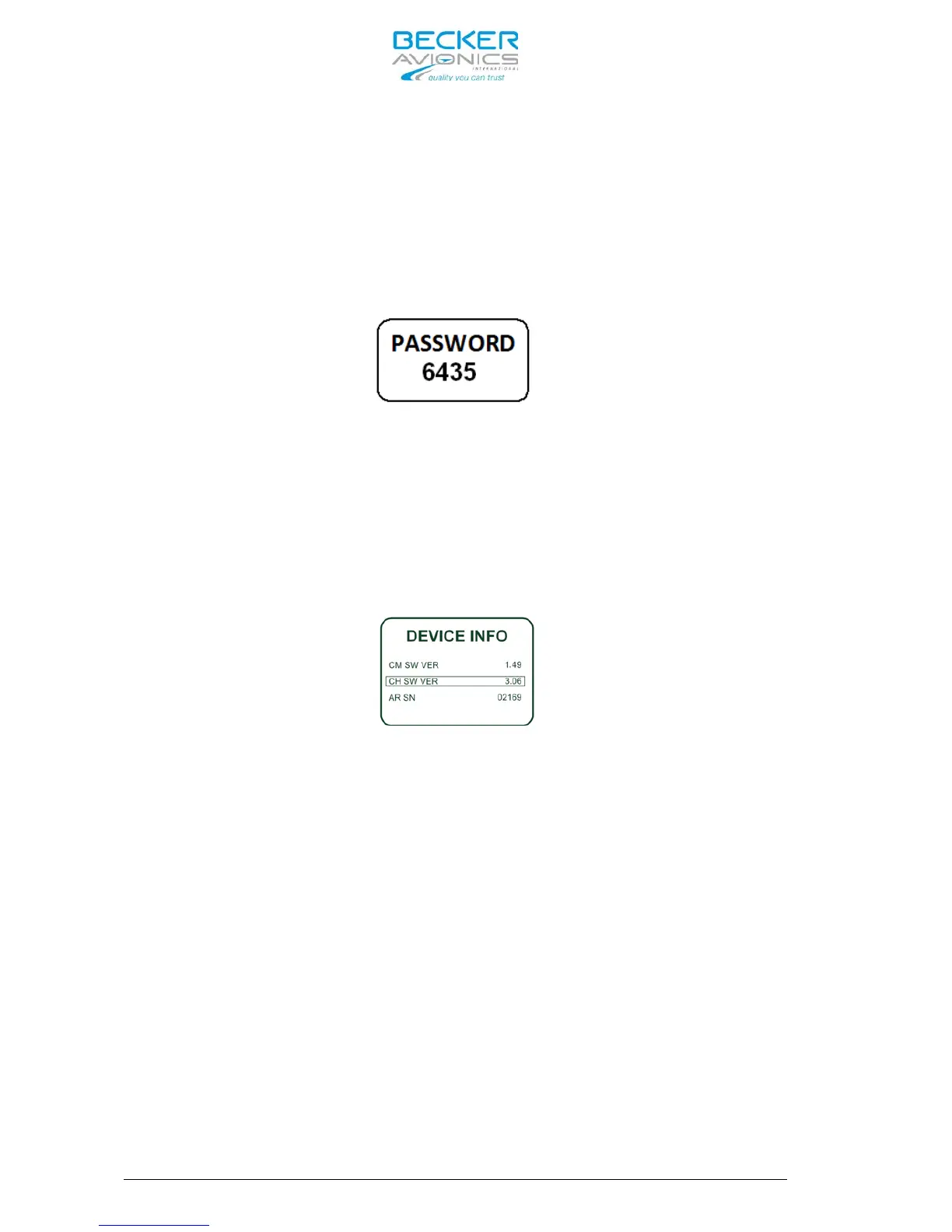
The following screen appears:
Fig. 1 Password Dialog
Enter the password “6435” by means of the ”ROTARY ENCODER“ and push the
”ROTARY ENCODER“ to select the next digits.
Confirm by a short push on ”STO” key.
First page of Installation Setup appear:
Fig. 2 Example of an info page for AR6201-(X0X)
2.8.2 Page Up / Page Down in the Installation Setup
The Installation Setup consists of several pages.
By pushing on “↕/SCN” key or,
By pushing on “ROTARY ENCODER” the next page is displayed
By pushing on “IC/SQL” key the previous page is displayed.
2.8.3 Storage of Setup Data
The settings of a parameter are stored immediately after changing the
parameter.
Before leaving any setup page, no special action is required to do and
terminating the setup is always possible (refer to article 2.8.4 also).
2.8.4 Terminate Installation Setup
Just by switching “OFF” the AR6201-(X0X) the “Installation Setup” can be
terminated.
All changes made up to this time will be stored automatically.



 To Next Page