AR6201-(X0X)
DV 14300.03/.04 Issue 5 5/2013 Page 2-27
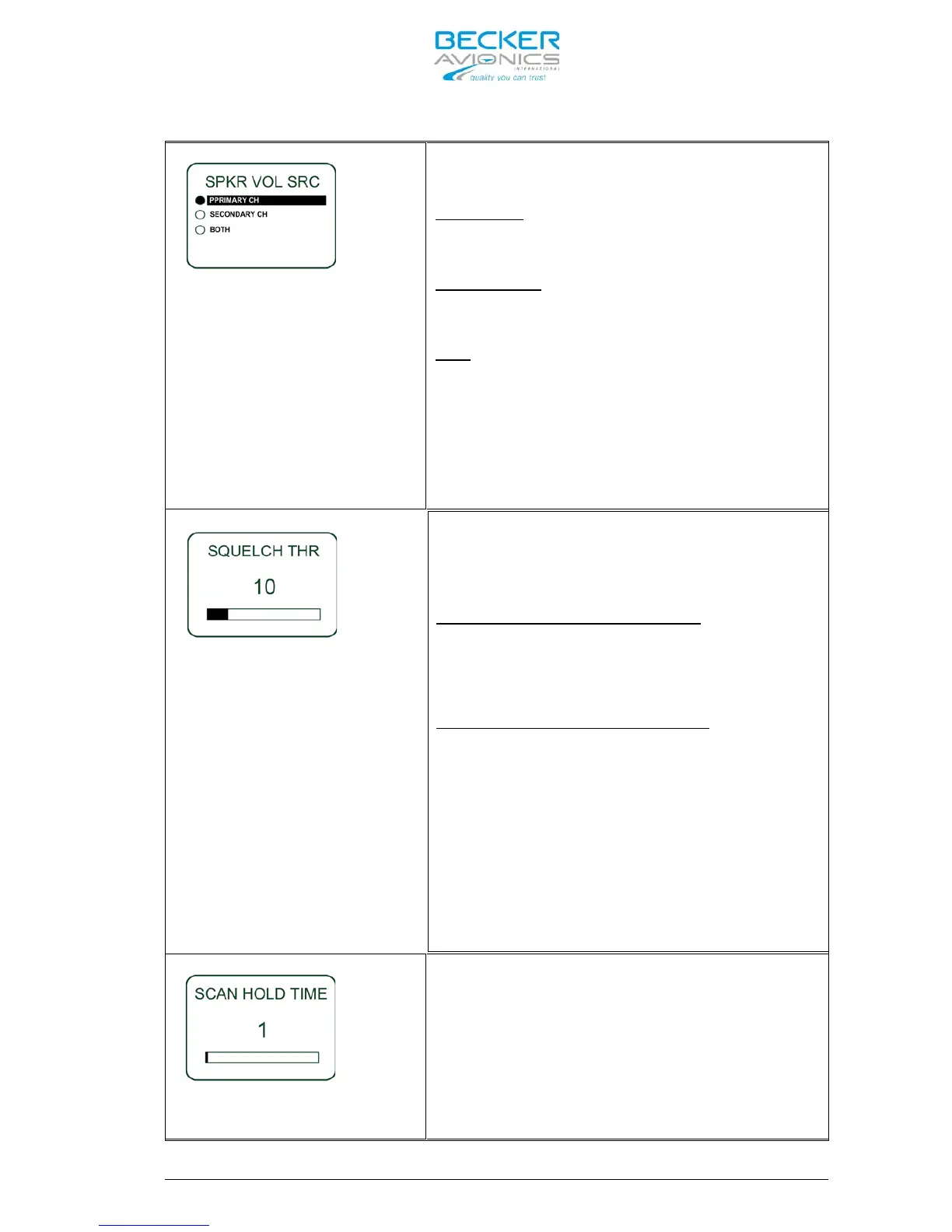
One of the three following options may be
selected for speaker volume source, “SPKR
VOL SRC”, by pushing the “STO” button:
PRIMARY CH
If “PRIMARY CH” is selected the speaker
volume will be adjustable by AR6201-(X0X).
SECONDARY CH
If “SECONDARY CH” is selected the speaker
volume will be adjustable by RCU6201.
BOTH
If “BOTH” is selected the speaker volume
will be adjustable by the arithmetic
average value from AR6201-(X0X) and
RCU6201.
Note: The “SPKR VOLUME SOURCE” shall be set to
“PRIMARY CH” if the optional second controller RCU6201
is not available.
The Noise Squelch threshold “SQUELCH THR”
is adjustable within a range between
figures 6 to 26 by turning the “ROTARY
ENCODER”.
Minimum Adjustment of 6 means:
Also weak RF signals can trigger the
Squelch threshold and the voice signal
might be low combined with a noisy
background.
Maximum adjustment of 26 means:
Only strong RF signals with can trigger the
Squelch threshold. The voice signal will be
audible very clear and without, or very low
noise in the background. Weaker RF signals
might not be able to trigger the Squelch
threshold and therefore do not become
audible for the pilots.
Note: Adjustment of the “SQUELCH THR” is also provided
in the “PILOTS MEUNU”, therefore this parameter can be
re-adjusted easily by pilot at any time. (refer to
“PILOTS MENUE” 3.13.2).
The “SCAN HOLD_TIME” is adjustable within
the range of 1 to 60 seconds



 To Next Page