AR6201-(X0X)
DV 14300.03/.04 Issue 5 5/2013 Page 3-7
3.5.1 Standard Mode
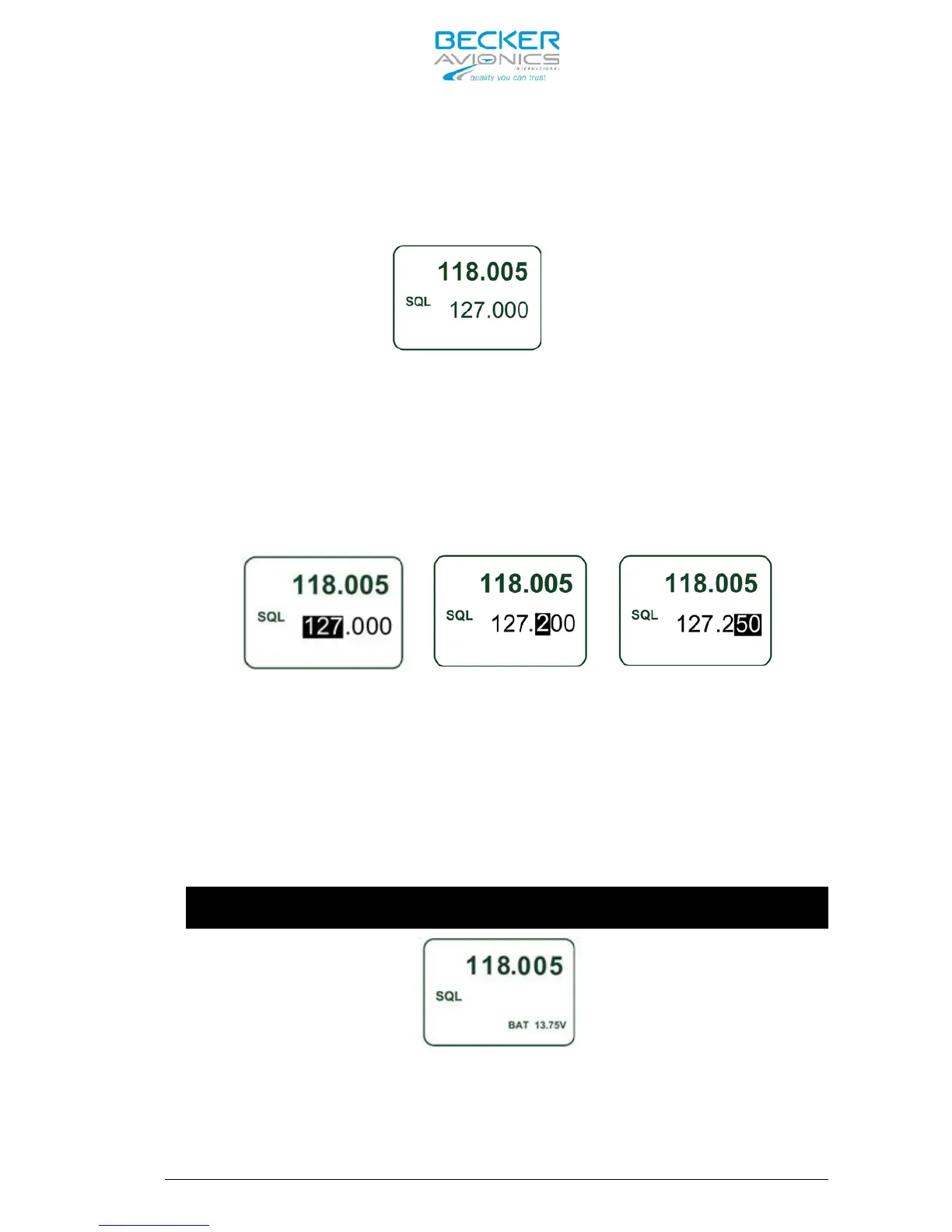
Push on “MDE” key until the Standard Mode page appears.
In Standard Mode page, the display indicates the Active Frequency in the
top line and Preset Frequency in the bottom line.
Direct editing of the Active Frequency is not available like in the
Direct Tune Mode. On this page, only editing of the Preset Frequency is
possible. By the first push on the “ROTARY ENCODER“, the MHz digits are
inverted and turning the “ROTARY ENCODER” clock- or counter clockwise
change the frequency. Two further pushes on the “ROTARY ENCODER“, the
first inverts the 100 kHz and the second selects the 25 / 8.33 kHz
digits, enable for modification of the frequency.
A short press of the “↕/SCN” key exchanges the Active and Preset
Frequency. While the transceiver is in Transmission Mode, the Exchange
between the frequencies is disabled.
Pressing the “STO” key activates storing of the Active Frequency into
the next vacant memory place in the User Channels Database. (see chapter
3.9.1 for more details)
3.5.2 Direct Tune Mode
Push on “MDE” key until the Direct Tune Mode page appears.
If BATTERY VOLTAGE is deselected in the Installation Setup, this mode is
not
accessible! Only “Standard” or “Channel” mode are accessible.
The Active Frequency, indicated in the top line, in Direct Tune Mode is
editable by means of the “ROTARY ENCODER” as described in chapter 3.5.1.
The battery voltage, indicated in the bottom line shows the current value
of the supply voltage.



 To Next Page