AR6201-(X0X)
Page 3-8 DV 14300.03/.04 Issue 5 5/2013
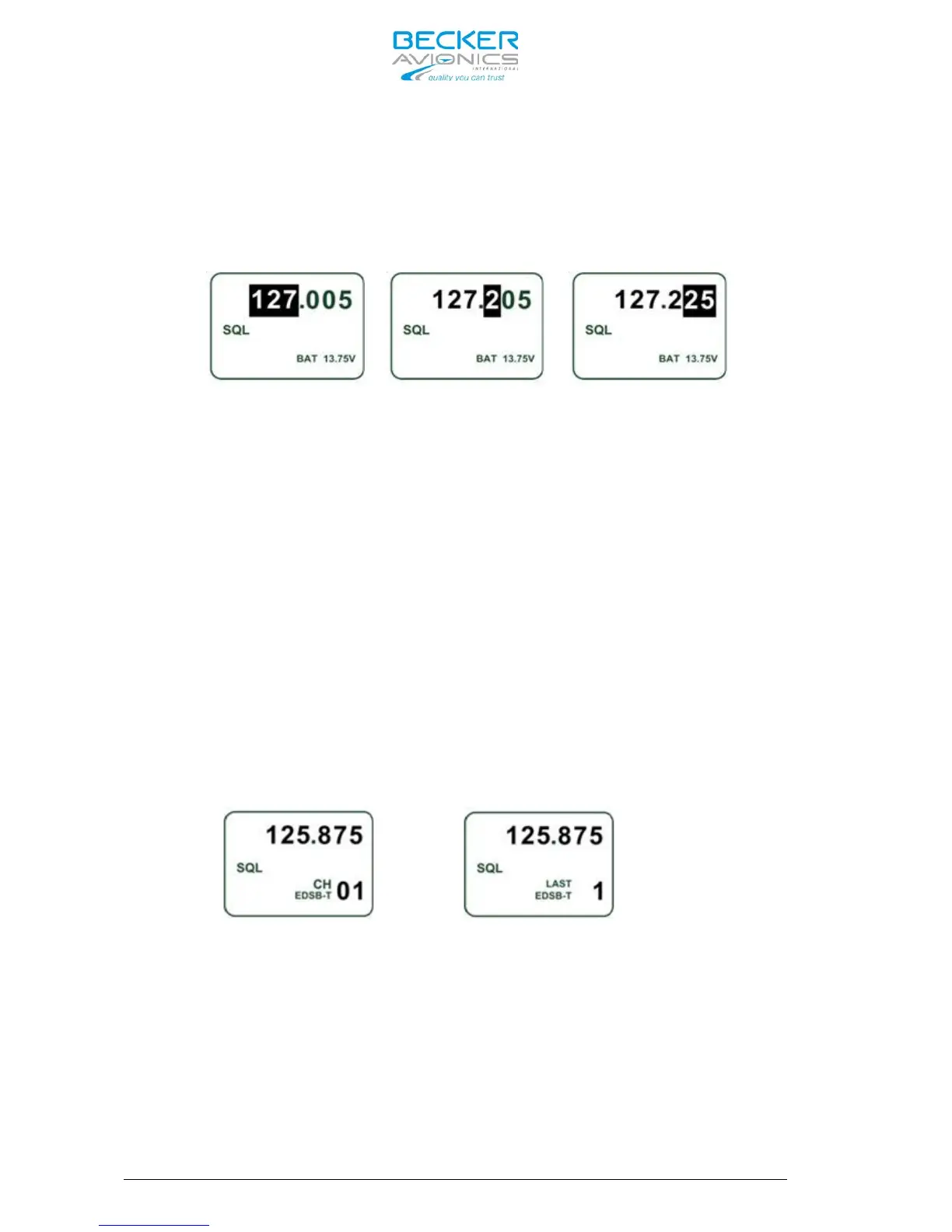
Direct editing of the Active Frequency is available in the Direct Tune
Mode. By the first push on the “ROTARY ENCODER“, the MHz digits are
inverted and turning the “ROTARY ENCODER” clock- or counter clockwise
change the frequency. Two further pushes on the “ROTARY ENCODER“, the
first inverts the 100 kHz and the second selects the 25 / 8.33 kHz
digits. The changes become active immediately.
Changing the Active Frequency is possible only when the transceiver is
not transmitting.
Pressing STO key activates storing of Active Frequency in User Channels
Database (see chapter 3.9.1)
3.5.3 Channel Mode
Push on “MDE” key until the Channel Mode page appears.
The Channel Mode provides selection of stored VHF frequency by means of
channel number (CH01 to CH99 or LAST1 to LAST9). The channel number
appears in the bottom line of the display, either CH01 to CH99 or LAST1
to LAST9. The top line shows the corresponding VHF frequency assigned to
the specific channel number. The bottom line contains a text label
assigned to the displayed VHF frequency. Any label already stored to a
VHF frequency will automatically assign to any new channel number when
the same frequency is stored.
The Channel Mode shows data from User Channels Database, or Last
Channels Database and Labels Database on the display. (For a detailed
database description, refer to chapter 3.9.)
The both pictures below show identification of the database in use by
means of prefix “CH” or “LAST” in front of the channel number.
Channel Mode Last Channel Mode
Toggling between the three Modes the Active Frequency always stays the
same.
After selecting Channel Mode, the channel number is indicated,
e.g.“CH03”, if the frequency has already an assigned channel number in
User Channels Database, otherwise the indication will be “CH--”.
In order to select a new channel number from USER Channels Database make
a short press or one clockwise turn on the “ROTARY ENCODER“. The Channel
Number is now inverted and the desired Channel is selectable turning
either clockwise or counter clockwise the “ROTARY ENCODER“. Each step
the receiver tunes immediately to the displayed VHF frequency. The Mode



 To Next Page