AR6201-(X0X)
Page 2-24 DV 14300.03/.04 Issue 5 5/2013
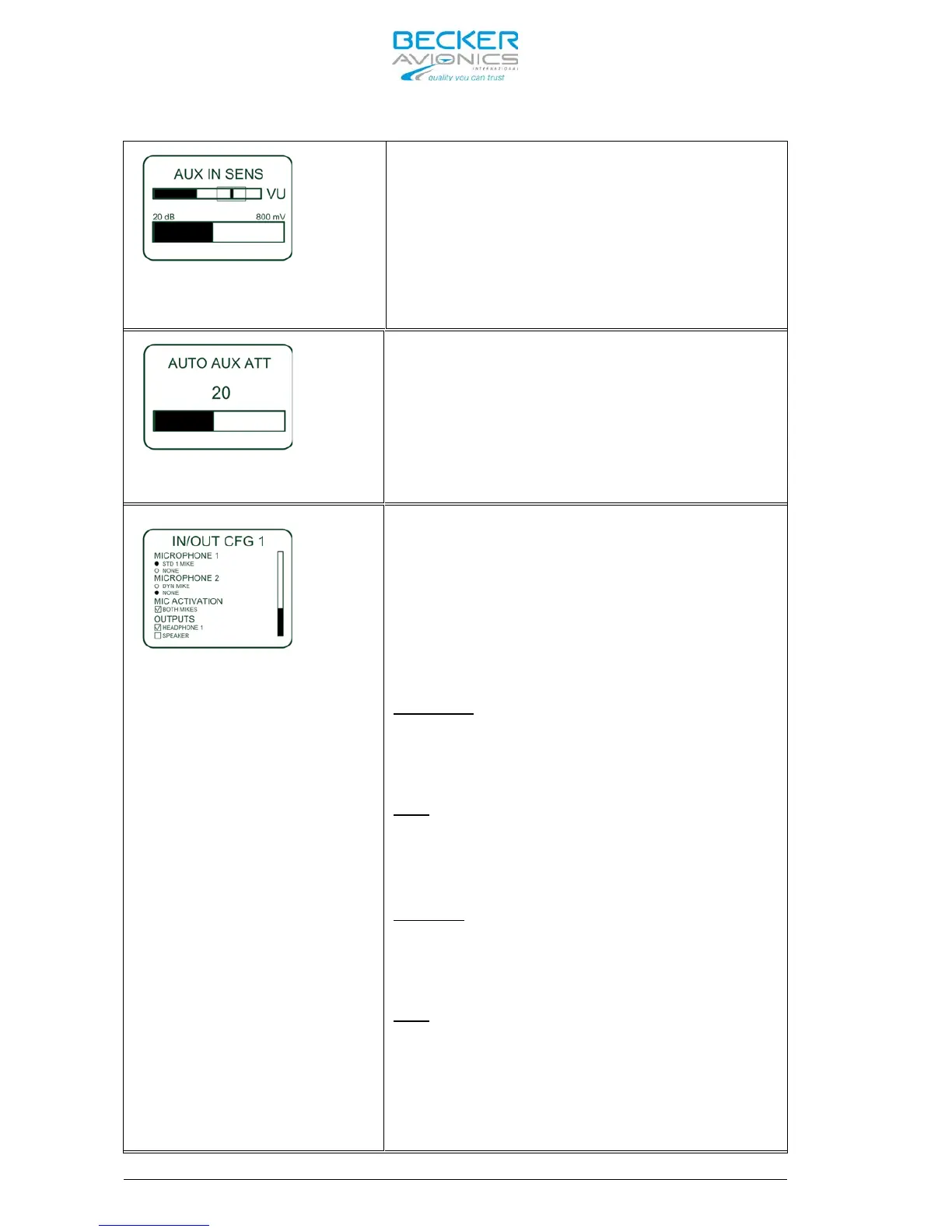
This page is displayed only if
“ENABLE_AUX_IN” is selected.
The sensitivity adjustment of the Auxiliary
Audio Input (Pin P1-4 / Pin P1-21), in the
range 50mV to 8000mV, can be set by turning
the “ROTARY ENCODER”.
The VU meter shows the current signal level
of the Aux Audio Input and keep on
displaying the highest detected signal
value about 3 seconds.
When intercommunication is initiated
(regardless of the intercom activation:
“VOX”, or “/IC” discrete input) the signal
from auxiliary audio input will be
attenuated. The attenuation is adjustable
between 0 to 40dB.
After intercommunication is finished the
auxiliary audio will revert to its previous
level.
Note:
Only if “SWAP MIKE IC” in
. Otherwise IN/OUT CFG 1
in displayed in “IC” input
(open)
This “IN/OUT CFG 1” menu provides
configuration of the audio in- and outputs
by means of the “ROTARY ENCODER” to change
the selection and the “STO” button to
select the desired function.
Note:
The first
sub-menus allow selection of only
one choice. All following sub-menus allow selection
or de-selection of all available options.
See also the Note in the left column.
Configuration of “MICROPHONE 1”
STD1 MIKE
If “STD 1 MIKE” is selected the Standard
Microphone input connected to (Pins P1-18/
P1-8) will be active.
NONE
If “NONE” is selected this Mike input will
be inactive.
Configuration of “MICROPHONE 2”
DYN MIKE
IF “DYN MIKE” is selected the Dynamic
Microphone input connected to (Pins P1-6/
P1-5) will be active.
NONE
If “NONE” is selected this Mike input will
be inactive.



 To Next Page