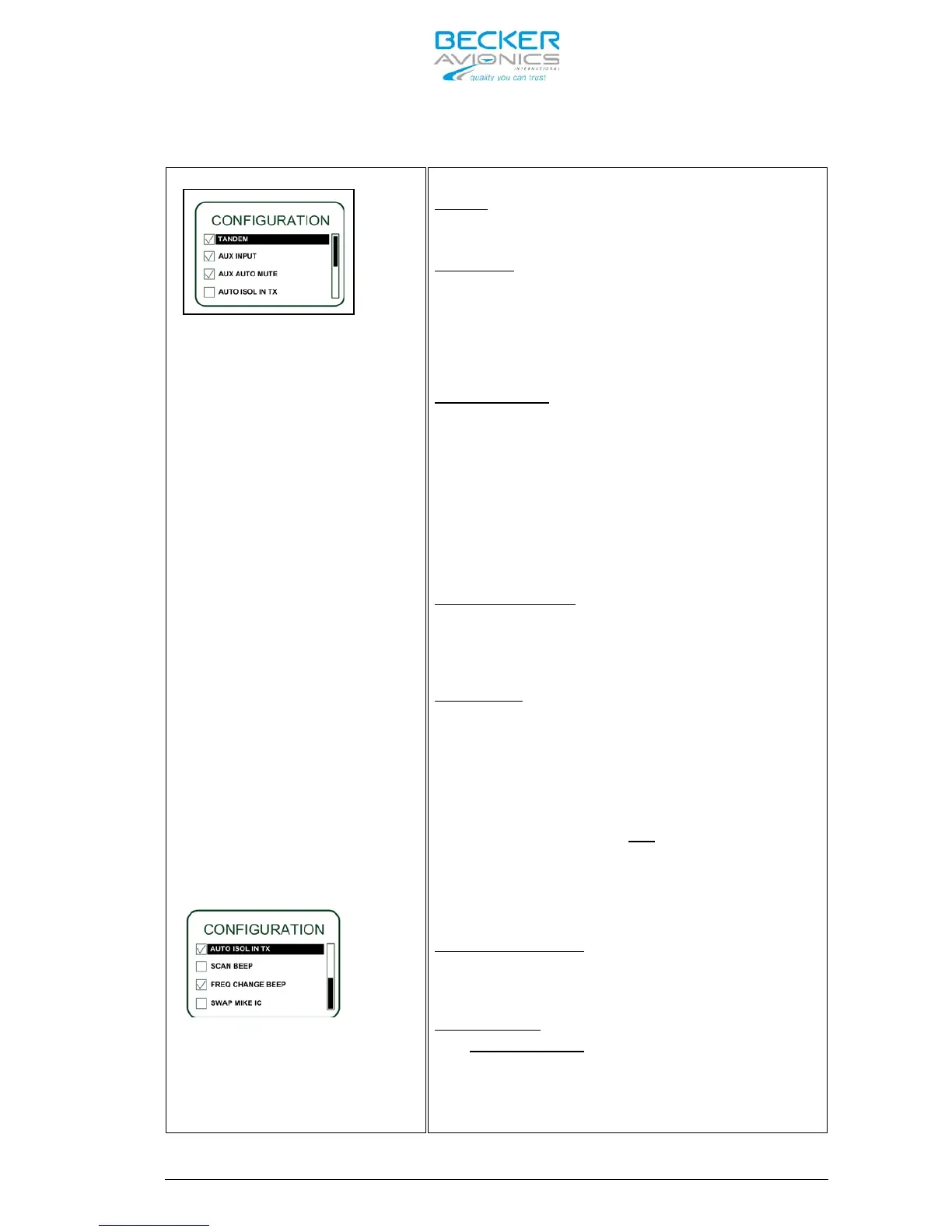
Use the “ROTARY ENCODER” to
scroll up and down.
continued from previous page:
Options 5 to 7 are visible.
Seven options are selectable on this page.
TANDEM
If “TANDEM” is selected a second controller
RCU6201 can be connected to AR6201-(X0X).
AUX INPUT
If “AUX INPUT” is selected the auxiliary
audio signal applied to pins P1-4 / pin P1-
21 is audible on headphone / speaker.
Note: If the auxiliary audio input is not used it is
recommended to deselect “AUX INPUT”.
AUX AUTO MUTE
If “AUX AUTO MUTE” is selected the
auxiliary audio input will be muted also if
the receiver detects (based on squelch
evaluation) a signal, otherwise the user
has disabled the squelch.
Deselecting “AUX AUTO MUTE” the auxiliary
audio input signal and the receiver signal
will intermix continuously.
Note: Only if “AUX INPUT” is enabled “AUTO AUX MUTE”
will be displayed.
AUTO ISOL IN TX:
If “AUTO ISOL IN TX” is selected a
separation between the pilots and passenger
intercom circuits is provided while one of
the pilots transmits.
SCAN BEEP:
If “SCAN BEEP” is selected the transceiver
generates
(only in Scan Function)
a short
beep tone to notify a signal presence on
the “PRESET FREQUENCY” when this become
audible. If the switch over from the
“ACTIVE FREQUENCY” to the “PRESET
FREQUENCY”
is not possible, the
beep tone become generated and the audio
stay on the “ACTIVE FREQUENCY”.
Additionally the “PRESET FREQUENCY” appears
inverted in a sequence of approximately one
second.
FREQ CHANGE BEEP:
If “FREQ CHANGE BEEP” is selected the
transceiver generates a short “BEEP” on
each change of the “ACTIVE FREQUENCY”.
SWAP MIKE IC
If “SWAP MIKE IC” is selected the /IC
input function as /MIKE_SW input and
/MIKE_SW input operates as /IC input.
Select your option by turning “ROTARY
ENCODER” and pressing “STO” push-button.



 To Next Page