AR6201-(X0X)
DV 14300.03/.04 Issue 5 5/2013 Page 2-25
Configuration of “MIC ACTIVATION”
BOTH MIKES
If “BOTH MIKES” is selected the
- input “/PTT” activates
from “MICROPHONE 1” and “MICROPHONE
2”,
- input “/IC” activates
from
“MICROPHONE 1” and “MICROPHONE 2”.
If “BOTH MIKES” is deselected the
- input “/PTT” (Pin P1-17) activates
from “MICROPHONE 1” only,
- input “/IC” (Pin P1-7) activates
from “MICROPHONE 1” only.
Configuration of “OUTPUTS”
Note: This sub-menu allows to select both
choices.
HEADPHONE 1
If “HEADPHONE 1” is selected audio will be
available on headphone output (Pins P1-
2/P1-3)
If “HEADPHONE 1” is disabled no audio is
available on headphone output (Pins P1-
2/P1-3)
SPEAKER
Selecting “SPEAKER” make audio available on
speaker output (Pins P1-1/P1-14).
De-selection “SPEAKER” make audio
unavailable on speaker output (Pins P1-
1/P1-14) and the internal speaker amplifier
circuit shut “OFF”, which results in lower
power consumption of the AR6201.
Note:
Only if “SWAP MIKE IC” in
. Otherwise IN/OUT CFG 1
in displayed in “IC” input
(open)When “MIKE_SW”
input is in use both
configurations, “IN/OUT CFG1”
and “IN/OUT CFG2”, shall be
configured
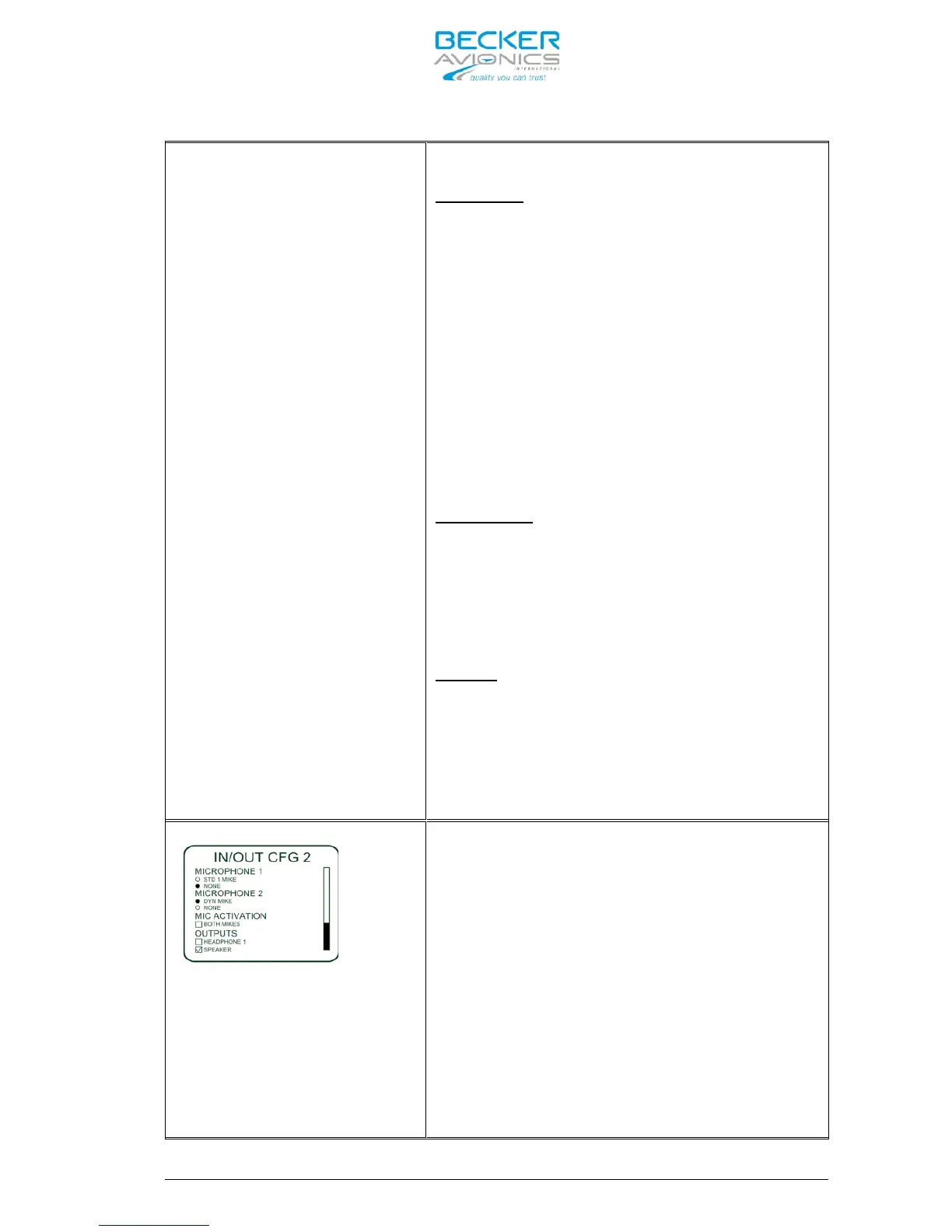
This “IN/OUT CFG 2” menu consists of
identical sub-menus as described above
under “IN/OUT CFG 1”.
! See also the Note in the left column.



 To Next Page