AR6201-(X0X)
DV 14300.03/.04 Issue 5 5/2013 Page 3-11
A short push on “↕/SCN” key exchange, without leaving the Scan Function,
the Preset- with Active Frequency. While the transceiver is in
Transmission Mode this function is disabled.
A short push on the “ROTARY ENCODER” activates editing the Preset
Frequency (for details refer to 3.5.1 Standard Mode).
Note: Transmission always executes on the Active Frequency, even if
the monitored frequency is currently audible.
3.6 Squelch
Independent of the selected operation menu, squelch can be toggled
between “ON” and “OFF” by a short push on “SQL/IC” key.
Squelch “ON” Squelch “OFF”
If the squelch function is active (“ON”) the Receivers noise is muted.
In the Pilots Menu, the Squelch threshold is adjustable to a convenient
trigger level.
If the Squelch is “OFF” the arrow sign “►” in front of the Active
Frequency stays visible all the time.
3.7 RX Field strength indication
The RX field strength, represented inside the triangle “►” appearing in
front of the currently receiving frequency, fills the triangle not, half
or fully, depending on the strength of the signal. The field strength
symbol is available in all three Frequency Selection Modes.
- poor signal, signal just passing squelch level (triangle empty)
- good signal, signal include a minor level of noise (triangle half
filled)
- strong signal, very clear signal (triangle filled completely)
3.8 Channel Spacing Mode
The transceiver provide two frequency channel spacing operation modes,
selectable by means of pressing “STO” and “MDE” keys simultaneously for
at least 2 seconds.
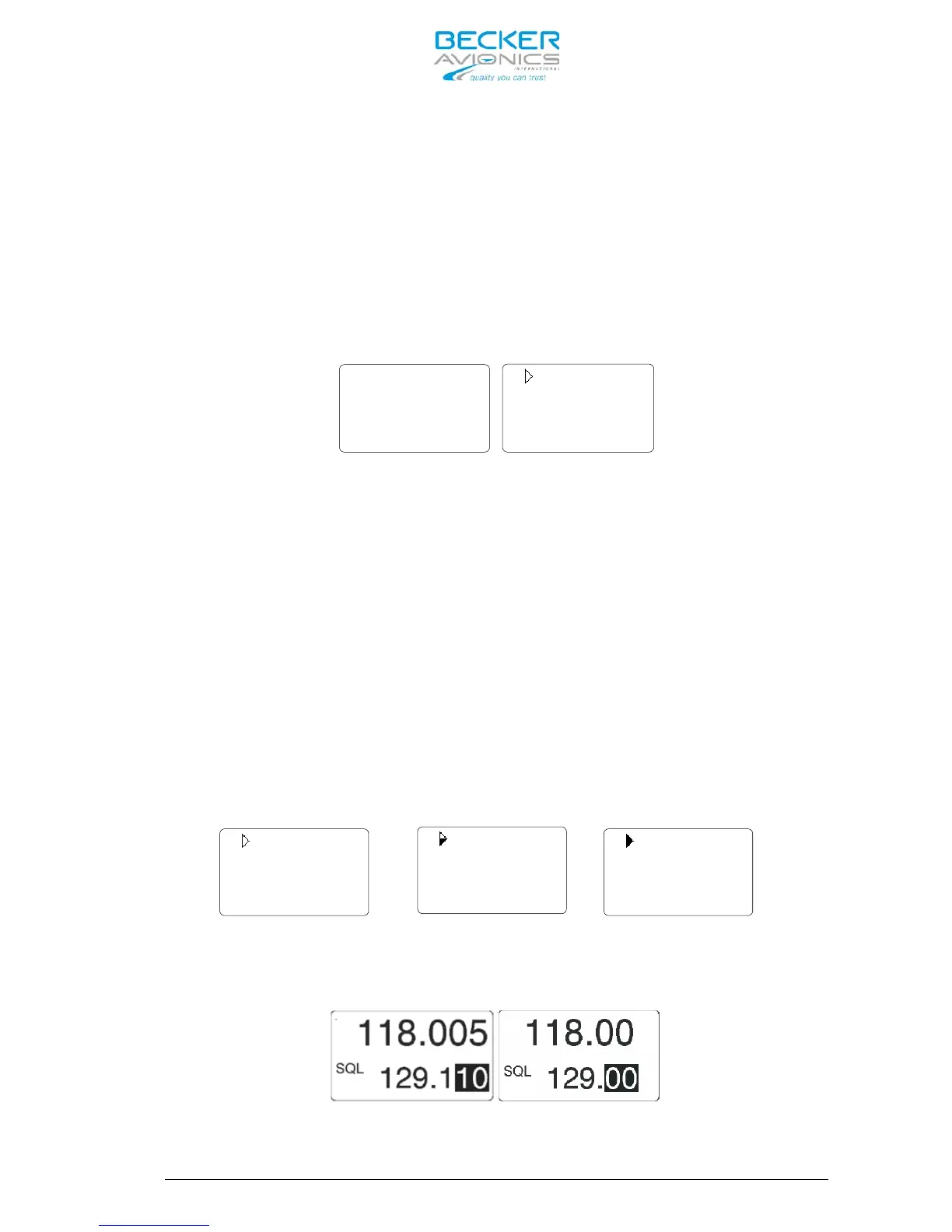
8.33 kHz channel spacing (left) / 25 kHz channel spacing (right)



 To Next Page