AR6201-(X0X)
DV 14300.03/.04 Issue 5 5/2013 Page 2-29
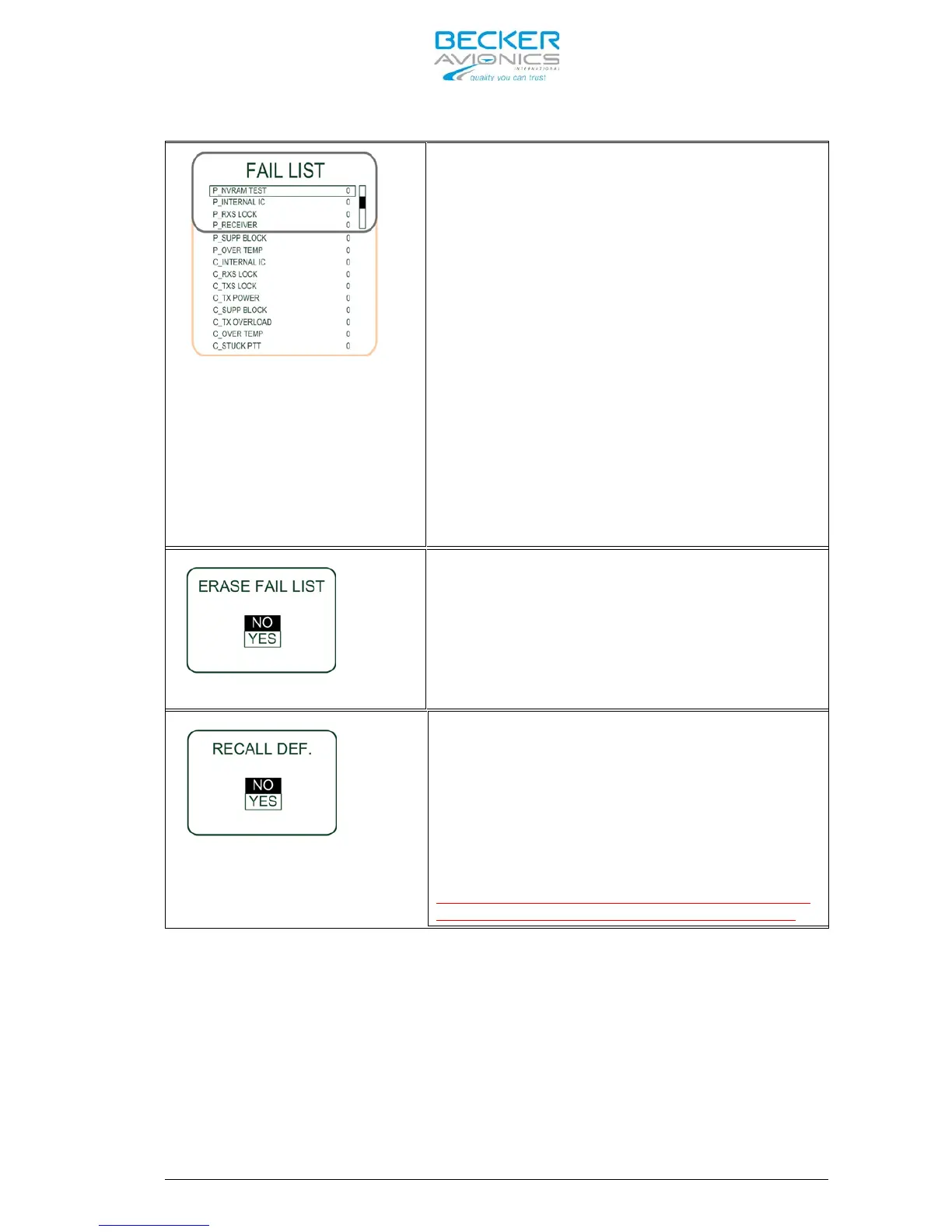
Note: This drawing shows all
monitored failures types.
Within the display frame of the
AR6201 only 4 failure types can
be shown.
By means of the “ROTARY ENCODER”
all further failure types become
in view.
This page displays information about all
failures occurred during operation of the
AR6201(X0X) and have been automatically
stored in the memory. This page may be very
helpful for trouble shooting and failure
isolation.
“0” means no failure was detected and
stored.
“1” means that a failure was detected once
or several times and stored.
This page is for information purpose only.
Selecting “YES” by means of the “ROTARY
ENCODER” and pressing the “STO” push-button
all stored failures
(see previous page)
erase
concurrently.
Only the factory or a maintenance shop
shall delete the “FAILURE LIST” after a
repair is completed.
The factory default settings are the
settings of the AR6201-(X0X) when it left
the factory after production.
Restoring the factory default settings
provided by selecting “YES” by means of the
“ROTARY ENCODER” and a short push on the
“STO” push-button.
Note:



 To Next Page