16
>>> OVERVIEW TRAFFIC ASSIST
> D
> GB
> F
> I
> E
> P
> NL
> DK
> S
> N
> FIN
> TR
> GR
> PL
> CZ
> H
> SK
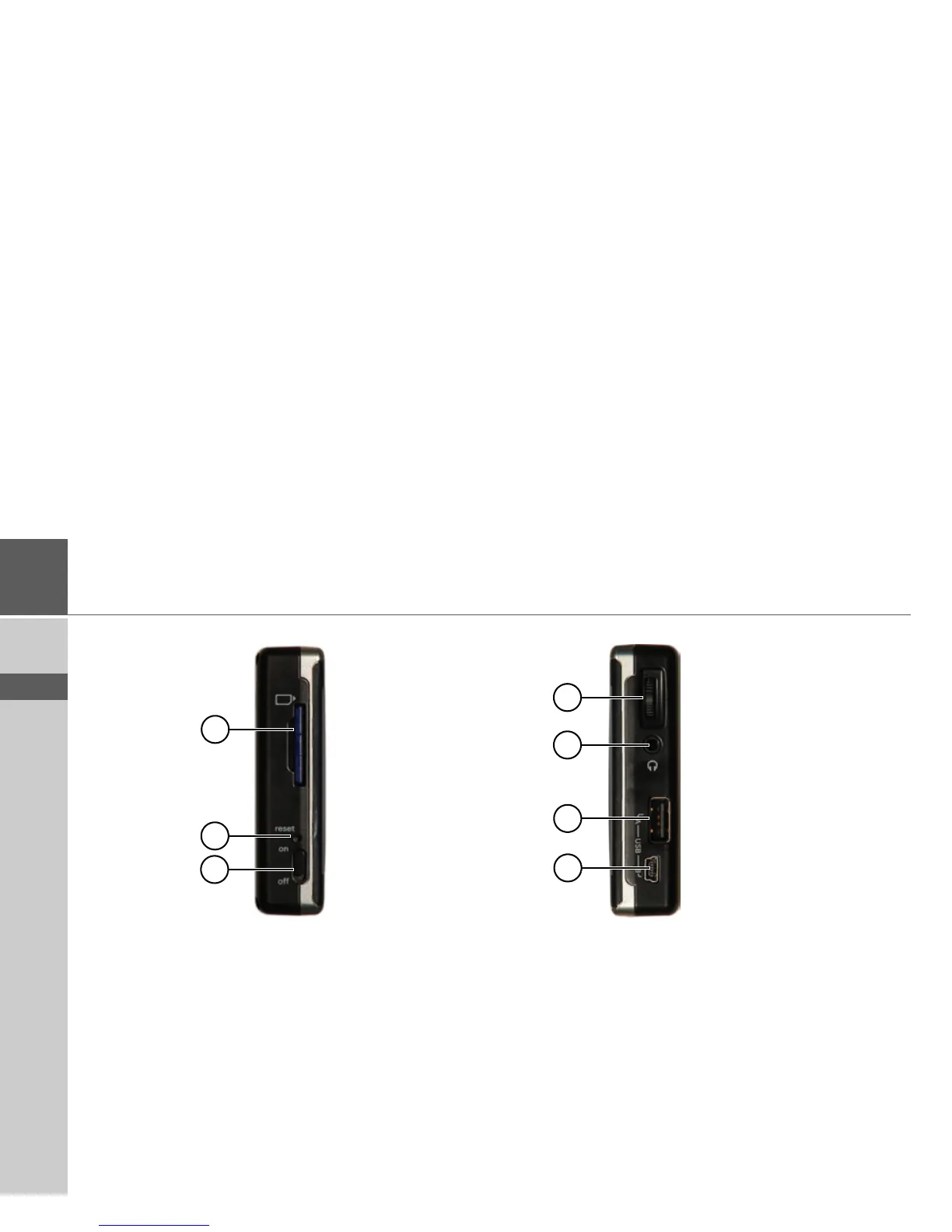
Left side of unit
1 SD memory card slot
2 Reset button
3 ON/OFF switch
Right side of unit
4 Volume control
Move upwards = increase volume
Move downwards = decrease volume
Press = mute
5 3.5 mm connection for headset/Connection socket for TMC
antenna (headset not included in scope of supply)
6 USB port for data carrier containing MP3 or image files
7 Mini USB connection
1
2
4
5
3
6
7



 To Next Page