45
NAVIGATIONAL MODE >>>
> D
> GB
> F
> I
> E
> P
> NL
> DK
> S
> N
> FIN
> TR
> GR
> PL
> CZ
> H
> SK
> Select the subcategory from the subse-
quent menu (e.g.
Aral, Esso).
You will find information about scrolling
in lists in the "Scrolling through the lists"
on page 27 chapter.
> Press the
Point of interest button to
access the input menu.
> Select the desired POI via the input
menu.
For information on working with the in-
put menu, please refer to the section "En-
tries made with the entry menu" on page
26.
> For information on scrolling in lists,
please refer to the section "Scrolling
through the lists" on page 27.
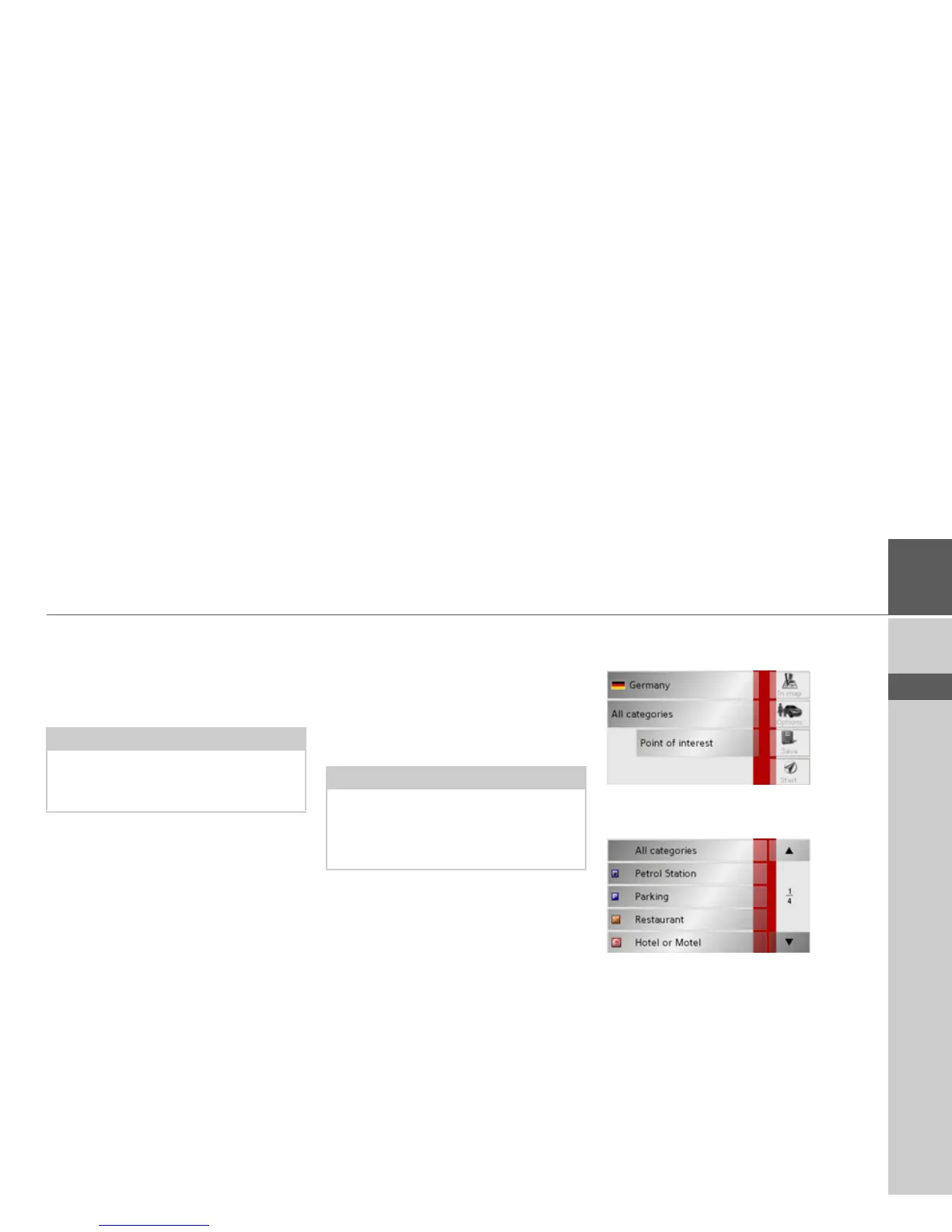
Point of interest: nationwide
> Touch the
Nationwide button.
> Select the desired country.
> Press the
All categories button.
> Select the desired category.
> Touch the
Point of interest key to go to
the entry menu.
> Select the point of interest you want
from the entry menu.
Note:
If you do not select a subcategory, all the
POIs from the main category within the
selected radius are displayed.
Note:
The Category boxes do not have to be.
These are only used to restrict the list of
points of interest. In large towns, this list
may be very long.



 To Next Page