59
NAVIGATIONAL MODE >>>
> D
> GB
> F
> I
> E
> P
> NL
> DK
> S
> N
> FIN
> TR
> GR
> PL
> CZ
> H
> SK
> Press on the desired entry in order to ac-
tivate
or deactivate the corre-
sponding function.
> Confirm your selection by pressing the
OK button.
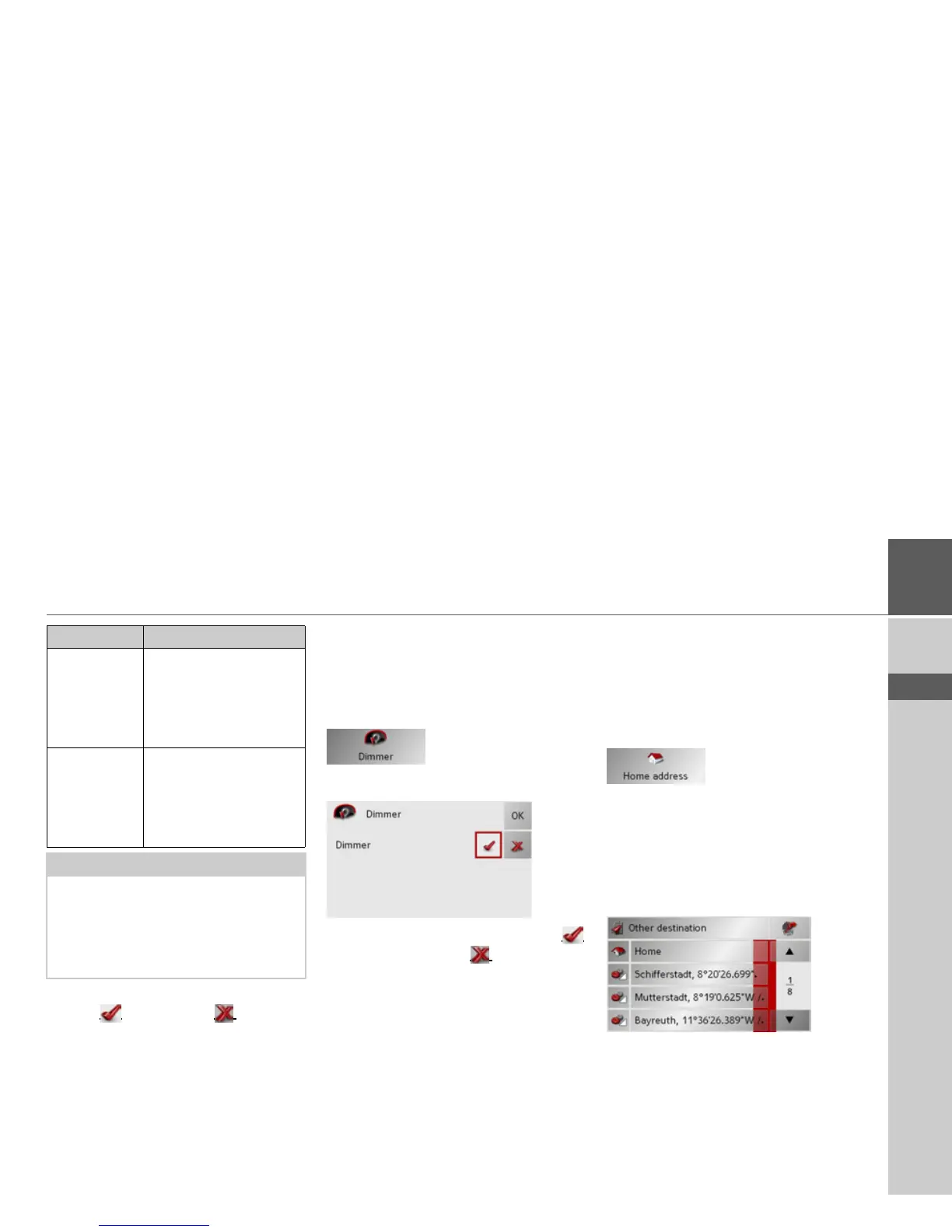
The Dimmer button
In the Dimmer settings menu you can set
whether the display's backlighting should
be switched off when you enter a tunnel.
> Press
Dimmer in the settings menu.
The Dimmer settings menu appears.
> Switch the dimmer on via the
button or off via the button.
> Confirm your settings by pressing
OK.
The Home address button
In the Home address window, you can
enter and change your home address, as
well as displaying the address details.
> Press
Home address in the settings
menu.
You see your home address, provided you
have already entered it.
To enter your home address:
> Press
Set.
The fast access menu appears.
> Press on a destination in the list in order
to enter it as the home address.
or
> Press on the
Other destination button
in order to access the navigation menu.
Signpost info When this function is en-
abled, you receive infor-
mation regarding road
signs which you should
follow.
Lane info When this function is ac-
tivated, a small arrow in-
dicates which lane you
should move into on
multi-lane roads.
Notes:
•If the Reality View function is activat-
ed, the other functions cannot be se-
lected.
• The information can only be displayed
if it is included in the map data.
Setting Description



 To Next Page