29
>>>
> D
> GB
> F
> I
> E
> P
> NL
> DK
> S
> N
> FIN
> TR
> GR
> PL
> CZ
> H
> SK
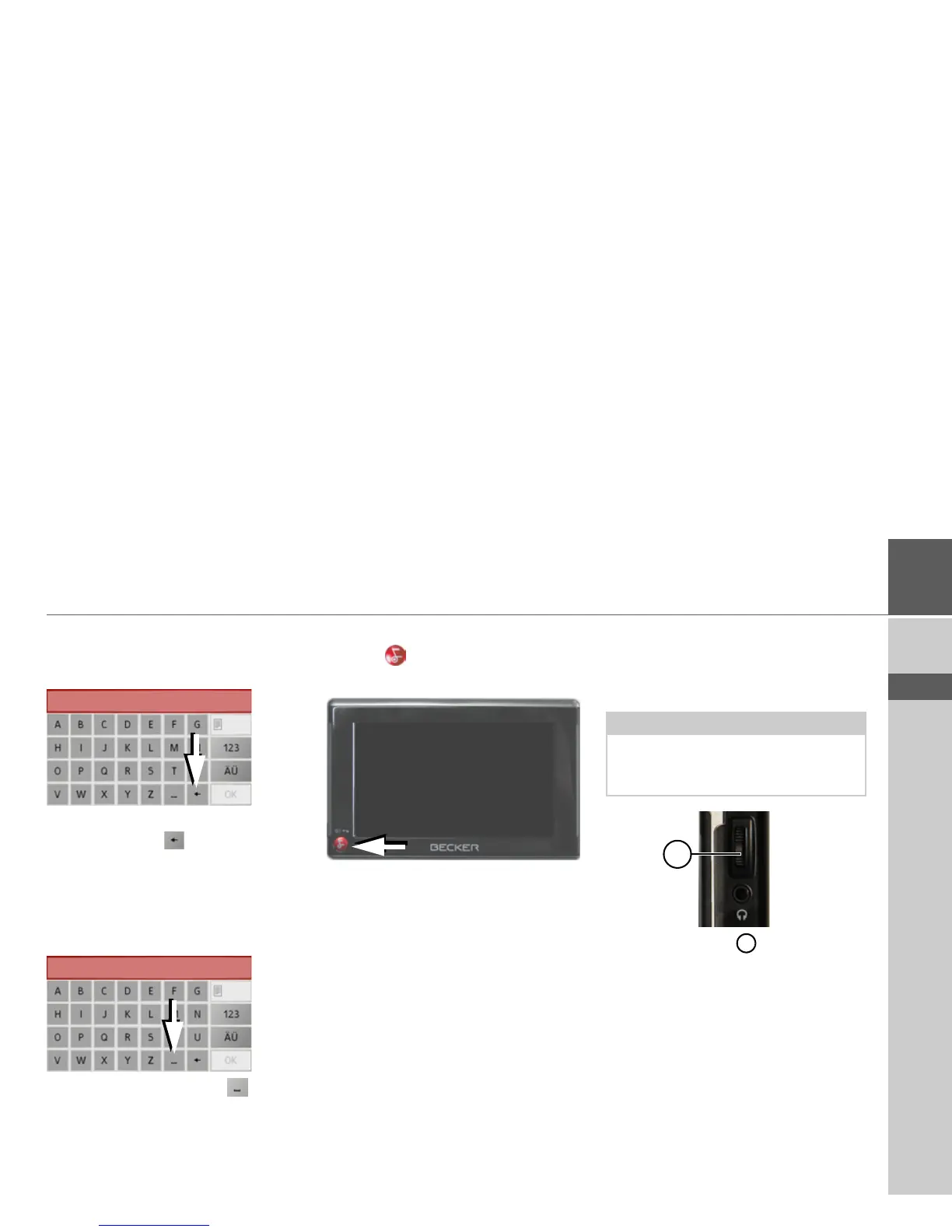
Deleting characters
To delete the last character, use the back
key.
> To delete the character to the left of the
cursor, press the key.
Inserting spaces
If you have an entry with two words, e.g.
for names of towns, the words should be
separated by a space.
> To enter a space, press the key.
The back key
The key is integrated in the bottom
left hand corner of the casing.
It has various functions:
• Pressing and holding switches the Traf-
fic Assist to standby and back on again
when in standby mode.
• depending on the menu context, if
pressed briefly, you will be returned to
the previous entry level.
Volume control
The volume can be adjusted both via the
integrated volume control on the Traffic
Assist and in the various applications.
The volume control is located on the
right side of the unit Traffic Assist.
> In order to increase or reduce the vol-
ume, press the volume control upwards
or downwards.
or
> Press the volume control in order to
mute the Traffic Assist.
Note:
A description of volume adjustment in
the various applications is described in
the individual chapters.
1
1



 To Next Page