63
NAVIGATIONAL MODE >>>
> D
> GB
> F
> I
> E
> P
> NL
> DK
> S
> N
> FIN
> TR
> GR
> PL
> CZ
> H
> SK
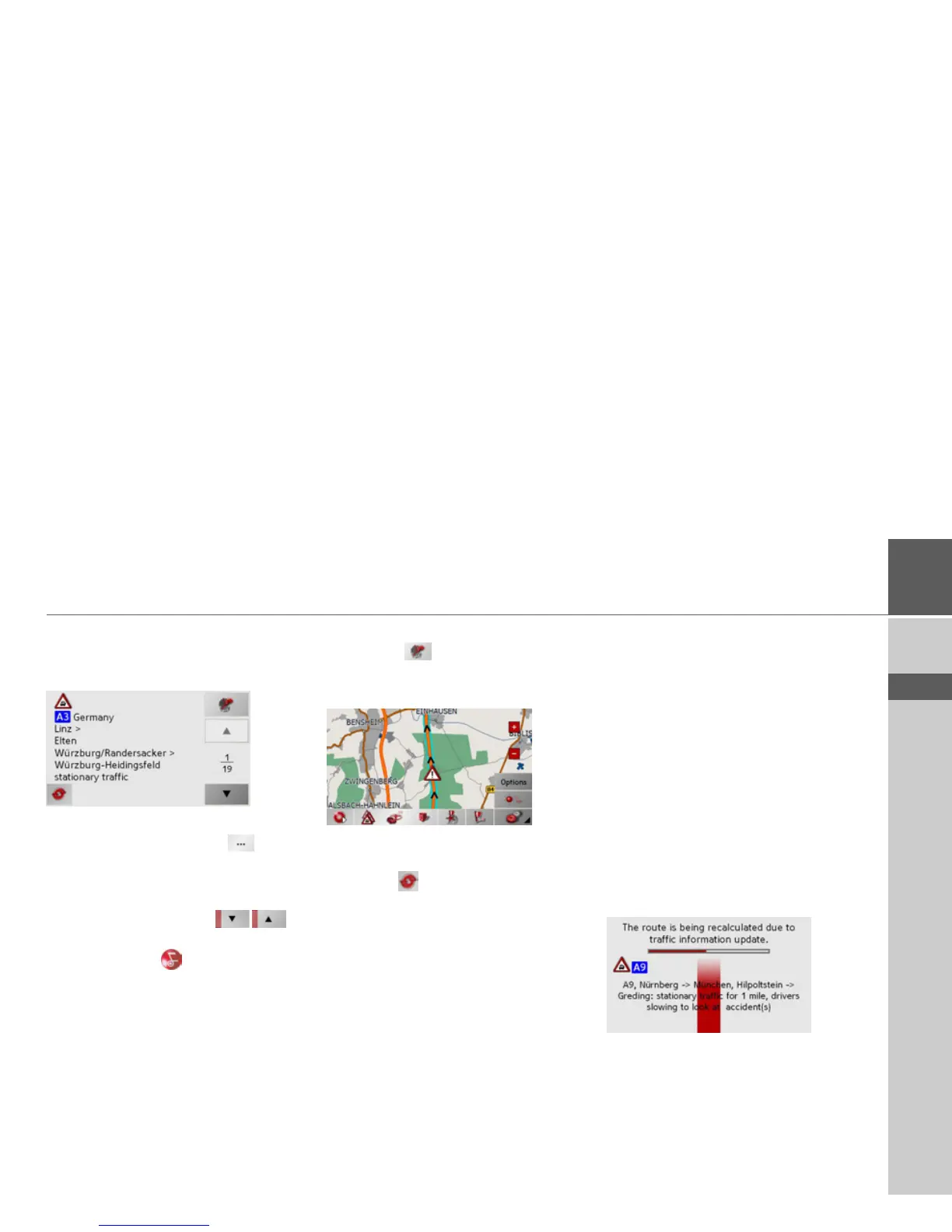
Reading a message
> Press on the desired message in the list.
The message display appears.
If the message text is longer than the
display space available, the
button
appears at the bottom right.
> Press this button in order to view the
remaining message text.
> Press the arrow buttons to
scroll in the messages.
> Press the key to return to the
message list.
Display the relevant road in the map
> Press the
button in the message
display.
The relevant road can be seen in the map.
Updating announcements
> Press the
button in the message dis-
play.
Taking announcements into
consideration when calculat-
ing routes
Your Traffic Assist can take traffic an-
nouncements into consideration when
calculating a route. You have the option of
setting this function to automatic or man-
ual under "The button Load map" on
page 60.
Automatic recalculation
If a traffic announcement affects your
route, a new route is calculated to bypass
the problem at the earliest possible con-
venience.



 To Next Page