44
>>> NAVIGATIONAL MODE
> D
> GB
> F
> I
> E
> P
> NL
> DK
> S
> N
> FIN
> TR
> GR
> PL
> CZ
> H
> SK
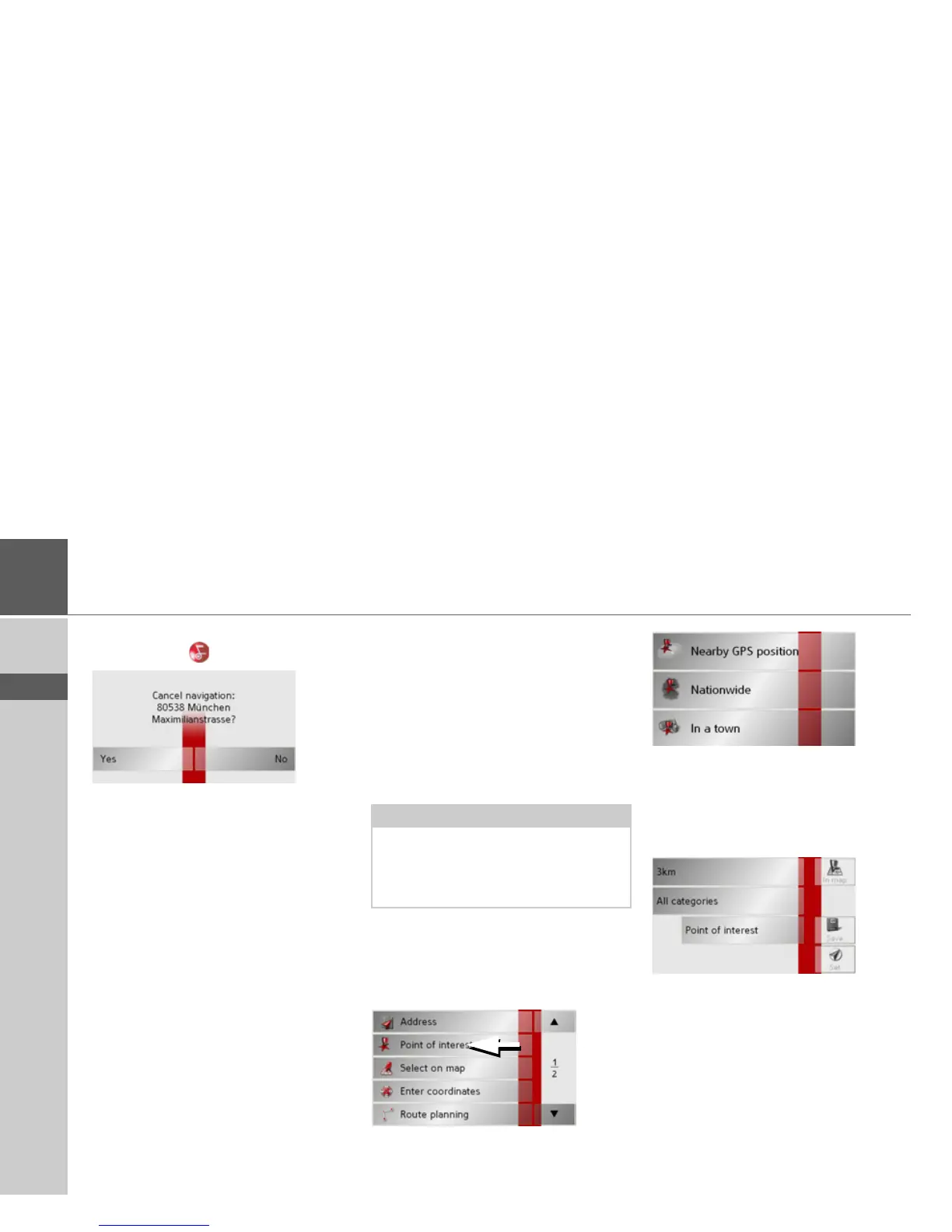
Cancelling navigation
> Press the key .
> Press the
Yes key to confirm that you
want to stop.
Navigation menu: Point of in-
terest
Points of interest, or POI for short (Point
of Interest), are included in the map and
can be displayed on the map. Points of in-
terest include airports and ferry terminals,
restaurants, hotels, petrol stations, public
buildings etc. Points of interests can be
used as navigational destinations.
You can select between:
• a nearby destination,
• a nationwide destination and
• a destination in a town.
>
Press the
Point of interest
key to display
the points of interest.
The search area selection window appears.
You can now use the buttons to select the
search area you want.
Point of interest: Near GPS position
> Press the
Nearby GPS position button.
The following specifications are possible
for searches in this point of interest win-
dow.
> In the top button, enter the radius (in
kilometres) in which a point of interest
should be searched for.
> From the
All categories box, select a
main category (e.g.
Petrol station).
Only those points of interest currently
nearby are displayed.
Note:
Points of interest from the present sur-
roundings can only be selected if the re-
ception is good enough to locate their po-
sition.



 To Next Page