22
>>>
> D
> GB
> F
> I
> E
> P
> NL
> DK
> S
> N
> FIN
> TR
> GR
> PL
> CZ
> H
> SK
GPS-antenna
Unit antenna
The GPS antenna is integrated into the
housing.
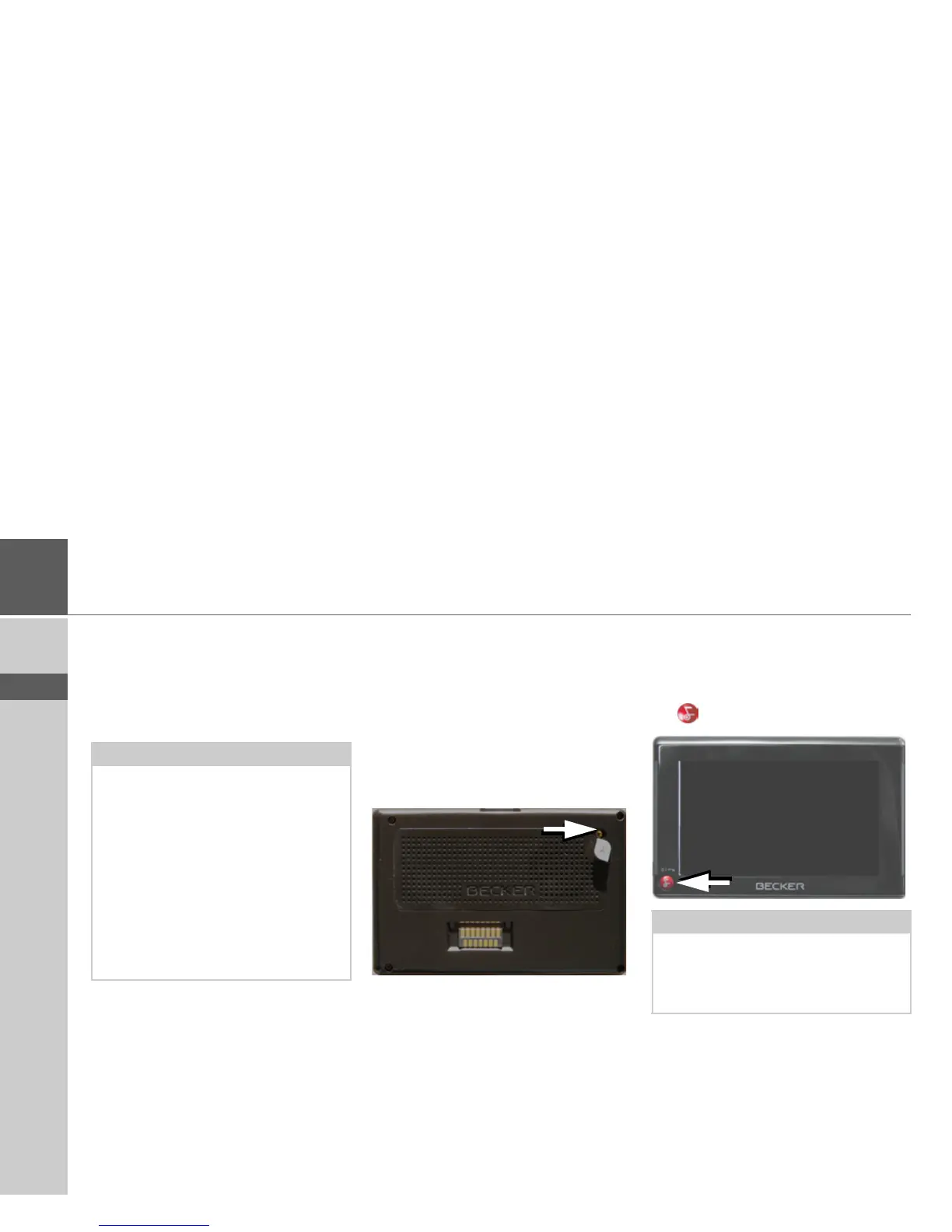
Connecting up external
antenna
To enable reception under adverse recep-
tion conditions, an external GPS antenna
can be connected (not included). For this
purpose, a closable connecting socket is
located on the rear of the housing. If no
external antenna is connected, this con-
nection must always be closed again.
> Open the closure by pulling gently on
its upper surface.
> Connect the external antenna using the
optionally available adapter.
Switching the Traffic Assist
on/off
The unit is switched on and off using the
key .
Note:
The integrated GPS antenna is not suita-
ble for use in vehicles with anti-glare win-
dows (metalised thermo-glass or metal
foil, indicated by the window label - SIG-
LA SOL, SIGLA CHROM, SIGLA,
KOOL-OF, SUNGATE, etc.) and vehi-
cles with fine-meshed heating wires in
the windows.
If this is the case, use an external GPS an-
tenna. Please consult your local specialist
dealer.
Note:
Please deactivate the Becker moodlights
while driving in your vehicle in order to
prevent visual distraction from the road
traffic!



 To Next Page