99
1DYLJDWLRQRSHUDWLRQ
1RWHVRQURXWHJXLGDQFH
After entering the destination (address), the system calculates
the route and announces:
"Ready to drive off".
The driving recommendations are given by voice messages
and displays on the screen.
By pressing the left rotary control the current driving rec-
ommendation can be repeated.
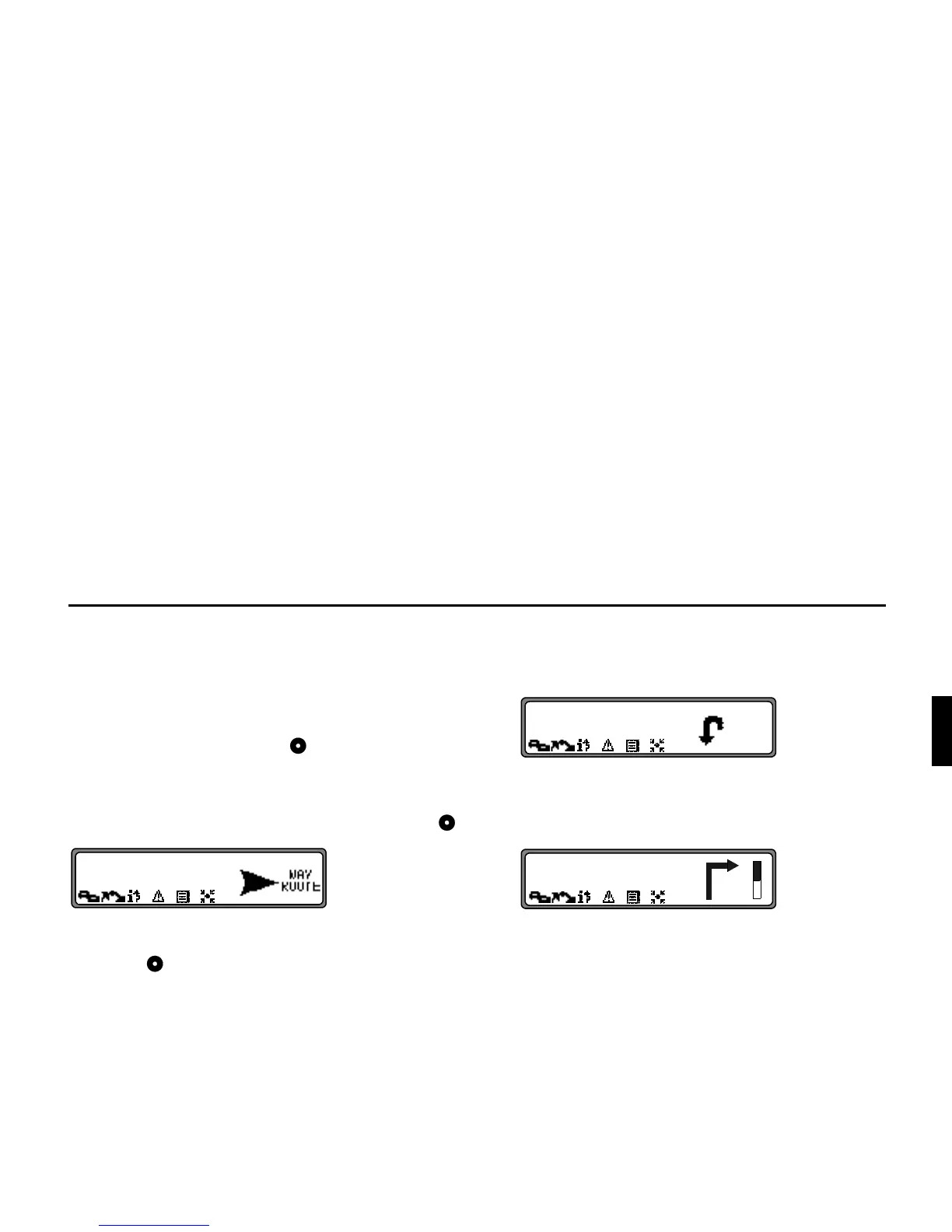
If the route to be travelled is not clear, e.g. at an intersection
where a change in direction is not specified, the direction of
travel can be displayed by pressing the right rotary control .
Please follow the direction indicated by the arrow.
The display appears for 8 seconds after pressing the right ro-
tary control .
'DQJHU
,I D GULYLQJ UHFRPPHQGDWLRQ FRQWUDGLFWV WKH DSSOLFDEOH
5RDG7UDIILF5HJXODWLRQV575WKH575LVDOZD\VYDOLG
For clarification, there follows a selection of examples of pos-
sible driving recommendations:
• "Please perform a U-turn if possible".
You are driving in the wrong direction and should turn
back at the earliest opportunity.
• "Please turn right after 300 metres".
The arrow indicator
"
points to the next street into which
you should turn.
The progress bar on the right illustrates the distance and
the black part decreases as you approach the intersection.















 To Next Page