CUBE® CONTROLLER
6-2 Belanger, Inc. * PO BOX 5470 * Northville, MI 48167-5470 * Ph (248) 349-7010 * Fax (248) 380-9681 1MANUL964
Chapter 6 Operator Interface / Advanced Configuration
Setup / Advanced Configuration
Advanced Configuration / Application Configuration
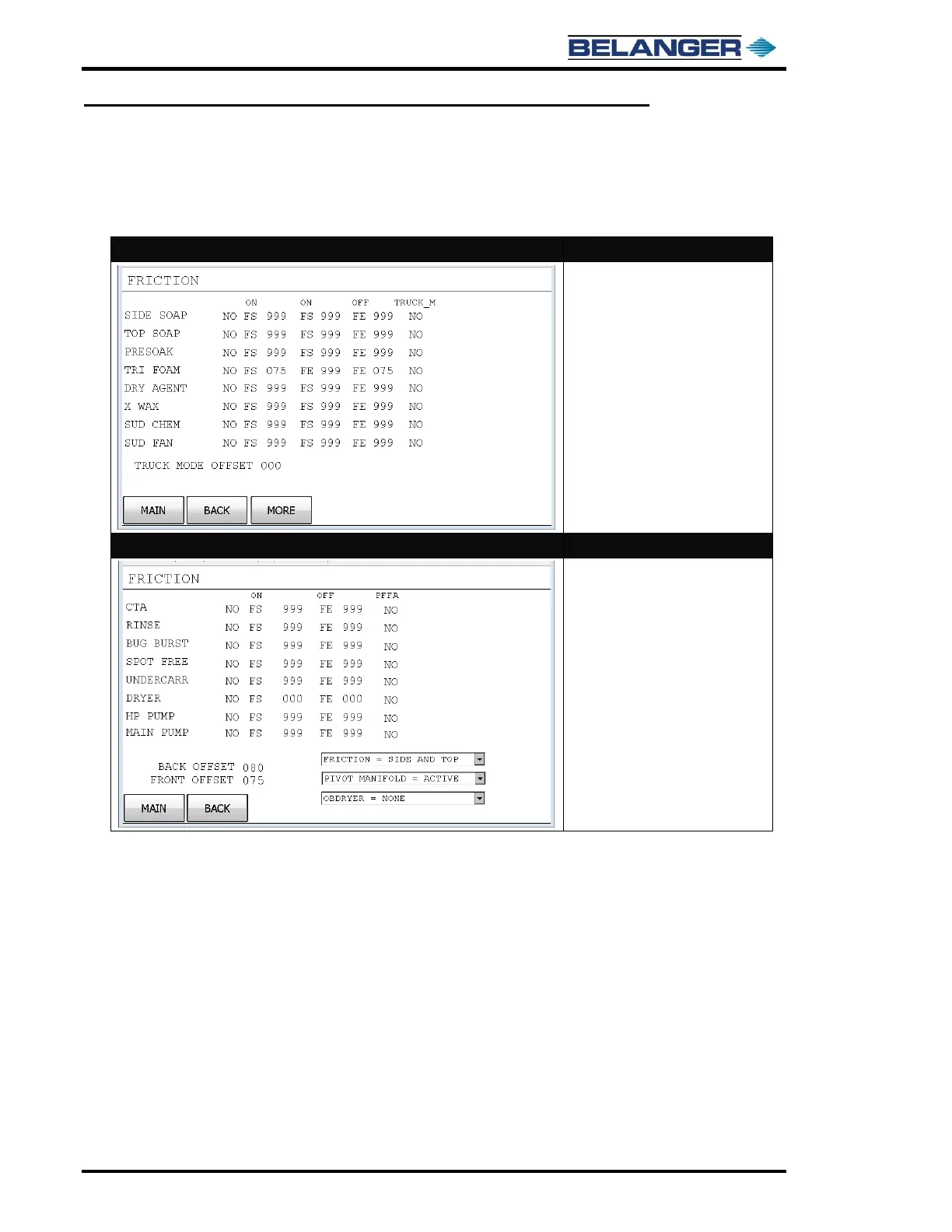
For demonstration purposes we have used the title “FRICTION” on these Application Configuration screens
1st Application Configuration Screen
• The first screen of the actual
“Application Configuration”
programming area is the
“NAMED 1-8” screen in order
from top to bottom
2nd Application Configuration Screen
• Pressing the “MORE” key will
take you to the second screen of
the “Application Configuration”
programming area is the
“MISCELLANEOUS NAMED 1-8”
screen in order from top to
bottom
• Back and Front Distances are
changed on this screen and set
in inches
• Active Functions for Back, Front
and Center are selected from this
screen



 To Next Page