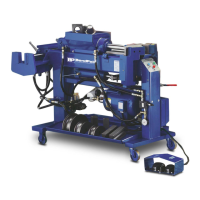
5. Using a measuring tape, measure the distance from
the end of the tubing to the center of the back shoes.
This is the measurement to the first bend and should
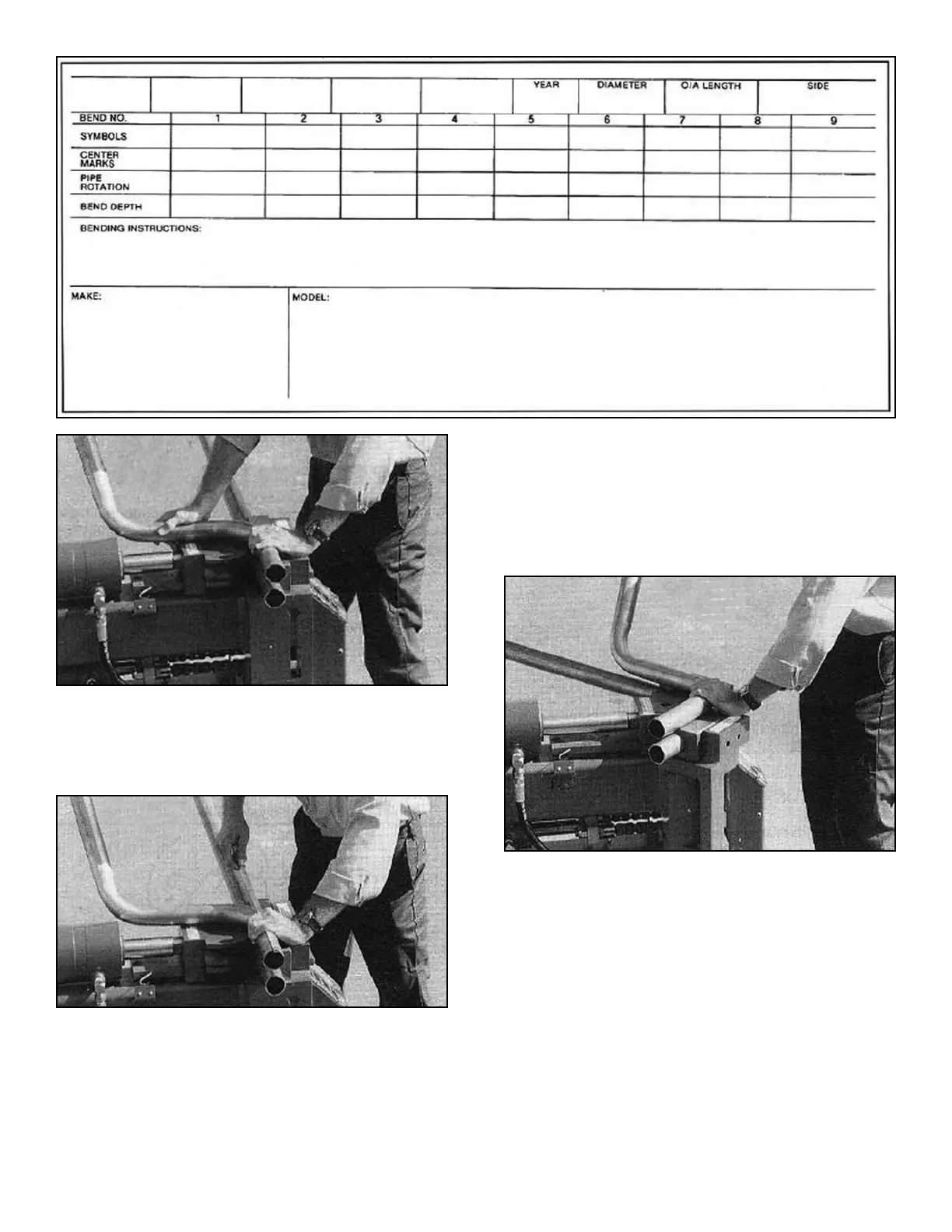
be recorded in the CENTER MARKS section of a
blank card. (See figure 1B)
6. Place the ROTATION DIAL on the far right end of the
straight tubing and secure by tightening the wing nut.
Center the ROTATION DIAL degree plate so that the
indicator points to zero. ALWAYS USE THE
NUMBERS CLOSEST TO THE CENTER OF THE
ROTATION DIAL. THE OUTSIDE NUMBERS ARE
FOR SPECIAL APPLICATIONS ONLY. Record the
rotation degree as zero for your first PIPE ROTATION.
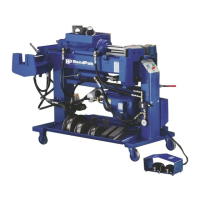
7. You are now ready to make your first bend. Place the
first bend of the master pipe or wire flat on top of
the back shoes. Hold in this position. Gradually
extend the radius die forward until the gates start to
open and the tubing begins to bend. Continue
bending until the bend depth is equal to that of the
master. (See figure 1-C)
8. Look at the Depth-of-Bend plate or observe the DIE
ANGLE window. This is the depth or degrees of the
first bend. Record this information in the BEND
DEPTH section.
9. Retract the bending dies and slide the straight tubing
to the left. Place the tubing or master on top of the
back shoes so that the centerline of the second bend
lines up with the centerline of the back gates. Be
sure that the master lies perfectly flat.
10. Line up the second bend of the new pipe with the
second bend of the master. Be sure that the master
remains flat on top of the back shoes. Advance the
radius die until the pusher block springs are
compressed and the tubing is held securely. Make
any adjustments at this time. Your second bend is
now correctly located. (See figure 2-A)
20 Bender Operation Manual
Figure 1-A
Figure 1-B
Figure 1-C
(This blank card may be used to make additional copies)


 To Next Page