21
9.6 Balance / calibration
After initial commissioning or when changing the test
probe (1-pin/ 2-pin), the appliance tester must be
calibrated using the internal calibration.
The ST 755/ ST 760 must be calibrated externally every
12 months by the manufacturer or in certified calibration
laboratories.
Use the icon on the left to navigate to the
“Balance / calibration” screen.
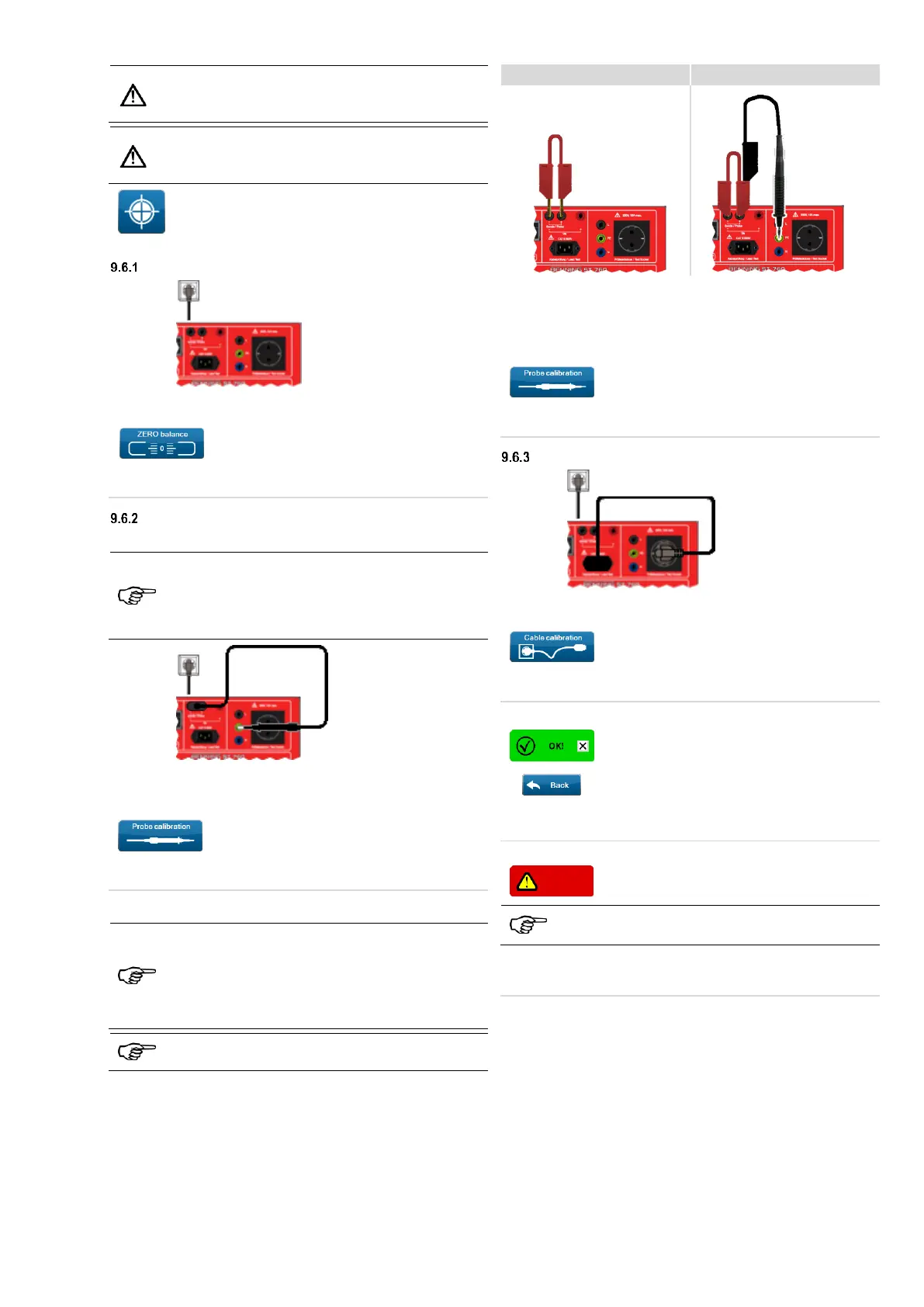
Follow the instructions below to calibrate the appliance tester.
ZERO balance
Remove all test plugs
(IEC connector, test cables, test probe).
Touch the “ZERO balance” button and
follow the instructions on the display.
Wait until calibration is complete.
Do not switch off the device.
Probe calibration
9.6.2.1 Probe (2-pin)
During the probe calibration, the transition resistances
in the appliance tester including the cable of the
connected probe are calibrated.
You can change between a 2-pin probe of 2 m and a 2-
pin probe of 5 m without having to calibrate again.
Insert the plug of the test probe into the measuring jacks.
Insert the probe tip of the test probe into the yellow/green PE
socket.
Touch the “Probe calibration” button and
follow the instructions on the touchscreen.
Wait until calibration is complete.
Do not switch off the device.
During the probe calibration, the transition resistances
in the appliance tester including the cable of the
connected probe are calibrated.
You can use a 1-pin probe if you use a bridge between
the “Sonde / Probe +/-“ sockets.
To do this, refer to the following illustrations.
The manufacturer recommends the use of a 2-pin
probe.
Connect the bridge between the sockets “Sonde / Probe +/-”
sockets as illustrated in step 1.
Connect the test probe as illustrated in step 2.
(Insert the probe tip of the test probe into the yellow/green PE
socket.)
Touch the “Probe calibration” button and
follow the instructions on the touchscreen.
Wait until calibration is complete.
Do not switch off the device.
Connect the cable adapter to the IEC connector jack and the
test socket.
Touch the “Cable calibration” button and
follow the instructions on the touchscreen.
Wait until calibration is complete.
Do not switch off the device.
After successful calibration, all checkboxes are
displayed as shown on the left.
Tap the “Back” button to go to the "Settings"
screen.
After successful calibration, the appliance tester is ready for
testing.
9.6.3.2 Calibration failed
If the calibration has failed, the corresponding
checkboxes are displayed as shown on the left.
In case of failed calibration, check the plug connections
and the steps you have taken.
Start the calibration again.
If the error persists, contact the BENNING support!



 To Next Page