32
13.3 Explanation
Manual testing according to VDE 0751-1 is used for tests of
medical electrical devices (med. electr. test samples) after repair or
modification and for periodic testing.
Periodic testing may only be carried out after possible faults have
been eliminated.
Chapter 13.4 provides a general description of how medical
electrical test samples can be tested individually.
Depending on the protection class of the medical electrical test
sample, the ST 760/ ST 755 offers preconfigured individual tests.
Specification, selection and order of the individual tests
are determined by the responsible qualified electrician.
Applicable regulations can be found in the current
VDE/ IEC standard and the existing manufacturer
specifications of the test sample.
13.4 General test procedure
Start
In the “Main menu”, use the icon on the left to
navigate to the "VDE 0751-1” screen.
In the “Test: VDE 0751-1 / EN 62353" screen, the corresponding
protection class of the test sample must be selected.
Select the corresponding protection class of the
test sample:
o Devices with protective conductor (PE)
Protection class I (Class I)
o Devices without protective conductor (PE)
Protection class II (Class II)
The “VDE 0751 1 / EN 62353” screen opens. (Example: screen for test
samples according to Class I)
Touch the right of the "Visual
inspection" line to view the options
for selection.
Select one of the following options:
o standard visual inspection
o advanced visual inspection
o customer-specific visual inspection
Carry out the visual inspection.
13.4.2.1 No defects detected
Standard visual inspection
Confirm your entries by tapping the “OK” button.
Advanced and customer-specific visual
inspection
Confirm by tapping one of the following buttons:
“Start visual inspection”
“All OK”
“Start”
You can continue to test the test sample.
13.4.2.2 Defects detected
Standard visual inspection
Tap the “Error” button.
Advanced and customer-specific visual
inspection
Tap the “F” button
for each test question with a negative result or
“N.A.” for not available.
Tap the “Start” button.
You can continue to test the test sample.
Please have a look at the defects detected during the visual
inspection!
The test sample must not be electrically tested if serious
defects have been detected during the visual inspection
which might involve any danger to persons.
13.4.2.3 Disabling a test question
Advanced and customer-specific visual inspection
o Before starting the visual inspection, you can
use the ON/OFF sliders to enable/disable
test questions.
To enable/disable all ON/OFF sliders at the same time, you can
use the "All inactive" or “All active” buttons.
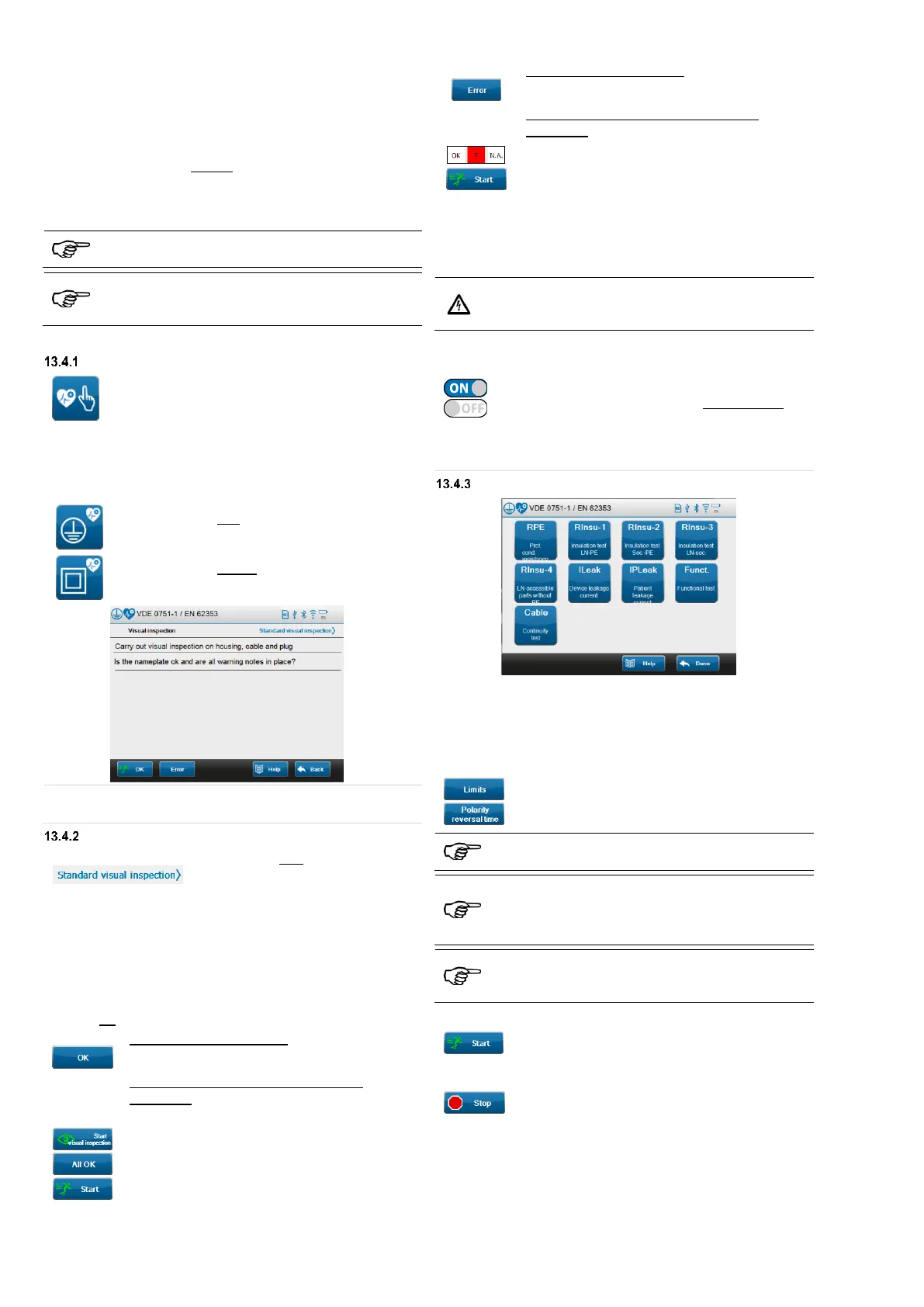
Selecting individual tests
Select an individual test and follow the instructions on the
display.
(Example: screen for test samples according to Class I)
"Limits" and "Polarity reversal time" can be changed on the
screen of each corresponding individual test.
To do this, tap the “Limits” or “Polarity reversal
time” button and change the corresponding value
set.
Changed “Limits" as well as the “Polarity reversal
time" remain active only for the duration of the test.
By default, tests in manual mode run without a time limit
(test time = 0 sec.).
The test person must decide on the basis of the current
display values whether the test can be finished or not.
A polarity reversal must be carried out manually using
the "L<->N" or "N<->L" button if no “Test time" has
been specified for the polarity reversal.
13.4.3.1 Starting an individual test
Tap the "Start" button to start the selected
individual test.
13.4.3.2 Stopping an individual test
Tap the "Stop" button to stop the current
individual test.



 To Next Page