77
20 Barcode reader (optional)
Barcode readers serve as an optical recognition tool for the
BENNING ST 755/ ST 760 appliance tester and make it easier to
manage and identify the test samples. For this purpose, each test
sample is provided with an adhesive barcode label and the
barcode reader is used to scan the barcode and transfer it to the
database of the appliance tester. The available barcode readers
can be used via Bluetooth
®
or USB interface. An overview of the
barcode components can be found in chapter 6.2, “Optional
accessories”.
20.1 Configuring the barcode reader
For optical recognition of the barcodes, the barcode
readers use lasers. Do not look into the laser beam of
the barcode reader! This causes damage to your
eyesight!
The barcode reader converts the scanned barcode into
an input (similar to an input made via the keyboard).
It transmits numbers, letters and special characters
depending on the corresponding configuration.
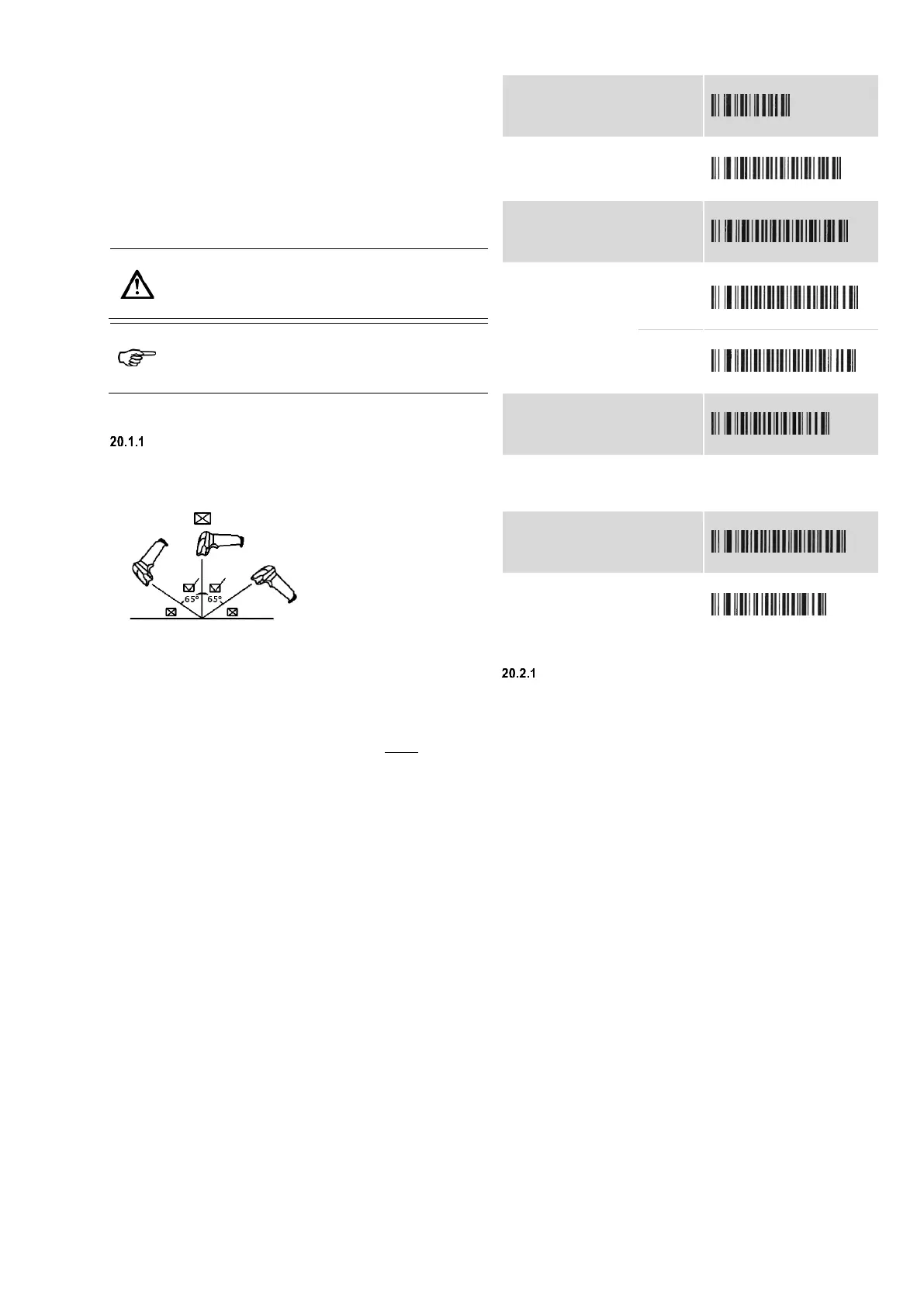
By default, the barcode readers are configured for optimum
interaction with the BENNING ST 755/ ST 760 appliance tester.
USB barcode reader
If a different configuration of the barcode reader is required, you
can scan the following test sequences (steps 1 to 5) and configure
the barcode reader independently for your purposes.
Press the button at the
barcode scanner.
Move the laser beam of
the scanner over the
corresponding barcode.
The barcode reader scans the barcode and takes over the
corresponding setting. When the setting has been taken over
successfully, an acoustic signal is emitted and the status LED of
the barcode reader lights up.
Example: Changing the language code
To change the output of the barcode reader to the language code
of the US keyboard, scan the "USA" barcode in step 4 of the
following configuration table.
For other different settings, refer to the operating manual supplied
with the USB barcode reader.
Configuration table
1. Enabling the factory settings:
3. Enabling an individual scan:
4. Selecting the
language code:
5. Enabling the ASCII code:
1. Disabling the acoustic signal:
2. Enabling the acoustic signal:
20.2 Commissioning the barcode reader
USB barcode reader
Start the appliance tester.
Connect the connecting cable of the barcode reader to a
USB port of the BENNING ST 755/ ST 760.
The status LED of the barcode reader lights up and an acoustic
signal is emitted.
The barcode reader is ready for operation.



 To Next Page