47
Wi-Fi Radio Setup
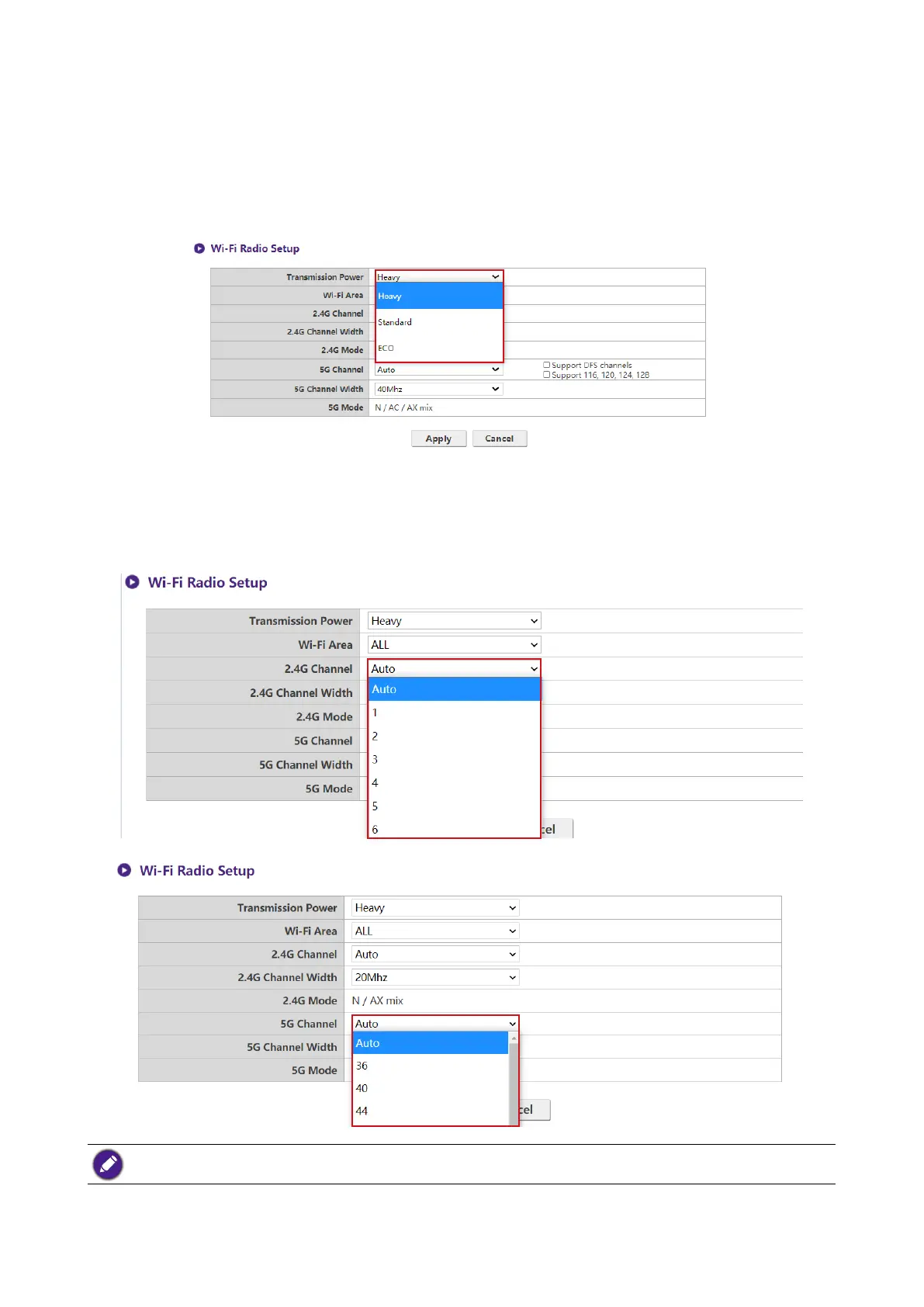
In the Transmission Power eld you can set the strength of the Wi-Fi signal with the available
options being of Heavy for a strong Wi-Fi signal (20 dbm for 2.4G; 15 dbm for 5G), Standard for
a standard Wi-Fi signal (18 dbm for 2.4G; 12 dbm for 5G), and ECO (15 dbm for 2.4G; 10 dbm for
5G) for a weaker, energy saving signal.
In the 2.4G Channel and 5G Channel elds you can congure the Host to automatically select
the wireless channel with the best performance for either signal during the initial setup of the Host
by selecting Auto, or you can select a wireless channel manually. The default 2.4G Channel and
5G Channel setting for the Host is Auto.
Support DFS Channel and Support 116,120,124,128 selections may vary and depend on regulation
applied for each country/region.



 To Next Page