48
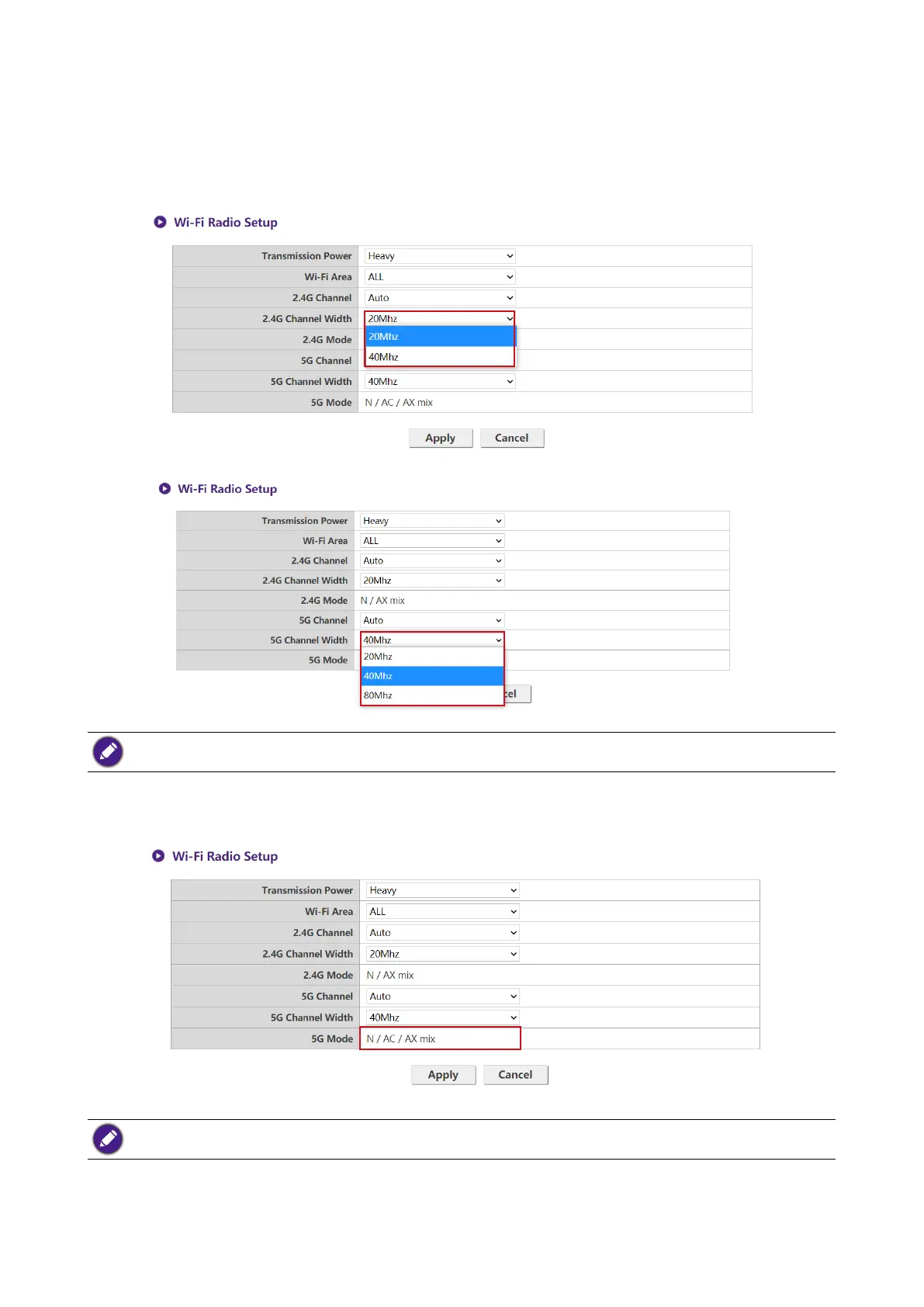
In the 2.4G Channel Width and 5G Channel Width elds you can congure the channel width
for your 2.4G and/or 5G Wi-Fi signal. The available options for 2.4G Channel Width are 20MHz
and 40MHz, while the available options for 5G Channel Width are 20MHz, 40MHz, and
80MHz. The default channel width for 2.4G Channel is 20MHz while the default channel width
for 5G Channel is 40MHz.
The supported wireless channels listed vary according to wireless regulations of the country/region which is
listed in the Wi-Fi Area eld.
The 5G Mode enabled with N / AC / AX mix (802.11n, 802.11ac and 802.11ax mixed) with best
compatibility to serve client with different wireless ability.
The Wi-Fi standard for the 2.4G Wi-Fi signal in the 2.4G Mode eld is set to N / AX mix and cannot be
congured.
After you congure all the Wireless Network settings, press Apply to proceed.



 To Next Page