Unpacking and Installation 7
To prevent the display from falling:
• For wall or ceiling installation, we recommend installing the display with metal brackets which
are commercially available. For detailed installation instructions, refer to the guide received with
the respective bracket.
• To lessen the probability of injury and damage resulting from fall of the display in case of
earthquake or other natural disaster, be sure to consult the bracket manufacturer for installation
location.
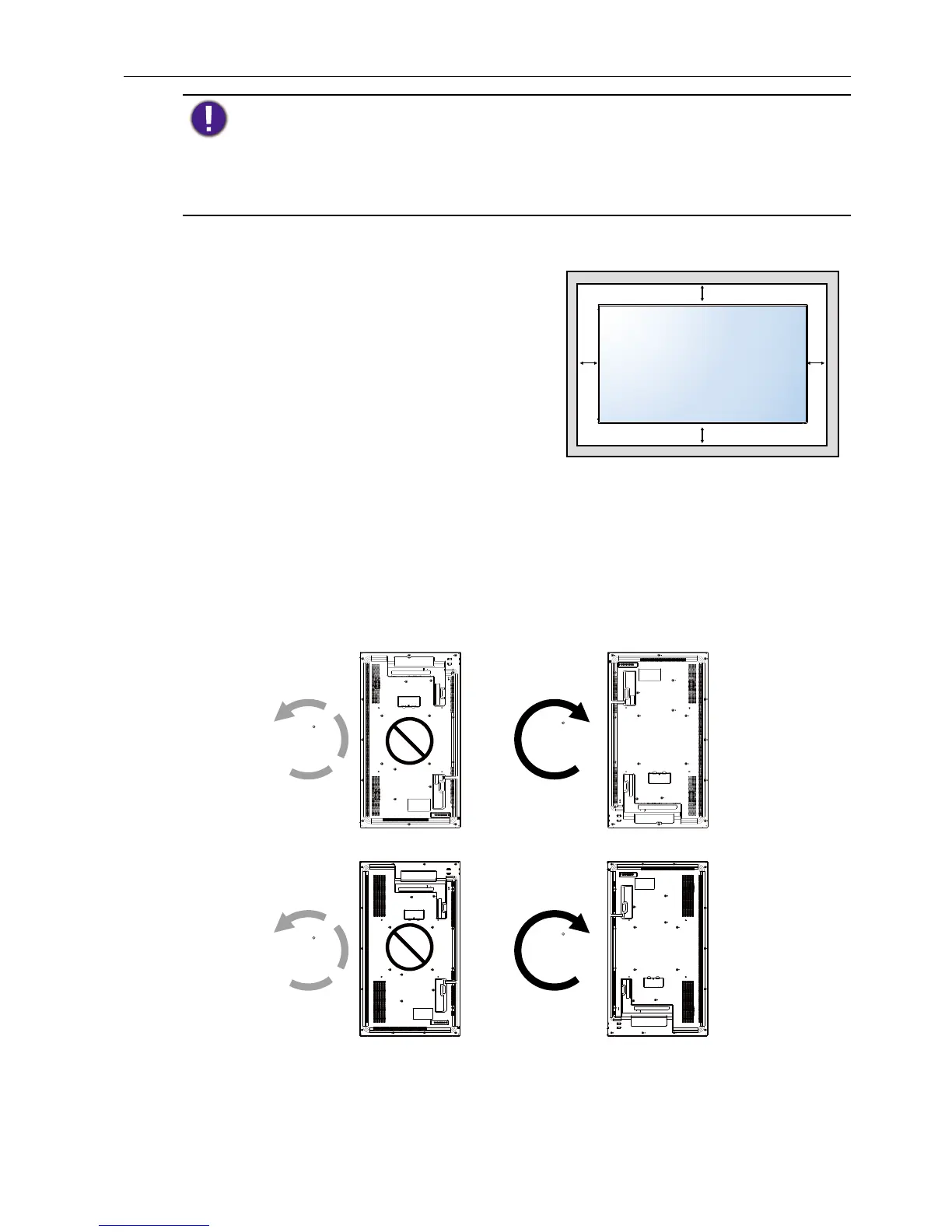
Ventilation Requirements for enclosure locating
To allow heat to disperse, leave space between
surrounding objects as shown in the diagram
below.
100 mm 100 mm
100 mm
100 mm
Mounting in Portrait Position
This display can be installed in portrait position.
1. Remove the table stand, if attached.
2. Rotate 90 degrees clockwise from the back side of the display .The terminals will be
on the left and bottom side of the user from the back of the display.
90
90
90
90



 To Next Page