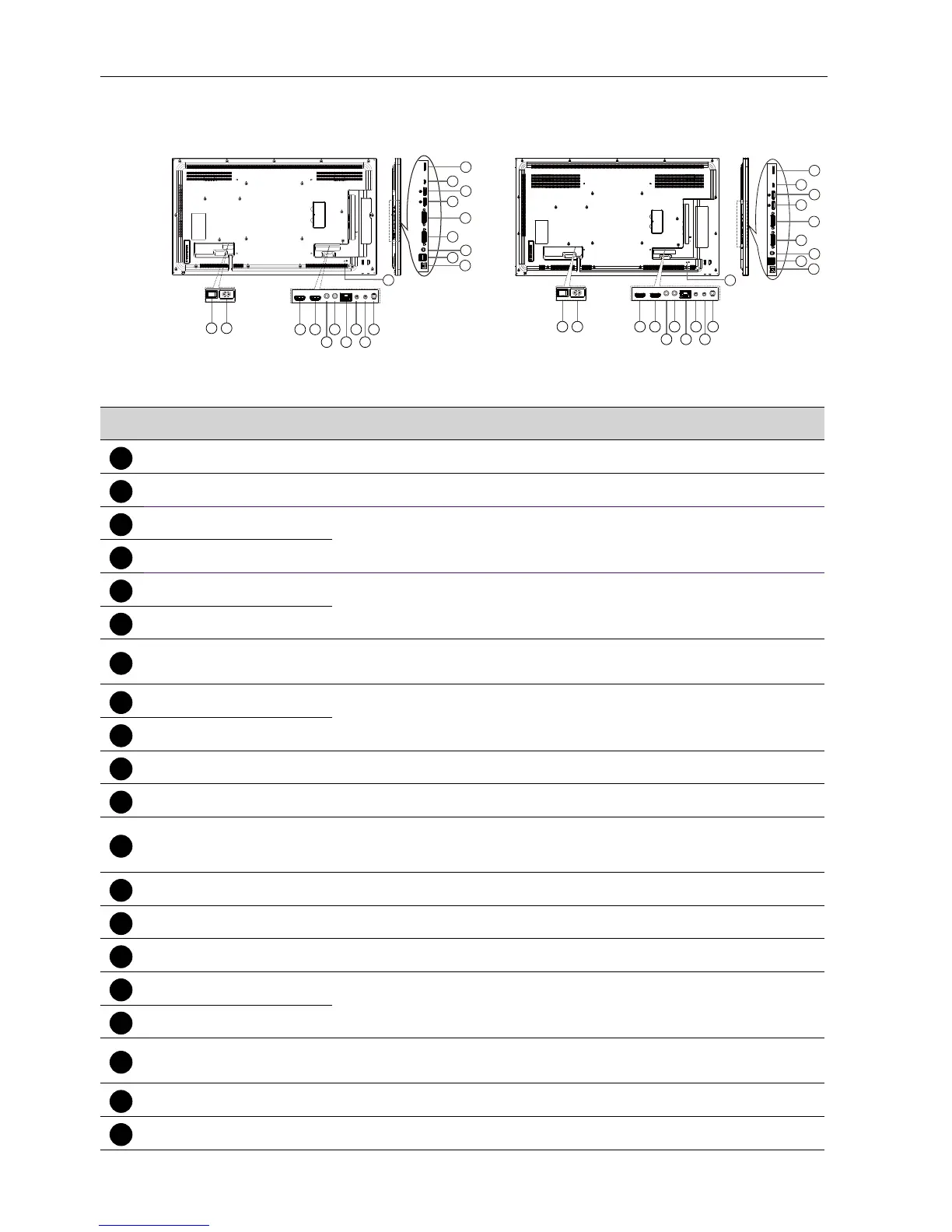
Parts and Functions10
Input/Output Terminals
11
12
13
16
18
17
19
15
20
21 43 6
5
8
7
10
9
14
SL490 SL550
20
21
43 6
5
8
7
10
9
11
12
13
16
18
17
19
15
14
No. Name Description
AC SWITCH
Switch the AC power on/off.
AC IN
AC power input from the wall outlet.
HDMI1 IN
HDMI video/audio input.
IR IN
IR signal input / output for the loop-through function.
RJ-45
LAN control function for the use of remote control signal from
control center.
RS232 IN
RS232 network input / output for the loop-through function.
Audio OUT
Audio output to external AV device.
USB PORT B
Service Use only.
12
USB PORT A
1. For media play
2. 5V2A for add current , example for HDD
13
PC LINE IN
Audio input for VGA source (3.5mm stereo phone).
DVI OUT
DVI or VGA video output.
DisplayPort IN
DisplayPort video input / output.
MICRO USB
For media play, transfer data between the signage and the
computer via a Micro-USB cable (purchased separately).
19
MICRO SD CARD
Connect your MICRO SD CARD.
SECURITY LOCK
Used for security and theft prevention.



 To Next Page