OSD Menu 63
Audio source
Select the audio input source.
Analog: audio from audio input
Digital : audio from HDMI/DVI audio.
Displyport: audio from DP.
Sync. Volume
Enable/disable audio out (line out) volume adjustability to sync
with internal speakers.
Audio reset
Reset all settings in the Audio menu to factory preset values.
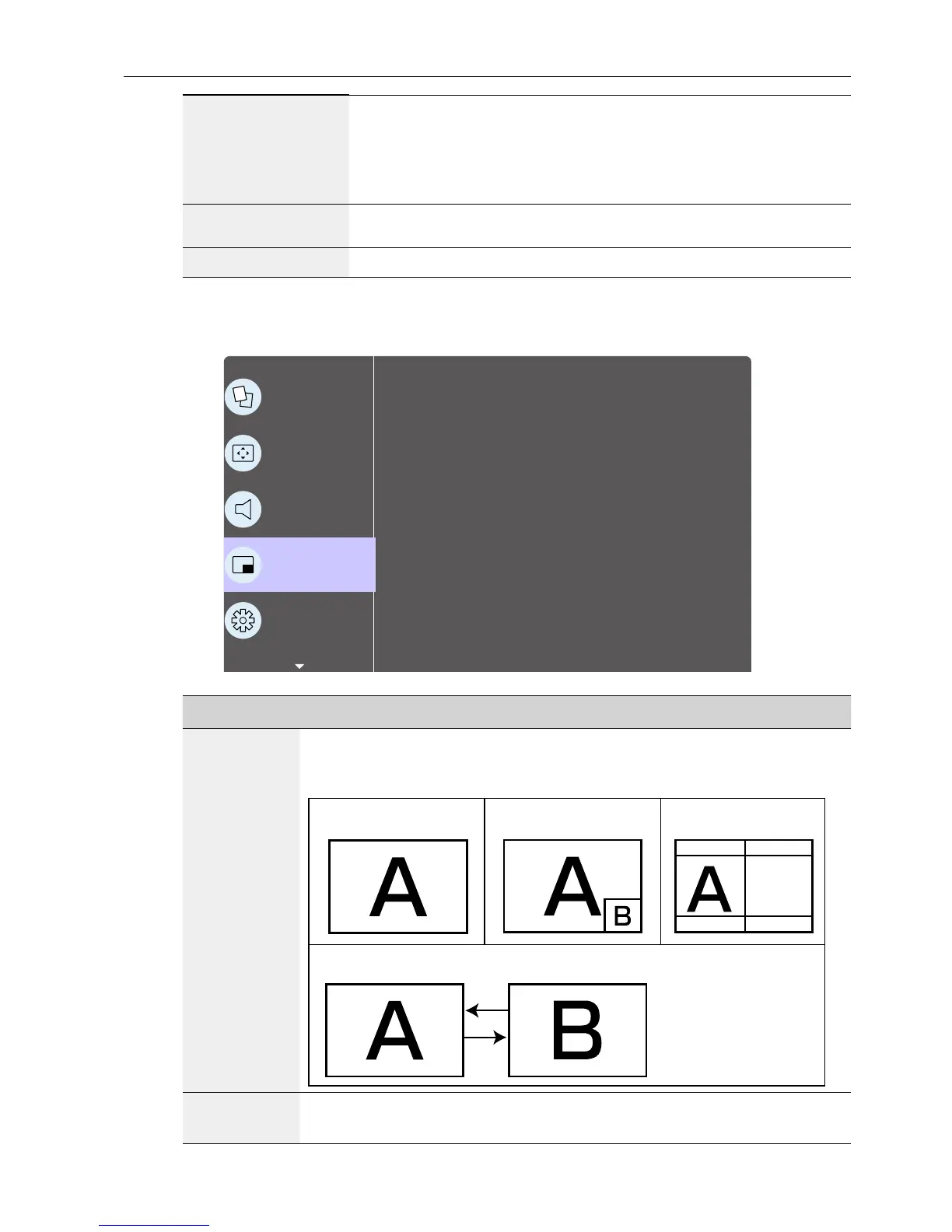
PIP menu
P
Picture
Screen
Audio
PIP
Conguration 1
Sub mode
PIP size
PIP position
PIP change
PIP Source
PIP Audio
PIP reset
Off
Small
Bottom-Right
Action
VGA
Main
Action
Name Description
Sub mode
Select the sub mode.
Choose from: Off / PIP / POP / Quick swap / PBP.
Off PIP PBP 2Win
Sub Win1
Input
Quick swap
Switch main on top
or sub on top.
PIP size
Select the size of the sub picture in the PIP (Picture-in-Picture) mode.
Choose from: Small / Medium / Large.



 To Next Page