Parts and Functions 11
Remote control
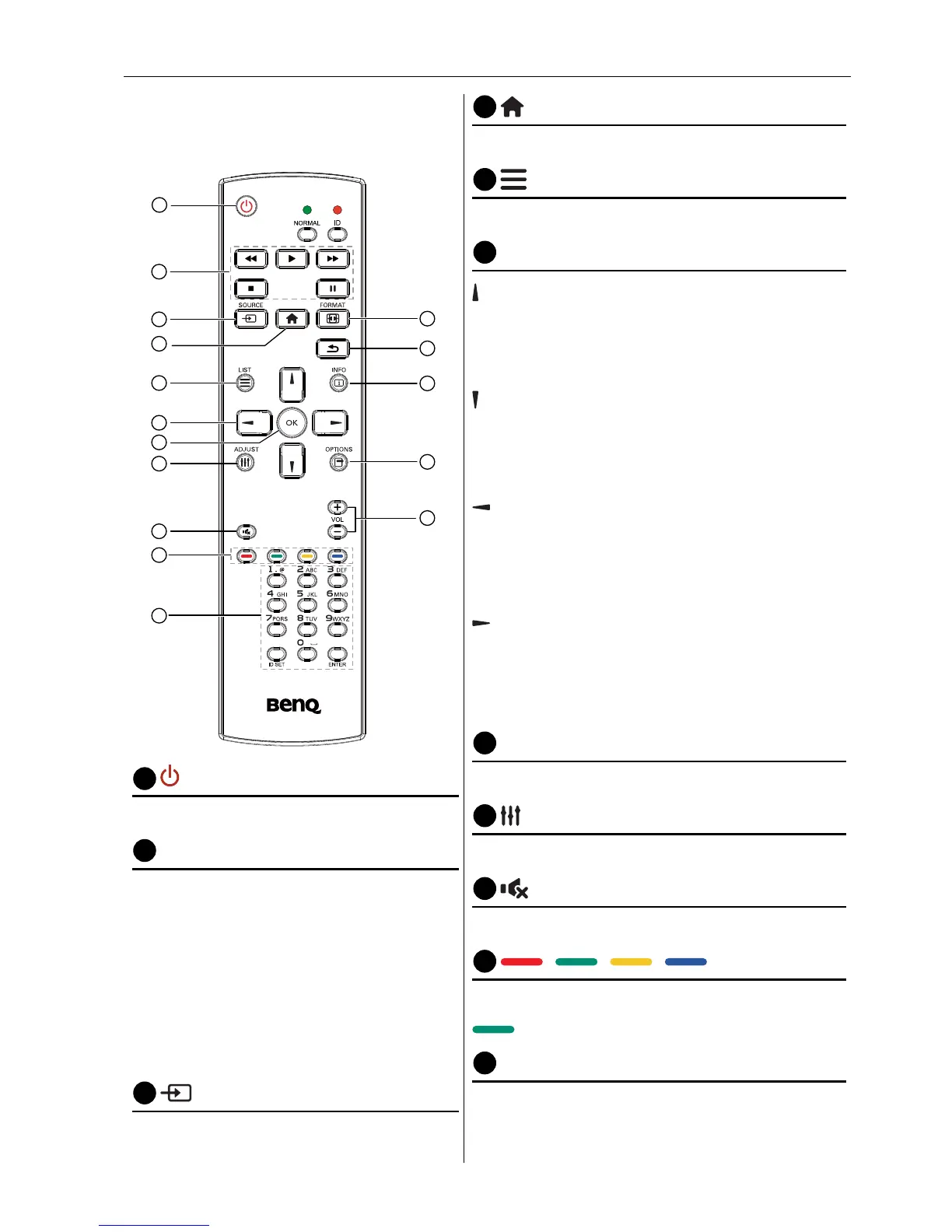
General functions
1
2
3
4
5
6
7
8
10
9
12
14
15
11
13
16
1
POWER button
Power ON/OFF.
2
PLAY buttons
Media player source only. Please refer to
Remote Control for Android usage on page
14.
Freeze feature
Pause: Freeze hot key for all inputs
content.
Play: Unfreeze hot key for all input
content.
3
SOURCE button
Pop-up source menu OSD.
LIST button
Works as X-Sign Menu when at X-Sign page.
6
NAVIGATION buttons
On VGA, HDMI1, HDMI2,DVI-D and Display
Port source: Pop-up picture mode source OSD.
Others: Move the highlight bar up.
On VGA, HDMI1, HDMI2,DVI-D and Display
Port source: Pop-up Audio source OSD.
Others: Move the highlight bar down.
Source menu OSD: Exit source menu OSD.
Volume menu OSD: Decrease audio volume.
Others: Move the highlight bar left..
Source menu OSD: Go to selected source.
Volume menu OSD: Increase audio volume.
Others: Move the highlight bar right.
7
OK button
Conrm, submit or select.
8
ADJUST button
Go to Auto Adjust OSD for VGA only.
/ / / COLOR buttons
Choose tasks or options.(for Media Input only)
Window selection for PIP function.
11
Number / ID SET / ENTER buttons
Enter text for network setting.
Press to set the display ID. Refer to ID Remote
Control on page 13 for more detail.



 To Next Page