Unpacking and Installation 5
Unpacking and Installation
Unpacking
• This product is packed in a carton, together with the standard accessories.
• Any other optional accessories will be packed separately.
• Due to the size and weight of this display it is recommended for two people to move it.
• After opening the carton, ensure that the contents are complete and in good condition.
Package Contents
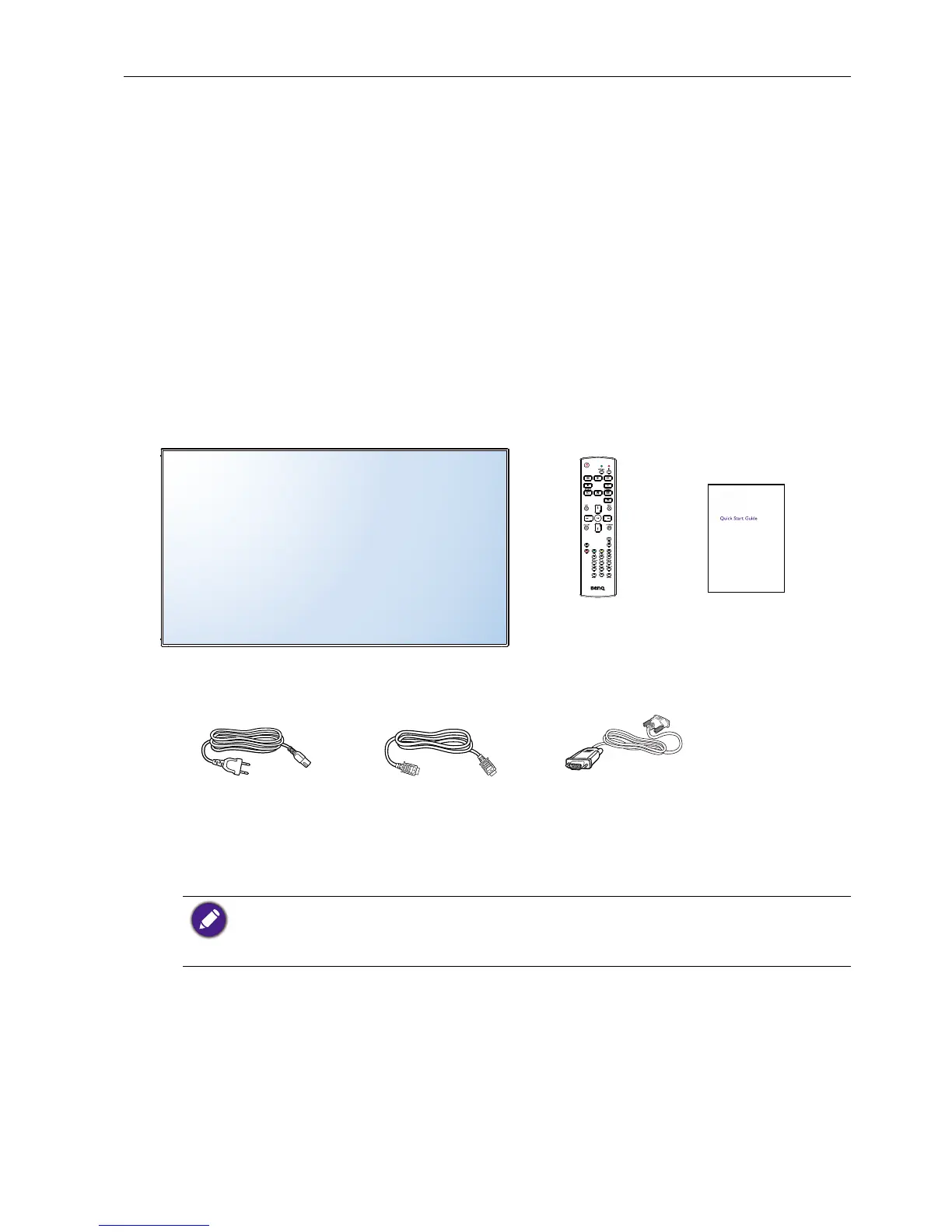
Please verify that you received the following items with your package content:
• LCD display
• Remote control
• Quick start guide
• Power cord (1.8 m)
• HDMI cable (1.8 m)
• DVI to VGA cable (1.8 m)
Remote Control Quick start guide
Power Cord HDMI cable DVI to VGA cable
* The supplied power cord varies depending on destination.
* Differences according to regions.
Display design and accessories may differ from those illustrated above.
• For all other regions, apply a power cord that conforms to the AC voltage of the power socket
and has been approved by and complies with the safety regulations of the particular country
(Type H05VV-F ,2G or 3G, 0.75 or 1mm2 should be used).
• You might like to save the package box and packing material for shipping the display.
Installation Notes
• Due to the high power consumption, always use the plug exclusively designed for this
product. If an extended line is required, please consult your service agent.
• The product should be installed on a at surface to avoid tipping. The distance between
the back of the product and the wall should be maintained for proper ventilation. Avoid
installing the product in the kitchen, bathroom or any other places with high humidity so
as not to shorten the service life of the electronic components.



 To Next Page