Introduction14
English
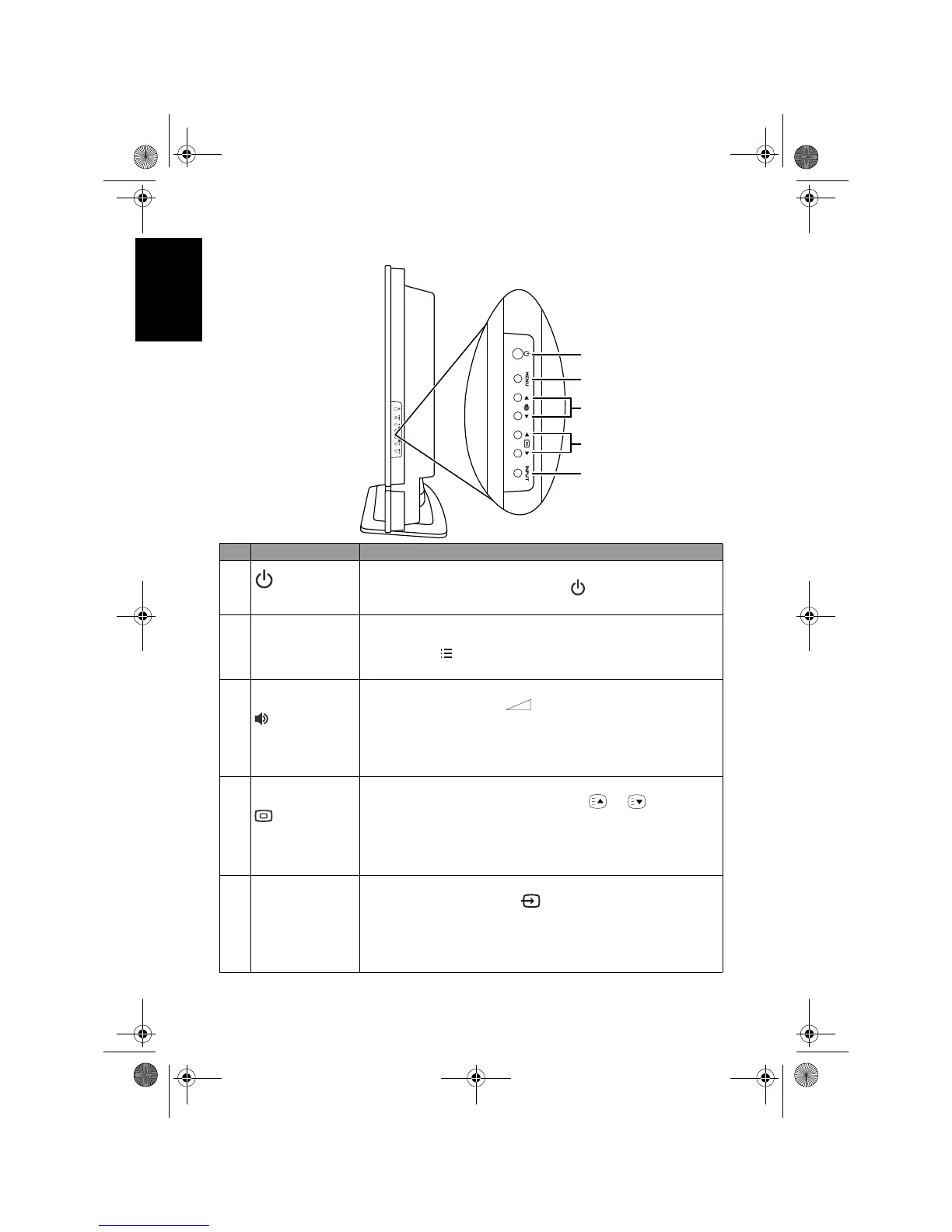
Control panel (right side view)
No. Name Description
1
(Power/
standby) button
Toggles the TV between standby mode and on. (Performs the
same action as the
Power/standby button on the remote
control.) See "Power on, off and standby" on page 20.
2 MENU button
Displays the On-Screen Display (OSD) menu if not visible,
or exits the current menu if displayed. (Performs the same
action as the
MENU button on the remote control.) See
"Navigating the OSD menu" on page 31.
3
(Volume) /
button
• Adjusts the volume level of the built-in speakers. (Performs
the same action as the
(Volume) +/- buttons on the
remote control.) See "Adjusting volume" on page 21.
• In the OSD menu, moves the selection highlight left or right
or changes settings. See "Navigating the OSD menu" on
page 31.
4
(Program)
/button
• Sequentially selects the previous or next tuned TV program.
(Performs the same action as the
P / buttons on
the remote control.) See "Changing programs" on page 21.
• In the OSD menu, moves the selection highlight up or down
or changes settings. See "Navigating the OSD menu" on
page 31.
5 INPUT button
• Cycles through possible input signal sources. (Performs the
same action as the
INPUT button on the remote
control.) See "Selecting an input source" on page 20.
• In the OSD menu, selects the highlighted menu item or
enters a submenu (if available). See "Navigating the OSD
menu" on page 31.
1
2
3
4
5
V32B_V37B_EN.book Page 14 Wednesday, January 23, 2008 10:55 AM



 To Next Page