Introduction16
English
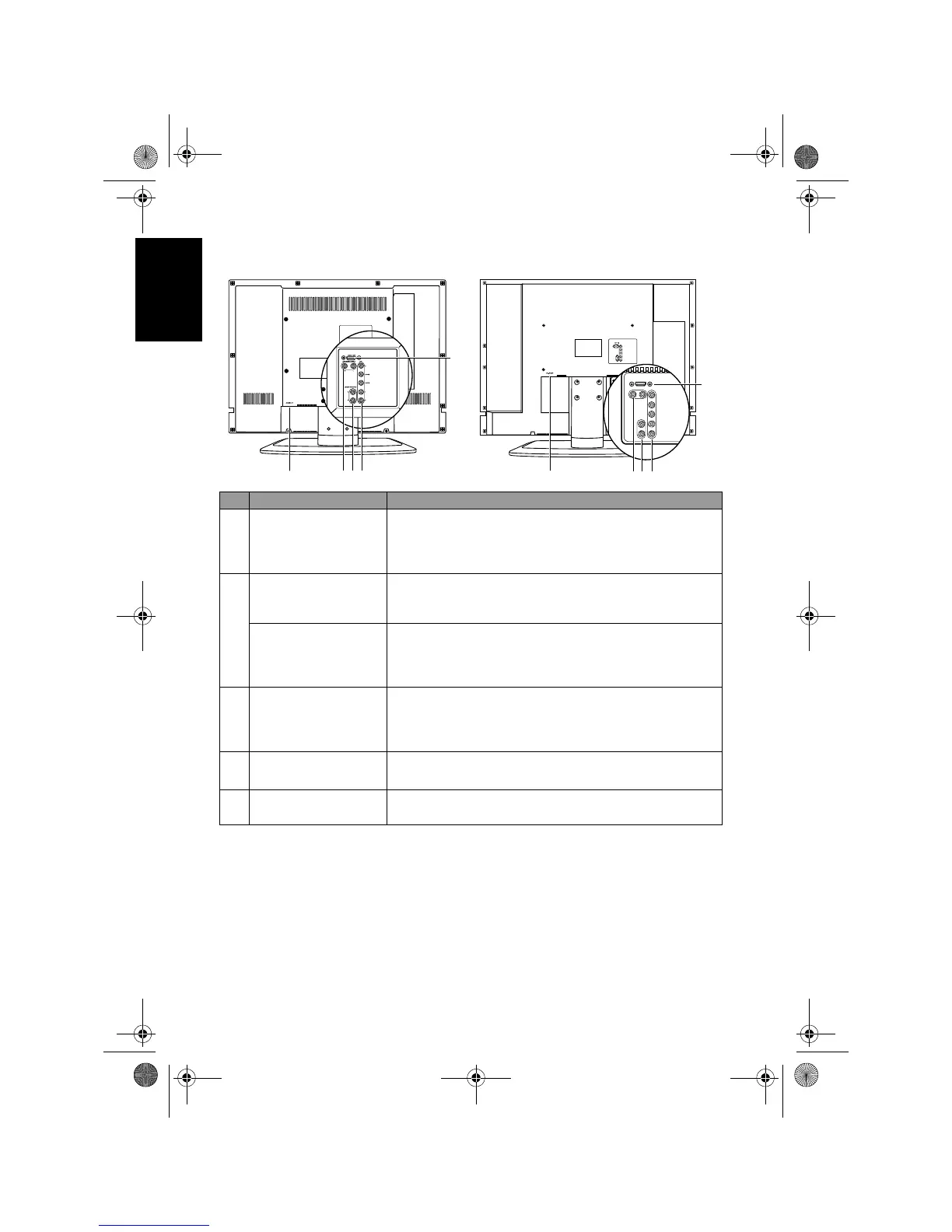
Rear view
No. Name Description
1 HDMI/DVI
Connect to the HDMI digital audio/video or DVI digital
video output of your digital source device. See
"Connecting the HDMI input" on page 28 and
"Connecting the DVI input" on page 27.
2
AV1 Y C
B/PB CR/PR
Connect to the Component Video (Y CB/PB CR/PR)
output of an appropriate video source device. See
"Connecting the Component Video input" on page 26.
AV1 L/R
Connect to the audio output of an appropriate video
source device to match that of the Component Video
input. See "Connecting the Component Video input" on
page 26.
3
AUDIO OUTPUT L/
R
Connect to the audio input of an audio amplifier or
sub-woofer. This output is always available, however, its
level is fixed and cannot be controlled by the Volume.
See "Connecting the stereo audio output" on page 28.
4
DVI-AUDIO INPUT
L/R
Connect to the DVI audio output of your digital source
device. See "Connecting the DVI input" on page 27.
5AC-INLET
For connecting the AC power cable. See "6. Connect the
power cord" on page 5.
VB3233
2
3
4
5
1
VB3733
2
3
4
5
1
V32B_V37B_EN.book Page 16 Wednesday, January 23, 2008 10:55 AM



 To Next Page